dsh-ux-plus
让Deepseek Harness变得更顺手的各种小功能和UX增强包。 适合希望优化界面排版、调整字号和提升日常使用舒适度的用户。
설치
npx -p @deepseek-ai/dsh dsh plugin --profile web add github:plyflai/dsh-ux-plusdsh-ux-plus
UX enhancements and quality-of-life plugins that make DeepSeek Harness easier to handle.


English · 简体中文
Currently targeting the Web UI of DeepSeek Harness 0.2.0-rc.1.
Features
| Feature | Why you'll like it | Preview |
|---|---|---|
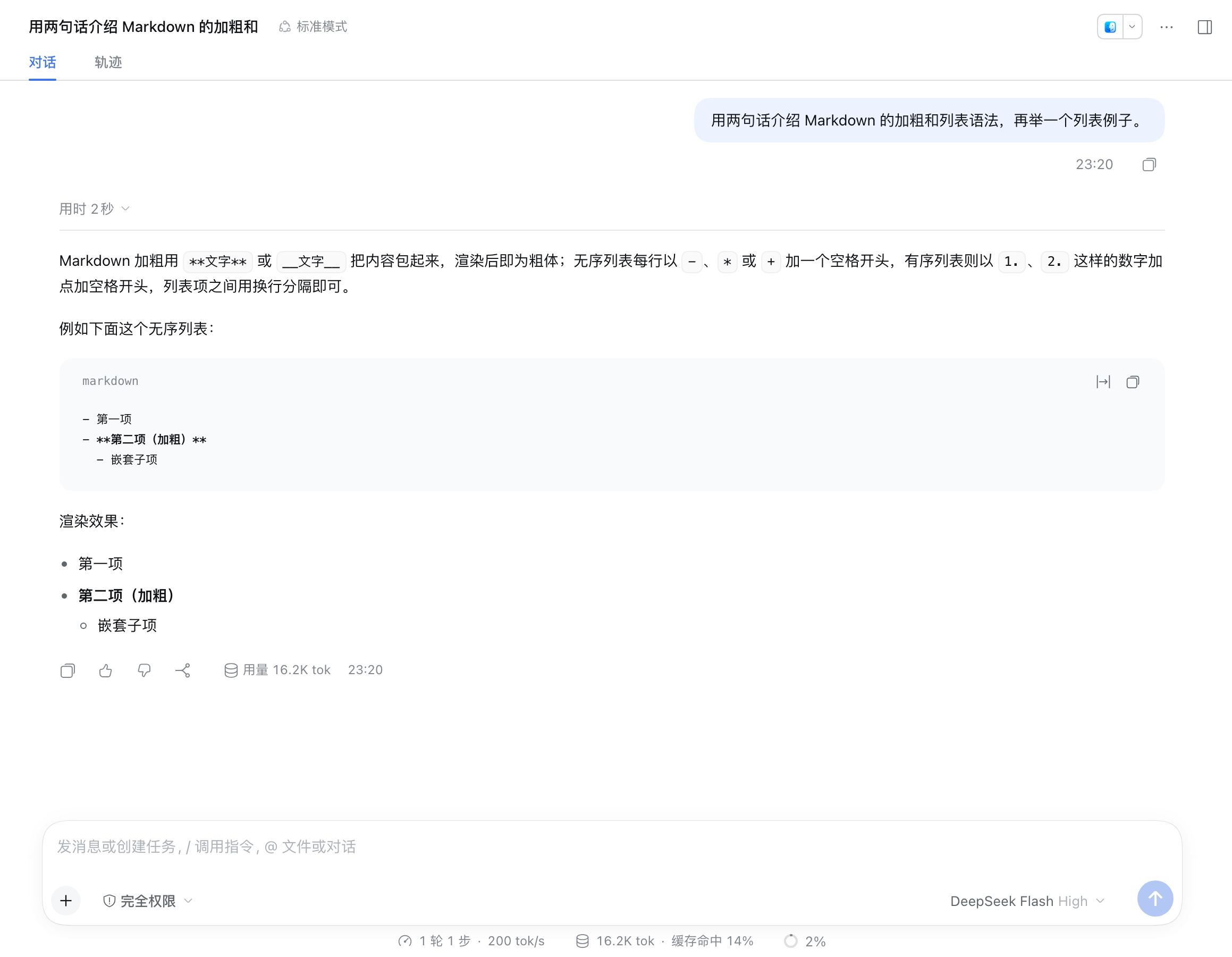
| Conversation typography | [One-click comfort] Pick a comfortable font size and reading width for the chat area. Long answers read easier, wide screens get used properly — without zooming the whole interface. |
|
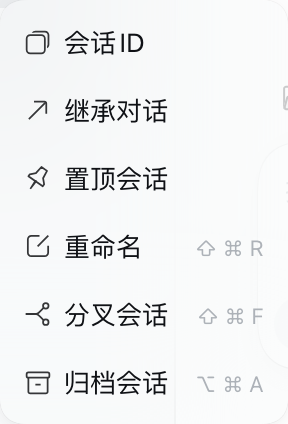
| Session ID menu | [Grab it in one click] Copy a session's ID straight from its row menu — for --session resumes, locating records, or debugging, with no manual text selection. |
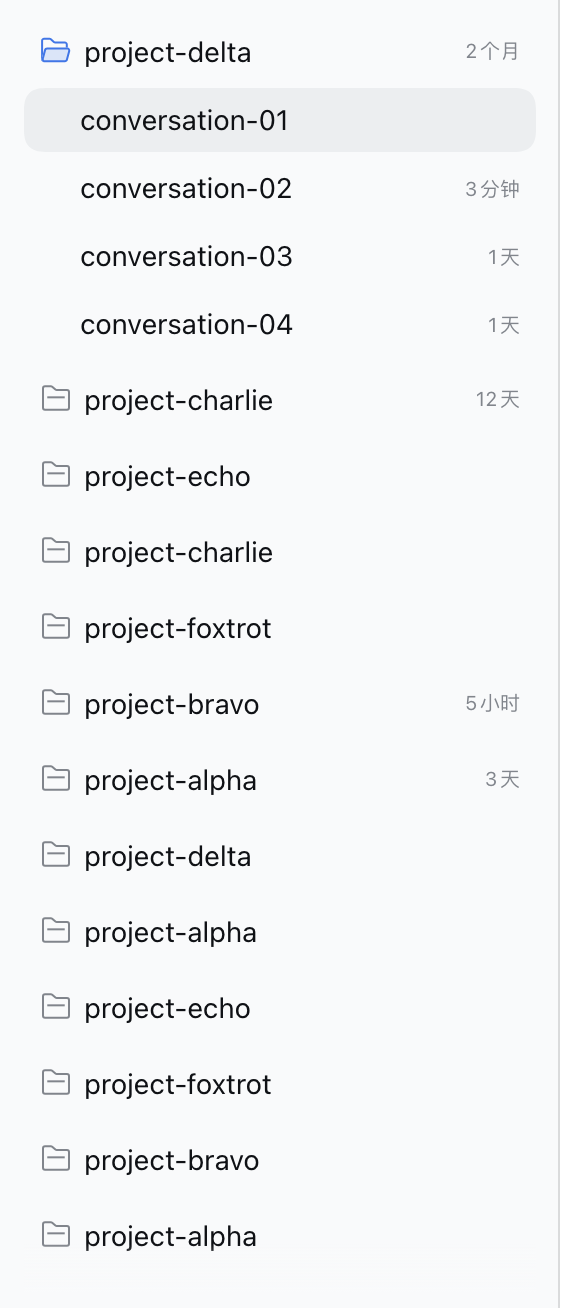
| | Workspace recency order | [Jump back + auto-tidy] Freshest workspaces and sessions float to the top; workspaces idle for over a day collapse on their own and show how long ago they were last updated. |
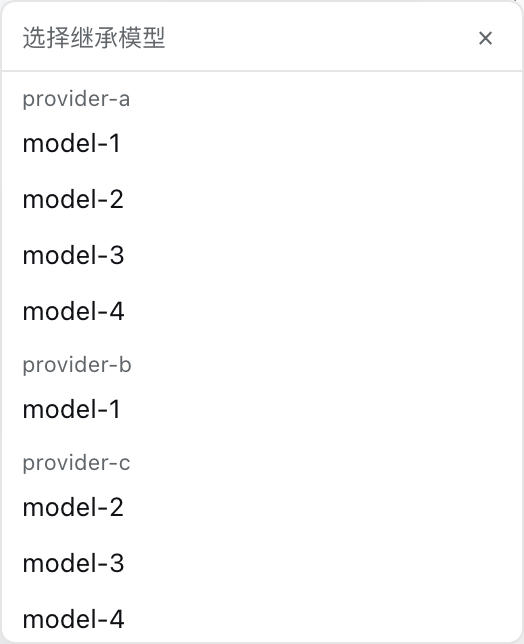
| | Ask question expanded | [Fewer clicks on review] When a question finishes, the question and its answer stay expanded — checking a decision costs one less click. | — | | Inherit conversation | [Switch models, keep going] Pick a model in the session menu: a brand-new session in the current workspace reads the old conversation's progress and carries on. |
|
Feature details
Conversation typography
The chat area defaults to 14px. When answers get dense, bump the font size and narrow the reading width under Settings → General → Chat area — it only affects conversation content, never the whole interface.
Session menu: Session ID & Inherit conversation
Each session row's overflow menu gains two items (placed before the native Pin / Rename entries):
- Session ID: copies the session's ID to the clipboard — for
--sessionresumes, log digging and similar workflows. - Inherit conversation: see below.
Inherit conversation
Clicking "Inherit conversation" opens a lightweight model picker at the click position, listing every routable model (grouped by provider):
After you pick a model, the plugin:
- creates a brand-new session in the original session's workspace;
- switches the new session to the model you just picked;
- posts an inheritance prompt — the inherited session's ID plus "Summarize and inherit this conversation's progress, giving the most attention to the latest turns";
- jumps to the new session, where the model starts reading the old conversation, summarizing progress and carrying on.
Great for: a session that ran too long and deserves a pricier model to finish; a rate-limited provider where you want to continue elsewhere; or simply transplanting progress into another model's context. The original session is untouched, and the Session ID copy stays as-is.
Workspace recency order (incl. idle collapse)
Workspace groups and their session rows sort by most recent activity, so multiple parallel projects never bury the one you were just in; only the visual order changes — the host's sort settings and data stay intact.
The same feature also handles idle tidying: a workspace with no real activity for over 24 hours (blank and subagent sessions don't count — same signal as the ordering) collapses automatically once when the page opens, and every workspace row shows its age on the right — now / Nm / Nh / Nd / Nmo / Ny — styled exactly like the host's session-row timestamps and hidden on hover.
Auto-collapse fires at most once per workspace per page load: re-expand it manually and it stays expanded. Workspaces without sessions (or with only blank / subagent sessions) have no activity signal — never labeled, never collapsed. Labels follow the DSH language and light/dark theme.
Settings
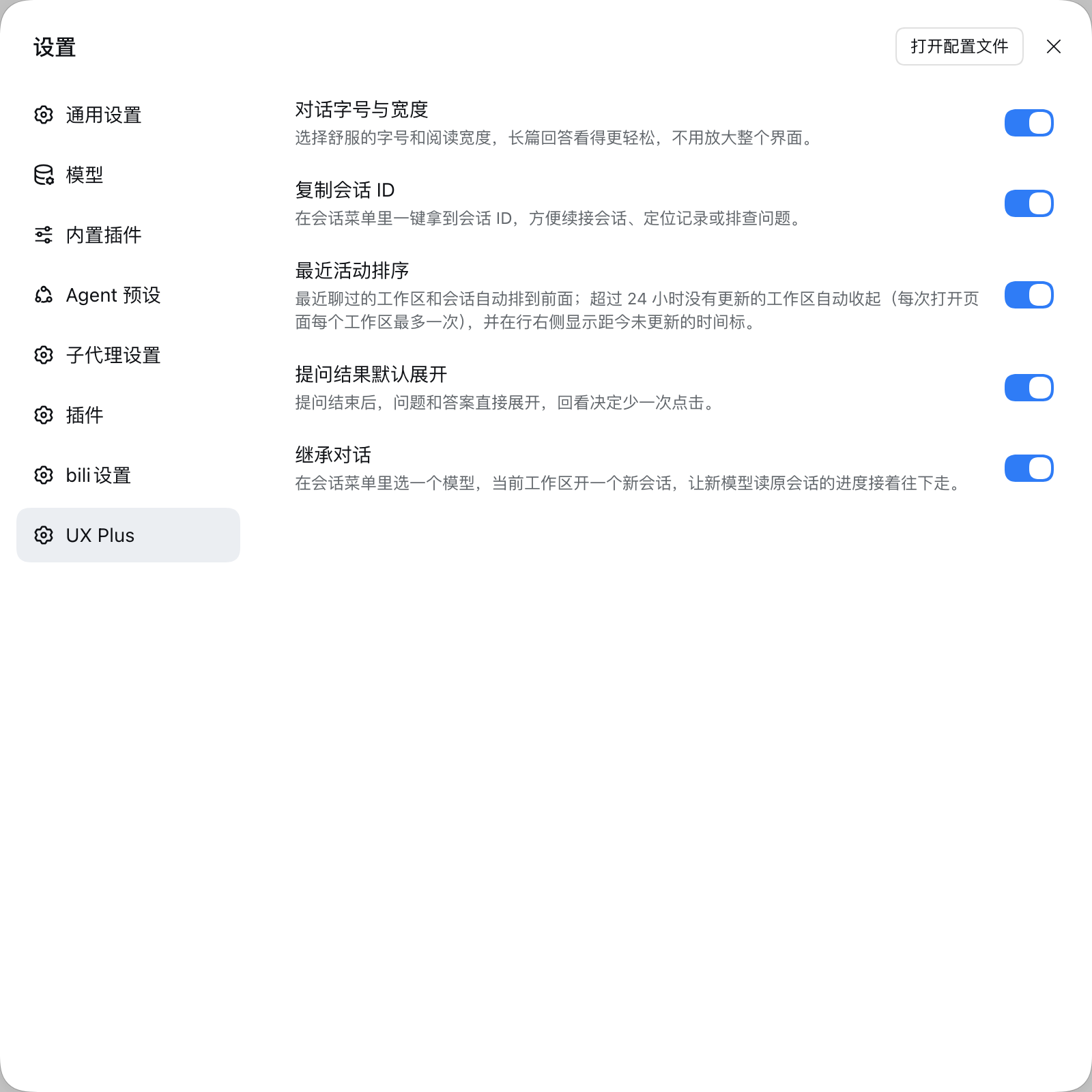
Open Settings → UX Plus: all five features have independent switches, on by default, applied instantly.
Install
Requires Node.js ≥ 22, pnpm on PATH, and a DSH Web profile.
dsh plugin --profile add github:plyflai/dsh-ux-plus
Restart the profile afterwards. Open Settings → UX Plus to toggle each feature; features are on by default and each switch applies instantly.
Conversation font size and width live under Settings → General → Chat area.
Compatibility
- Web UI (browser) only — not the terminal TUI.
- Every feature mounts on public host extension points (sidebar slots, settings forms, DOM tweaks); no host source is modified, and each feature can be switched off individually.
- Host upgrades may shift internal DOM and slot contracts; file an issue if something breaks and it usually gets fixed in the next version.
Development
npm install
npm test        # node --test, incl. static assertions on the built artifact and injected deps
npm run build   # tsdown emits lib/client.js (classic script, committed to the repo)
- Each feature is a private
features//module (host + client halves) registered in the feature lists ofsrc/index.jsandsrc/switches.js— not a standalone plugin. - The client bundles into a single classic script injected into
window.__ModuleLoader__; external dependencies are strictly limited to the module seeds the host provides, enforced by the build script. - Every push to main appends one entry to the update log below and syncs CHANGELOG.md.
Update log
The three most recent entries; full history in CHANGELOG.md.
- v0.1.7 · 2026-10-14 — README restructured: English-first with a Chinese counterpart, screenshots moved into the feature table, update log trimmed to the three latest entries.
- v0.1.6 · 2026-10-14 — Idle workspace collapse and age labels are no longer a standalone feature: folded into Workspace recency order (same switch, same activity signal); settings back to five rows.
- v0.1.5 · 2026-10-14 — Workspaces idle for 24 hours auto-collapse (at most once per page load); workspace rows show a host-styled "last updated" age label that follows the DSH language and theme.
License
MIT © 2026 plyflai