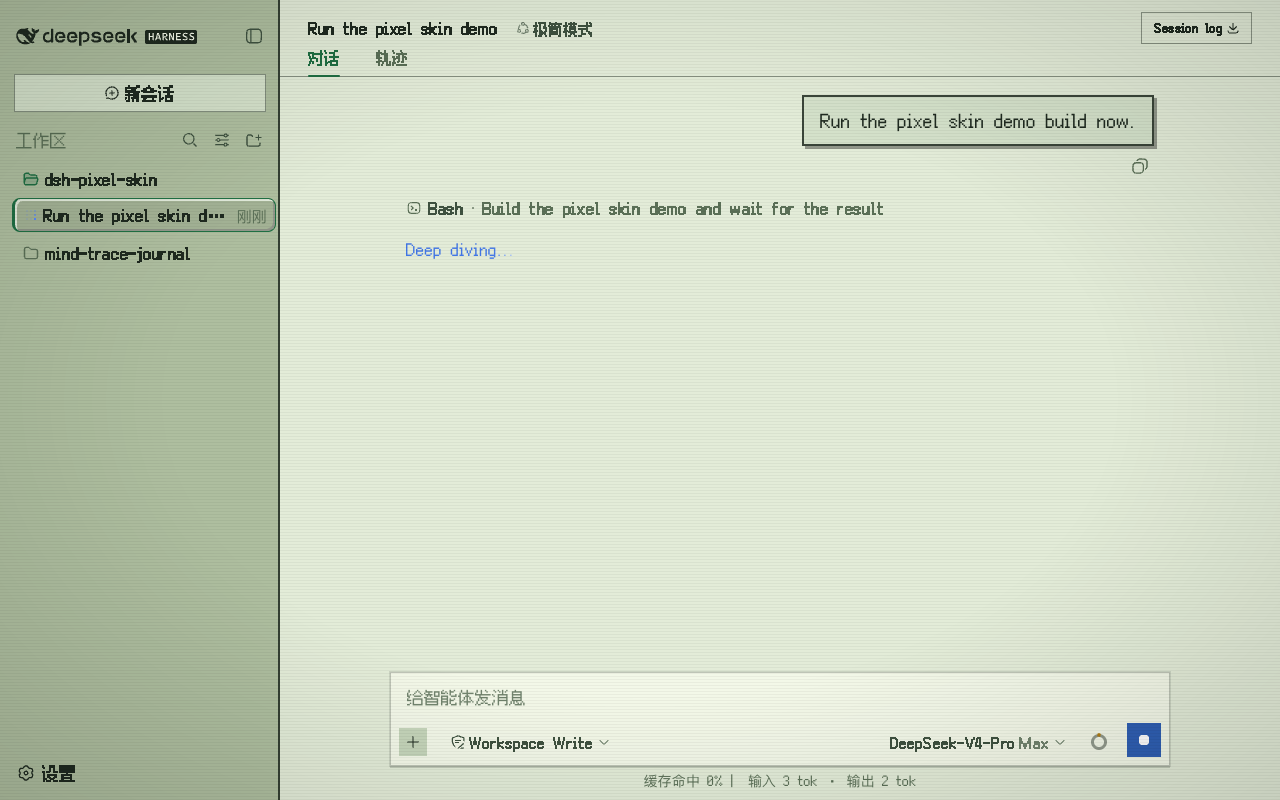
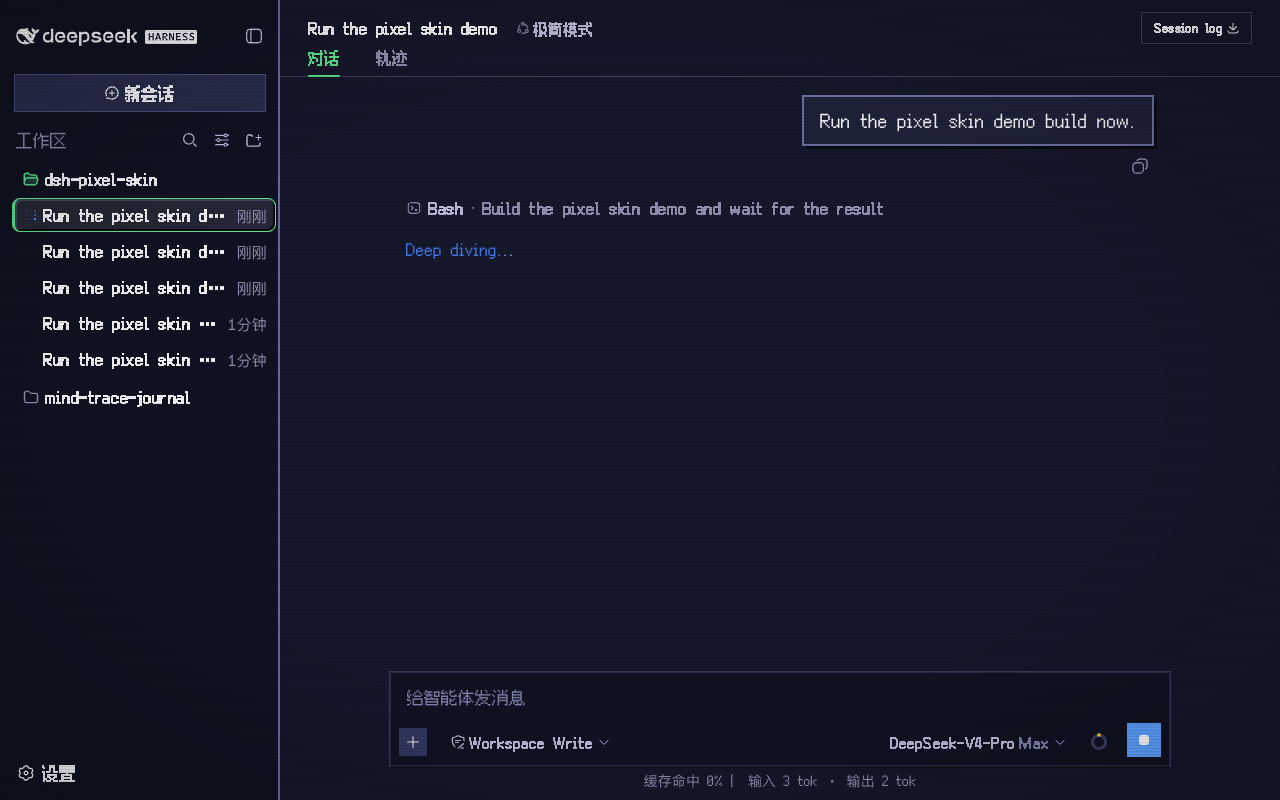
8-bit / CRT skin for the DeepSeek Harness web GUI.
An out-of-tree web client plugin for DeepSeek Harness. It keeps the host untouched and layers a full pixel-art treatment over the built-in light and dark themes.
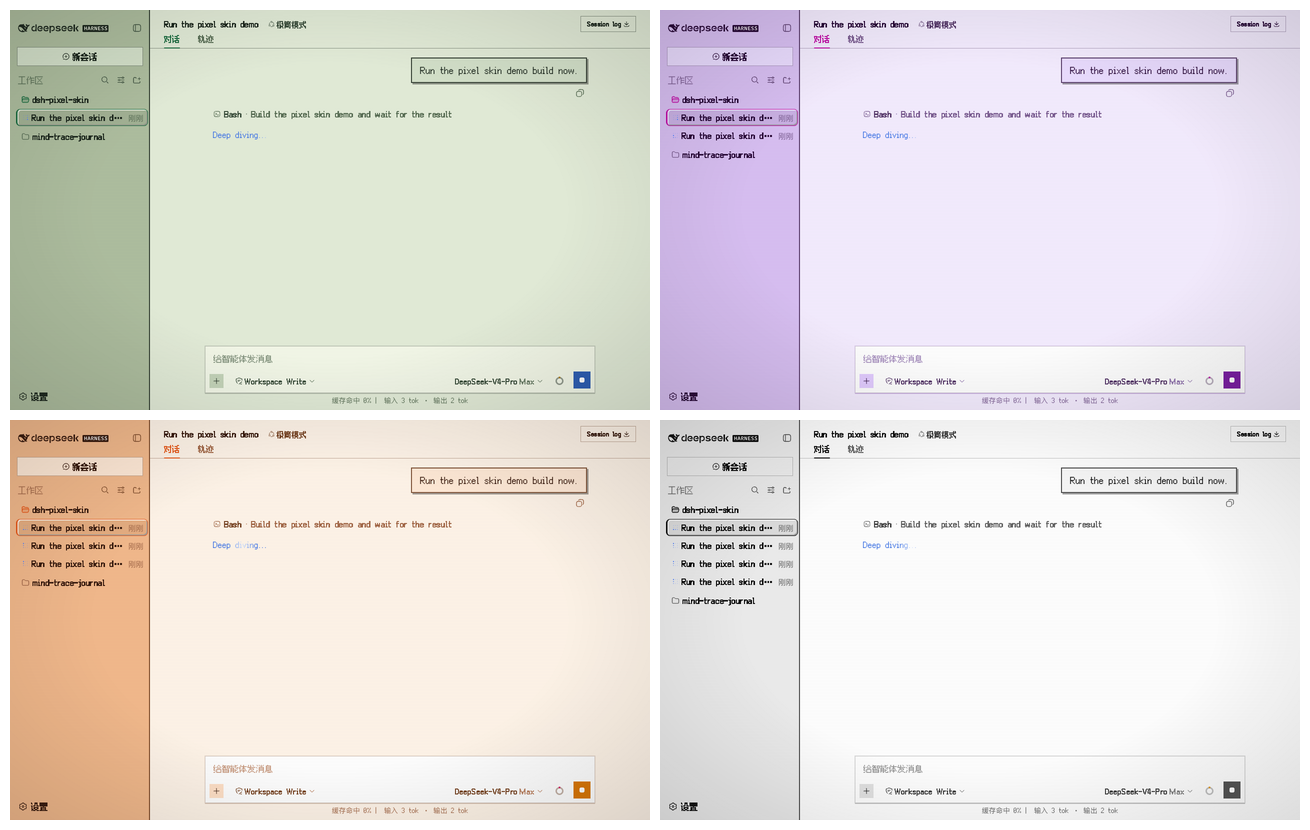
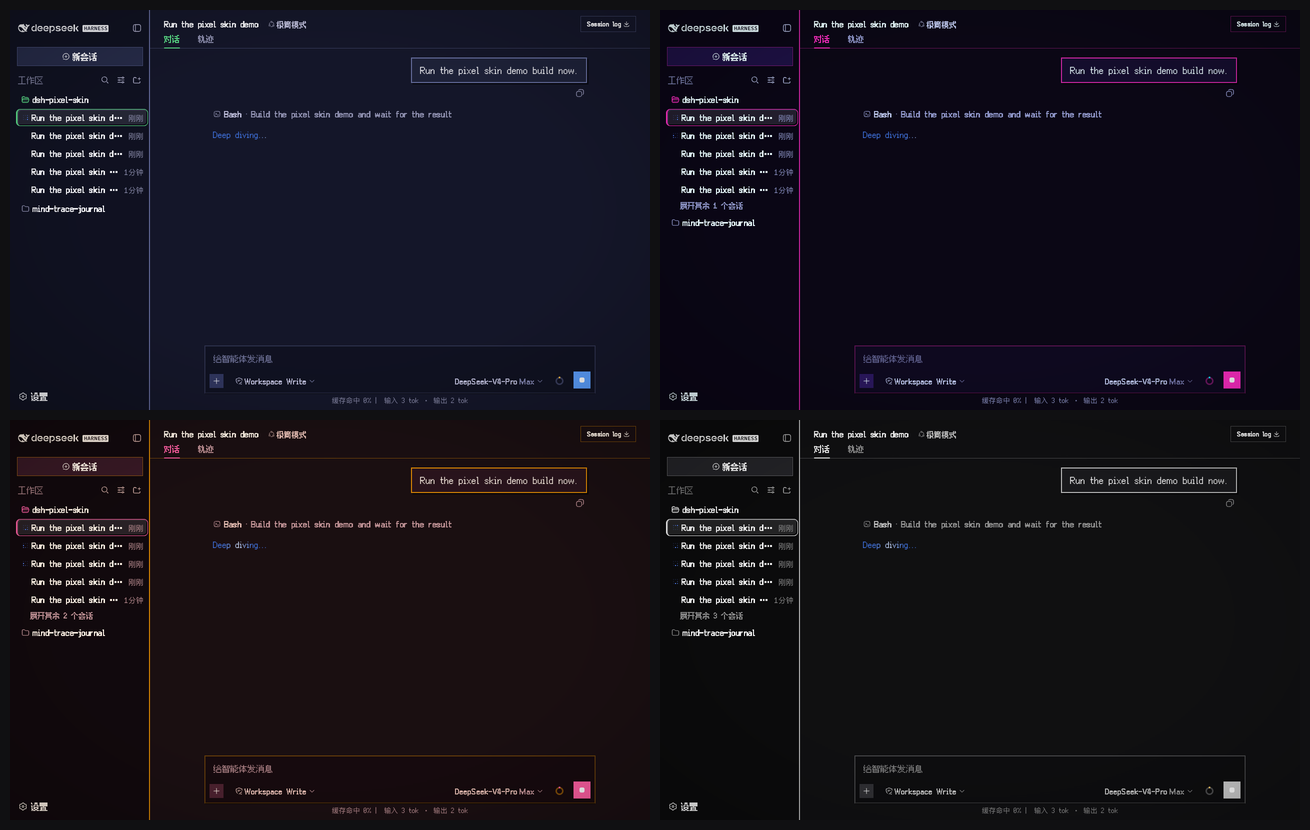
Screenshots show a live coding session: a bash tool call is running while the
composer, stats line, and tool card are all on screen.
Features
Complete pixel palette for light and dark mode, layered through the official ctx.theme.overrideTokens API.
Readable hybrid typography
short UI chrome: Fusion Pixel 12px Proportional SC
long-form prose: Latin-only Fusion Pixel Latin subset + modern CJK fallbacks (PingFang SC / Microsoft YaHei)
code and terminals: Fusion Pixel 12px Monospaced SC
Generated font-size patch layer — scans the adjacent harness checkout and fixes every component rule that still hard-codes 10–16px text, using the exact CSS-Module hashes from the same lightningcss options as the harness build.
Pixel document details
hard-bordered markdown tables, blockquotes, pixel dividers and checkboxes
square code-language badges (bash, json, ts, …)
dsh-pixel-skin · DSH Hub
stepped skeleton shimmer
session-list tree markers
Switchable color palettes
retro — green Game Boy / CRT (default)
cyberpunk — neon magenta + cyan
sunset — warm sunset arcade
mono — monochrome terminal
CRT atmosphere
adjustable scanlines: off / light / standard
optional subtle vignette
optional 16×16 pixel cursor
Official favicon pixelated at 32×32 by a small sharp-based rasterizer; black whale in light mode, white in dark mode, just like the source.
Settings panel under Settings → General → Pixel skin, persisted in localStorage; controls palette, scanlines, cursor, vignette, and font mode.
Dispose-safe — the plugin removes its stylesheet, favicon, token overrides and body attributes when unmounted.
prefers-reduced-motion aware — animations are disabled when the OS requests reduced motion.
Typography modes
Mode
UI chrome
Long-form body
Code
hybrid (default)
Pixel proportional SC
Pixel Latin + modern CJK
Pixel monospaced SC
pure
Pixel proportional SC
Pixel proportional SC
Pixel monospaced SC
Switch between them in Settings → General → Pixel skin → Font mode.
Requirements
A checkout of deepseek-harness reachable at ../deepseek-harness from this repository, or set DSH_REPO when building.
The harness checkout must have its client packages built (lib/client.js artifacts) before the skin build scans their CSS Modules. In practice, a normal pnpm run build in the harness repo is enough.
Node.js 22+.
Build
cd dsh-pixel-skin
npm run build

# If the harness checkout lives somewhere else:
DSH_REPO=/path/to/deepseek-harness npm run build