AlfredChaos/dsh-usage-panel ↗★ 0
dsh-usage-panel
DeepSeek Harness 消耗统计插件:设置页「消耗统计」展示 Token 用量 KPI、半年活跃贡献热力图、按模型堆叠柱状图与模型环形图(Host 预热扫描 + RPC,只读重算会话日志)
安装
$
npx -p @deepseek-ai/dsh dsh plugin --profile web add github:AlfredChaos/dsh-usage-panel说明文档
阅读完整 README ↗dsh-usage-panel
DeepSeek Harness 的 Token 用量统计插件,在 Web GUI 的「设置 → 消耗统计」下展示。插件只重算持久化的会话日志,不会写回任何数据。
English · 


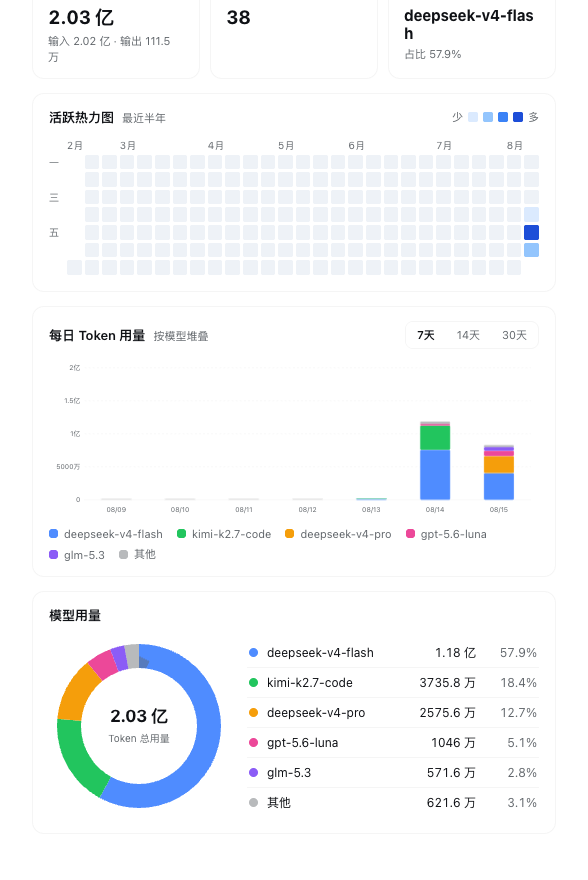
页面内容
- 汇总数据(全部历史) —— 输入 / 输出 Token 用量、会话数量、最常用模型及其占比。
- 活跃热力图 —— 最近半年,GitHub 贡献图式布局(列为周、行为星期)。按非零日用量的四分位分 4 级色阶。
- 每日柱状图 —— 按模型堆叠的每日用量,可切换最近 7 / 14 / 30 天。
- 模型环形图 —— 各模型全历史占比,旁边列出前 5 名,其余合并为「其他」。
悬停柱子或环形图分段可以看到具体明细:
| 柱状图悬停 | 环形图悬停 | 暗色主题 |
|---|---|---|
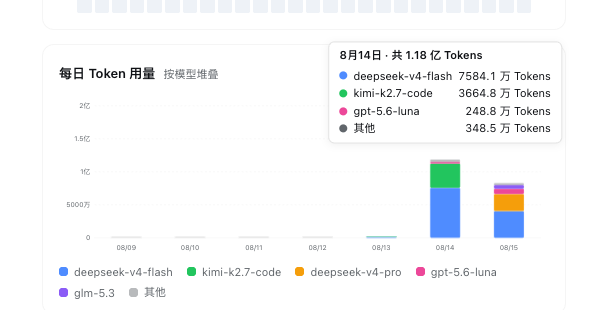
|
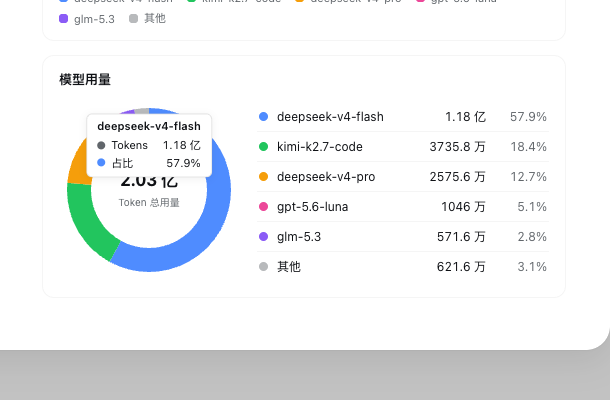
|
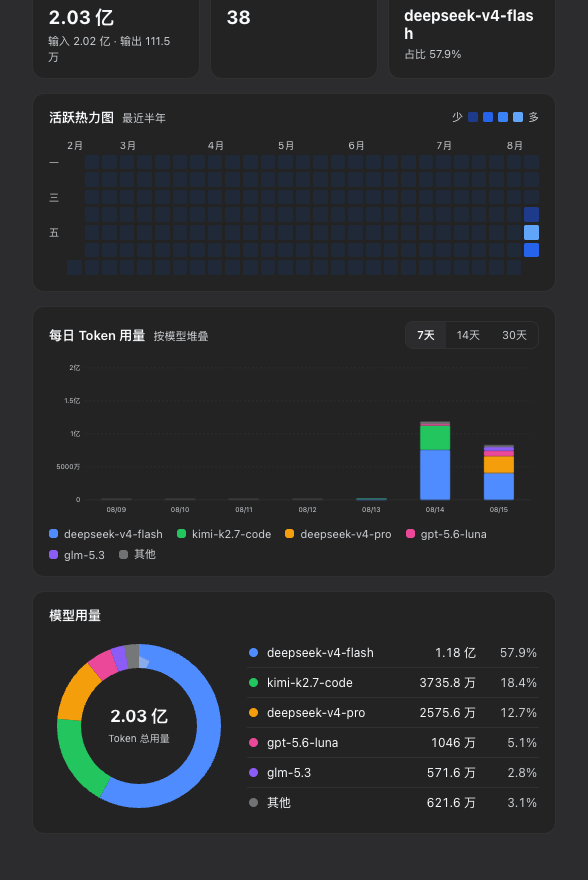
|
安装
插件以 bundle 形式发布:dsh plugin add 会把它追加到 profile 的 bundle 列表,patch 行负责挂载 Host 半。
# 从 npm 安装(推荐)
dsh plugin --profile web add dsh-usage-panel

# 或从 GitHub 安装
dsh plugin --profile web add github:AlfredChaos/dsh-usage-panel

# 或从本地目录安装
dsh plugin --profile web add ./dsh-usage-panel
重启 dsh --profile web,打开「设置 → 消耗统计」。npm 包内 lib/ 下是预构建的纯 JavaScript 产物,无安装脚本;GitHub 安装同样不需要 pnpm 的构建放行,因为仓库里提交了相同的文件。卸载:
dsh plugin --profile web remove dsh-usage-panel
数据来源
Host 半通过只读的 服务重扫持久化会话日志: