A local-first runtime for AI agents. Sessions, sandboxed tools, memory,
credentials, audit trails, and a built-in Console — all running on your
machine or in your own infrastructure.
npx managed-agents init
npx managed-agents start
# open http://127.0.0.1:3000/dashboard
Why
Agent SDKs handle the model loop. Production agents need more: persistent
sessions, tool governance, sandbox boundaries, credential handling, memory,
auditability, and a UI for humans to inspect what happened. managed-agents
is that runtime layer — not a visual workflow builder and not another model SDK.
Features
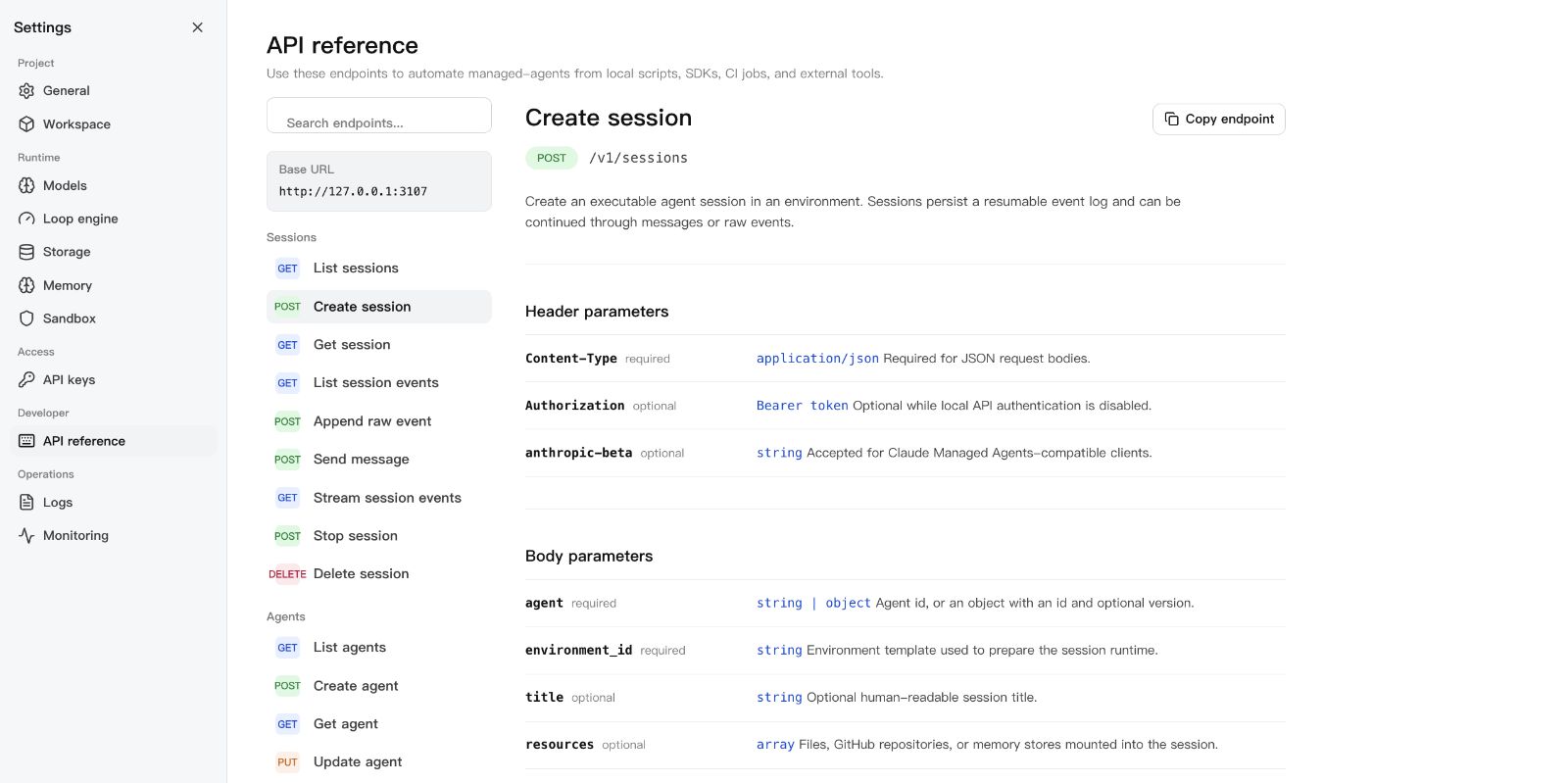
Claude Managed Agents-style /v1 API and local Console
SQLite-backed agents, sessions, environments, credential vaults, memory
stores, files, skills, and API keys — SQLite metadata by default
local file/skill bytes stored in the workspace state directory
Resumable Server-Sent Events for session replay and debugging
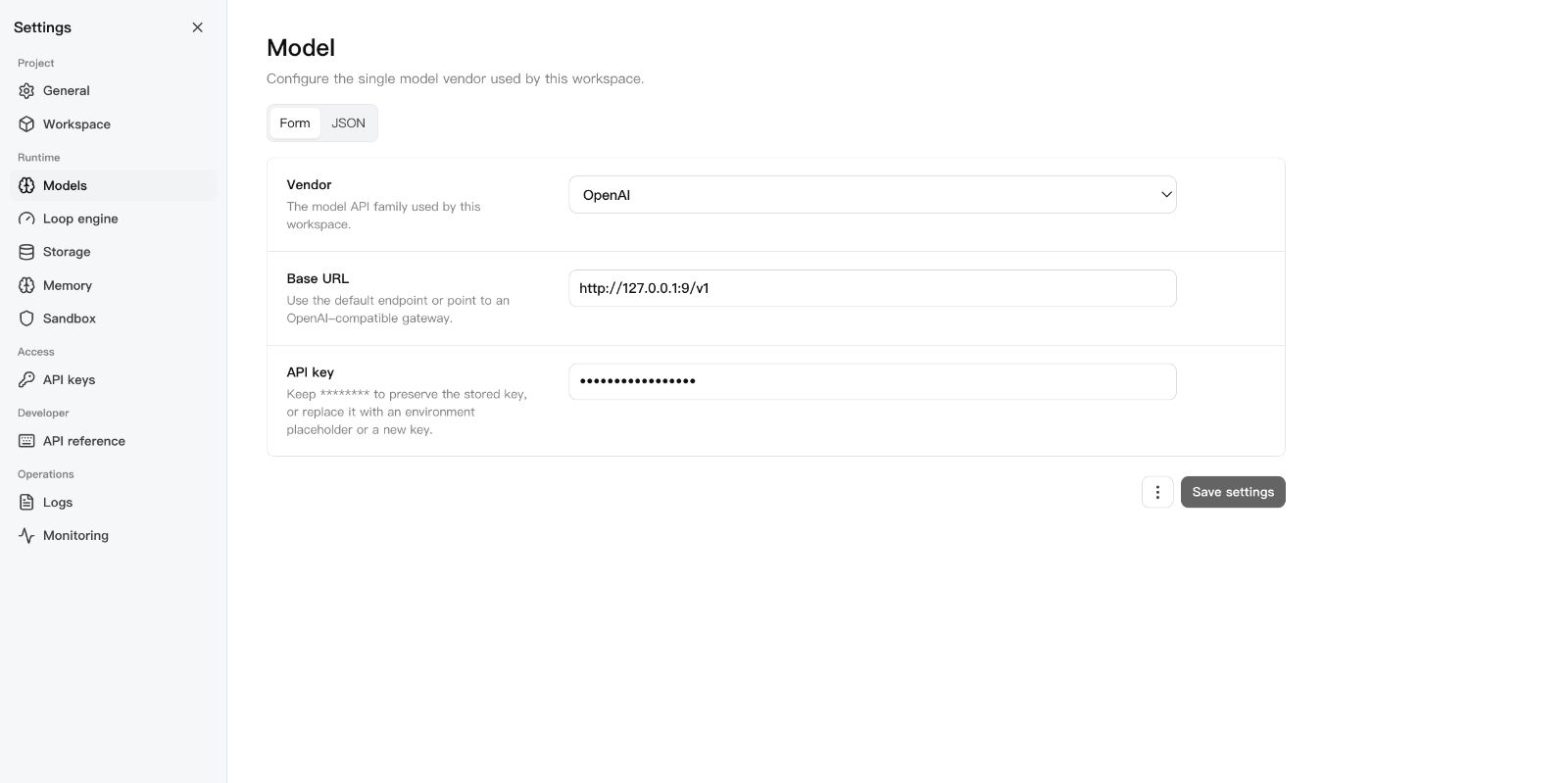
One active model provider boundary configured through Settings V2
Settings V2: one workspace model vendor, loop engine, storage, memory,
sandbox — with validation, form/JSON modes, and restart flow
MCP toolsets, permission policies, built-in tools, and skill packages
DeepSeek Harness bridge over MCP stdio for agents, sessions, streamed turns,
artifacts, and cancellation
TypeScript SDK at managed-agents/sdk
Release gate: npm run release:check
Screenshots
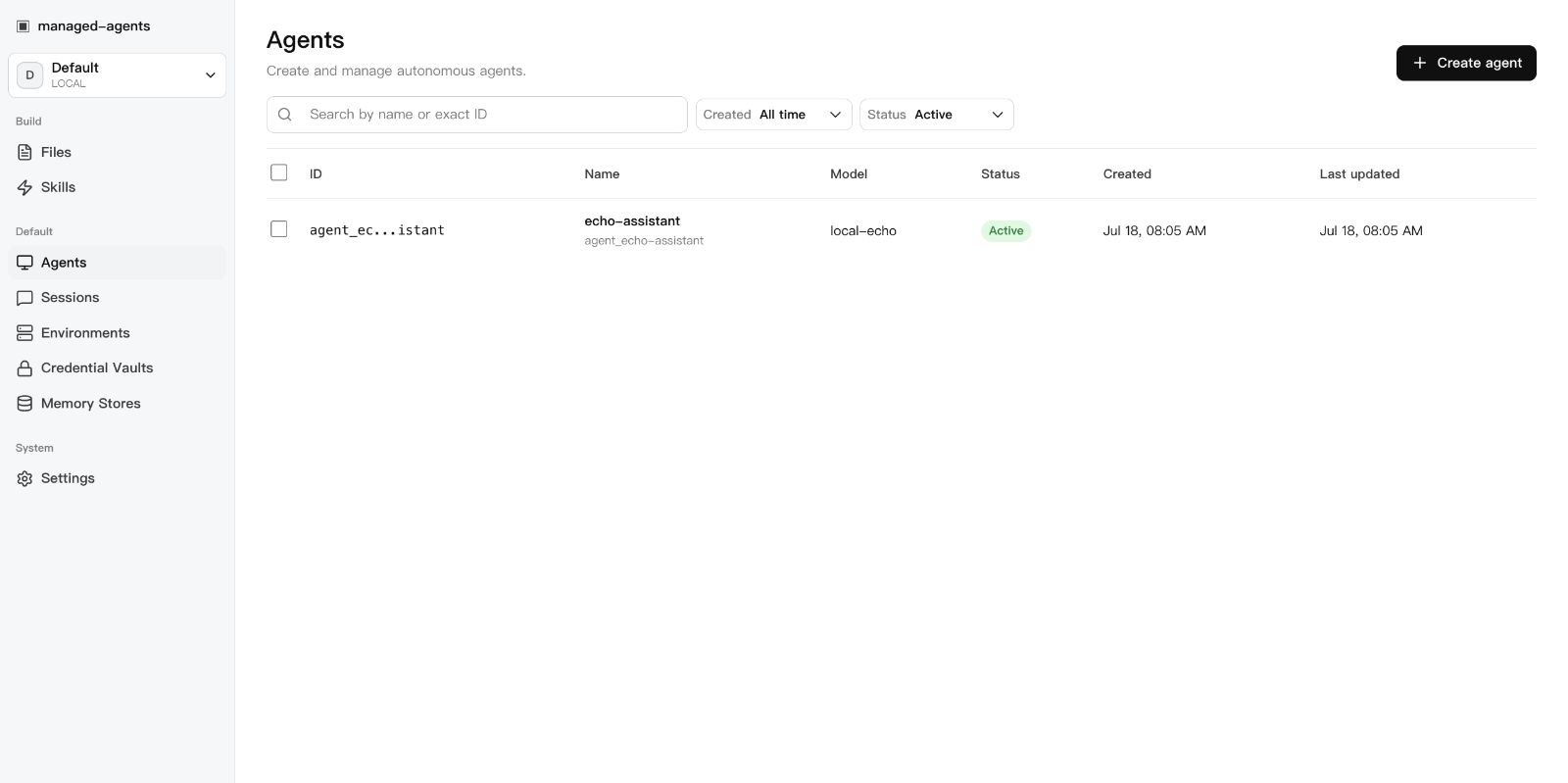
Console overview
Settings
API reference
managed-agents · DSH Hub
Requirements
Node.js 22+
npm 10+
A model provider API key (OpenAI, Anthropic, or OpenAI-compatible endpoint)
Docker (optional, for Docker-backed sandboxes)
DeepSeek Harness
Run this project as a DSH plugin instead of treating dsh-plugin as discovery
metadata only. Install the bundle into a DSH profile, start managed-agents,
then boot that profile:
export MANAGED_AGENTS_URL=http://127.0.0.1:3000
dsh plugin --profile web add managed-agents
dsh web
The patch starts managed-agents-mcp over stdio. DSH can then list agents,
create and run sessions, inspect results and artifacts, and stop work through
native mcp__sandbase__* tools. See
examples/deepseek-harness for the full
tool list and authenticated-runtime configuration.