ShuiHan268/dsh-qwen-mm-plugins ↗★ 0
dsh-qwen-mm-plugins
Qwen-MM-Plugins integration for DeepSeek Harness: 12 MCP multimodal tools (vision/OCR/grounding/ASR/AV), a Web settings page (paste a Qwen API Key), bundled skills, and a one-command installer.
安装
此插件尚未提供可验证的 bundle,或兼容性检查未通过。请先阅读仓库说明。 阅读完整 README ↗
说明文档
阅读完整 README ↗dsh-qwen-mm-plugins
English · 中文
为 DeepSeek Harness(DSH)接入 QwenLM/Qwen-MM-Plugins 云端多模态能力的插件。
特性
- MCP 工具 — 12 个
mcp__qwen-mm-plugins-api__*工具:vision_chat(图像理解)、ocr、grounding、transcribe_audio(ASR)、omni_multi_speaker_asr(说话人分离)、omni_av_caption/omni_av_grounding(音视频理解)等。 - 内置技能 —
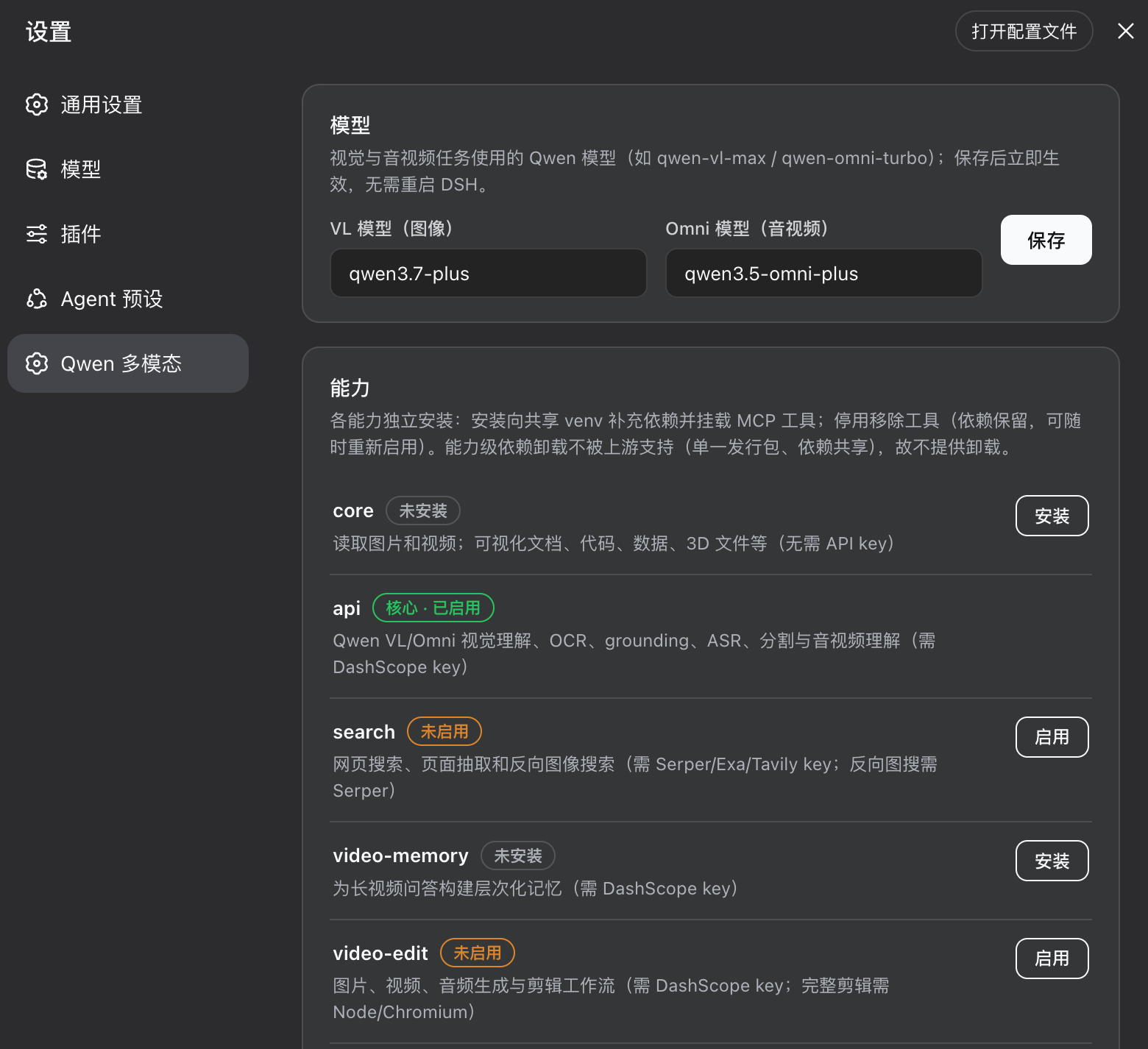
qwen-mm-plugins-api技能随插件分发,无需手动复制到~/.dsh/skills。 - 设置页面 — Web GUI → 设置 → Qwen 多模态:粘贴 Qwen API Key 即可用;密钥存入凭据库
$DSH_HOME/.credentials.yaml(0600),不进会话日志。 - 热生效 — 保存或轮换 key 后 MCP 子进程自动重启,无需重启 DSH。
- 能力管理 — 8 个能力(core / api / search / video-memory / video-edit / blender / freecad / edu-agent)带三态管理:未安装 → 未启用 → 已启用,支持一键安装/启用/停用。
/qwen-mm命令 —status、verify、caps、install、disable、model set。- 模型配置 — 设置页的「模型」卡片可随时修改 VL / Omni 模型,保存后立即生效,无需重启 DSH。
快速安装
前提:Node ≥ 18,已安装 DeepSeek Harness,并且 pnpm 或 Corepack 至少有一个可用。
# 1. 获取插件源码
git clone git@github.com:ShuiHan268/dsh-qwen-mm-plugins.git

# 2. 一键安装(幂等,可重复执行)
cd dsh-qwen-mm-plugins
node install.js

# 3. 重启 DSH
npx @deepseek-ai/dsh web
安装器自动完成:创建 web profile → 安装 uv(缺失时)→ 构建插件 venv(不可变 tag 源码)→ 通过 profile 的 pnpm 布局注册插件(pnpm 不在 PATH 时使用 Corepack)→ 规范化 YAML patch → 运行系统自检。重复执行会修复中断状态和旧版 npm 安装布局。
打开 设置 → Qwen 多模态,粘贴 Qwen API Key 并保存。若本机存在旧版 ~/.qwen-mm-plugins/config,其中的 key 会自动迁移,无需重填。
可选参数:
--install-source:能力安装源改用本地 checkout(离线/镜像场景)。