YZz-S/dsh-workspace-files-explorer ↗★ 1
workspace-files-explorer
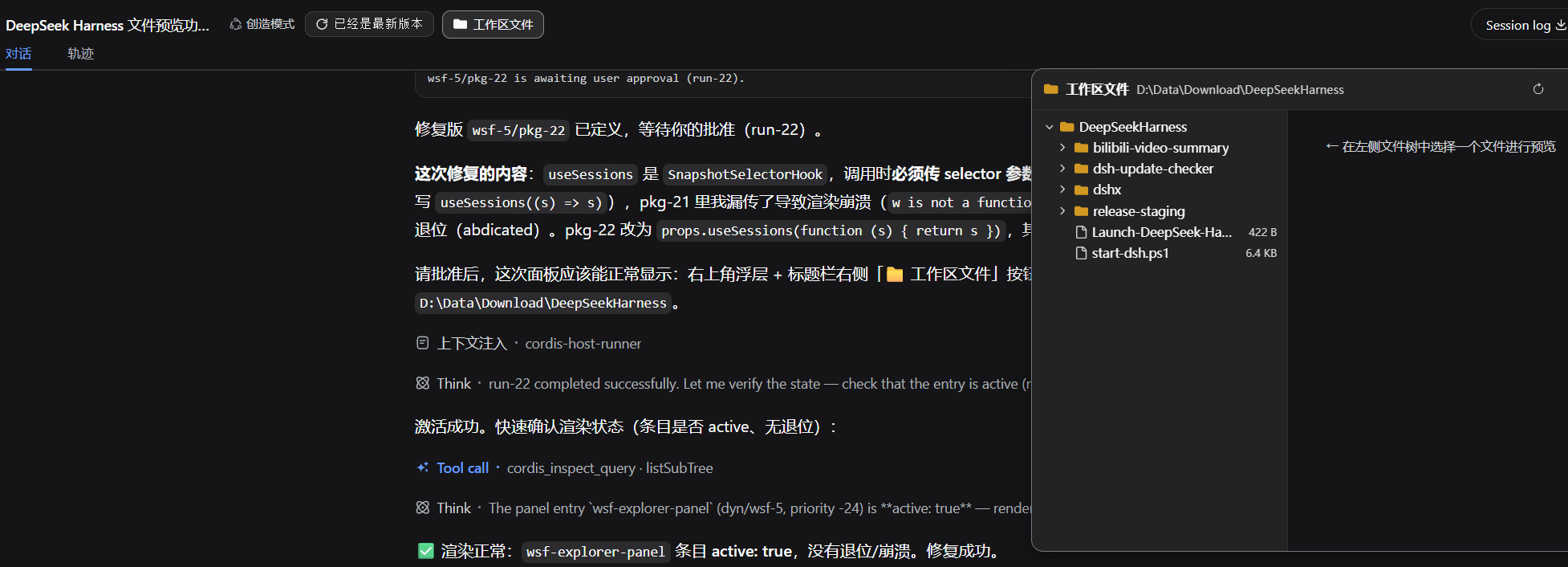
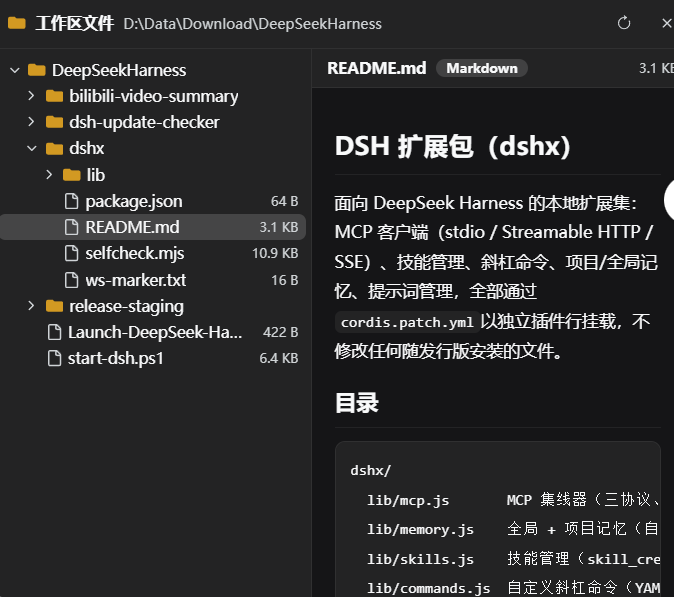
DeepSeek Harness (dsh) 工作区文件浏览器插件:浮层面板浏览当前会话工作区文件树,支持代码语法高亮与 Markdown 渲染预览。
安装
$
npx -p @deepseek-ai/dsh dsh plugin --profile web add github:YZz-S/dsh-workspace-files-explorer说明文档
阅读完整 README ↗workspace-files-explorer
Workspace file explorer plugin for the DeepSeek Harness (dsh) Web GUI: browse the file tree of the current session's workspace (cwd) in a floating panel; click a file to preview it — code files with line numbers and syntax highlighting, Markdown files rendered as rich text.
DeepSeek Harness(dsh)Web GUI 的工作区文件浏览器插件:在浮层面板中浏览当前会话工作区(cwd)的文件树,点击文件即可预览——代码文件带行号与语法高亮,Markdown 文件渲染为富文本。
English
中文 · ← Back to DeepSeekHarnessPlugins
Features
- Floating file panel: registered on
shell.overlay, additive registration — replaces no built-in UI; docks at the top right by default - File tree: lazy-loaded expansion, directories first, hidden files (dot-prefixed) dimmed, file sizes shown, truncation notice at 500 items per directory, one-click refresh
- Code preview: line numbers + lightweight syntax highlighting (30+ languages by extension: JS/TS/Python/Go/Rust/Java/C#/PHP/Bash/SQL/JSON/YAML/CSS/HTML…), auto-adapts to light/dark themes, oversized files truncated
- Markdown preview: headings / lists / tables / quotes / links / code blocks rendered, embedded code blocks highlighted too; the whole HTML is escaped before rendering, links only allow http/https and enforce
rel="noopener noreferrer" - Panel interaction: drag the title bar to move, drag the bottom-right corner to resize (400–1400 × 280–900), close / refresh
- Session header button: a "Workspace Files" button in the title-bar action area (lit = panel open), toggles visibility on click
- : the workspace root comes from the current session's (standard hook); switching sessions resets the panel and loads the new workspace automatically