dsh-turn-rail
Codex-style auto-hiding turn rail for DeepSeek Harness Web: edge-peek navigation, per-turn tooltips, search, 30-turn scrolling window and scroll-follow.
安装
npx -p @deepseek-ai/dsh dsh plugin --profile web add github:Yujm888/dsh-turn-rail说明文档
阅读完整 README ↗dsh-turn-rail
A Codex-style auto-hiding turn rail for DeepSeek Harness Web.
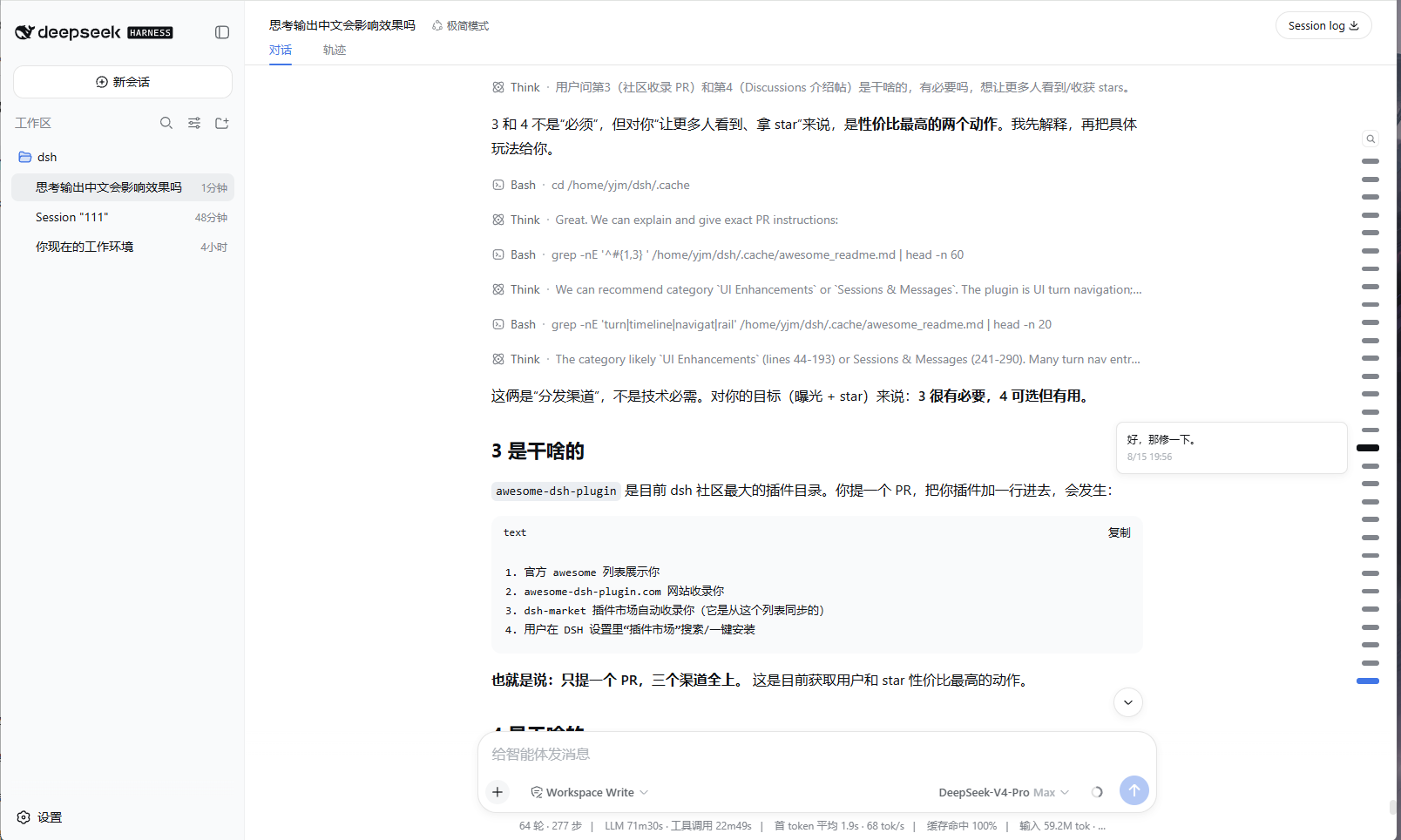
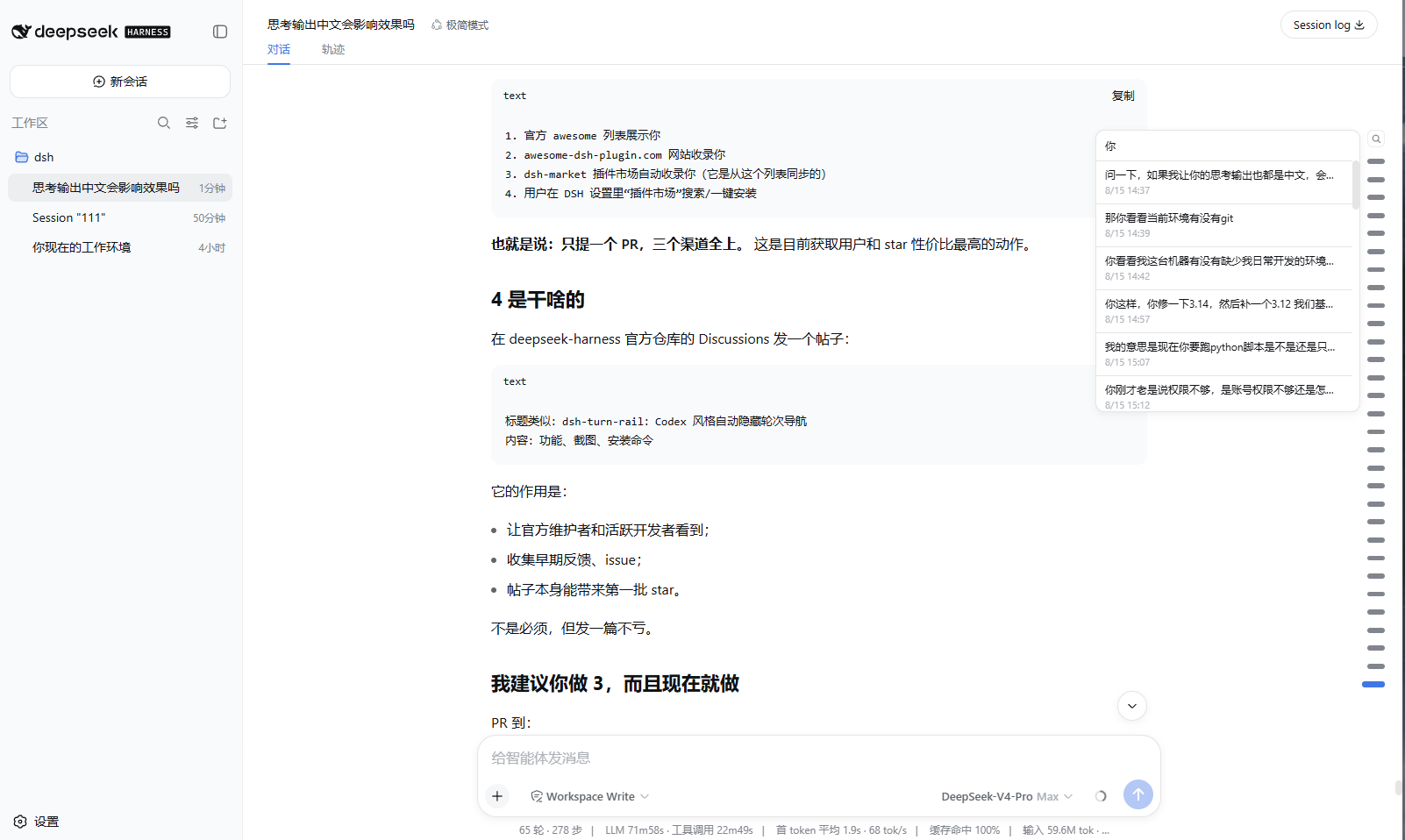
The rail lives on the right edge of the conversation. Move the pointer near the edge and it fades in; move away and it fades out. Hover the thin zone around a marker to preview that turn, click anywhere in the wider marker area to jump. Long conversations keep at most 30 visible markers and scroll inside the rail, following the current reading position.
This project is not affiliated with DeepSeek. The interaction pattern is inspired by common turn-navigation rails such as Codex and the DeepSeek web client; the implementation is independent.
Screenshots
Features
- Edge-peek auto-hide — appears when the pointer is within 110 px of the right edge, fades out 120 ms after leaving. Leaving the browser window or switching away follows the same fade timing.
- Layered hit zones — the outer zone only keeps the rail visible; the marker zone is clickable and highlights on hover; only the narrow detail zone around the marker shows the tooltip.
- Per-turn tooltip — one marker previews one message with time. It fades in
and fades out with the rail, and the native browser
titleis not used. - Search — the magnifier button opens a pinned search box. Type to filter
user messages, click a result to jump. Close with
Esc, another click on the button, a result click, or a click outside the rail. - 30-marker scrolling window — with more than 30 turns the rail scrolls internally with a hidden scrollbar. It pins to the newest window once when a session opens, then never moves itself again: the rail scroll position is fully user-owned.
- Theme-aware and responsive — markers use DSH CSS variables and scale slightly with viewport size.
- Full-session projection — the host half folds the durable session log so a page reload paints the complete rail without replaying history.
Requirements
- DSH
>= 0.1.0-rc.6 - Web profile with
sessionProjectionsavailable (the shipped web profile has it)
Install
dsh plugin --profile web add dsh-turn-rail
Then restart and hard-refresh the browser tab.