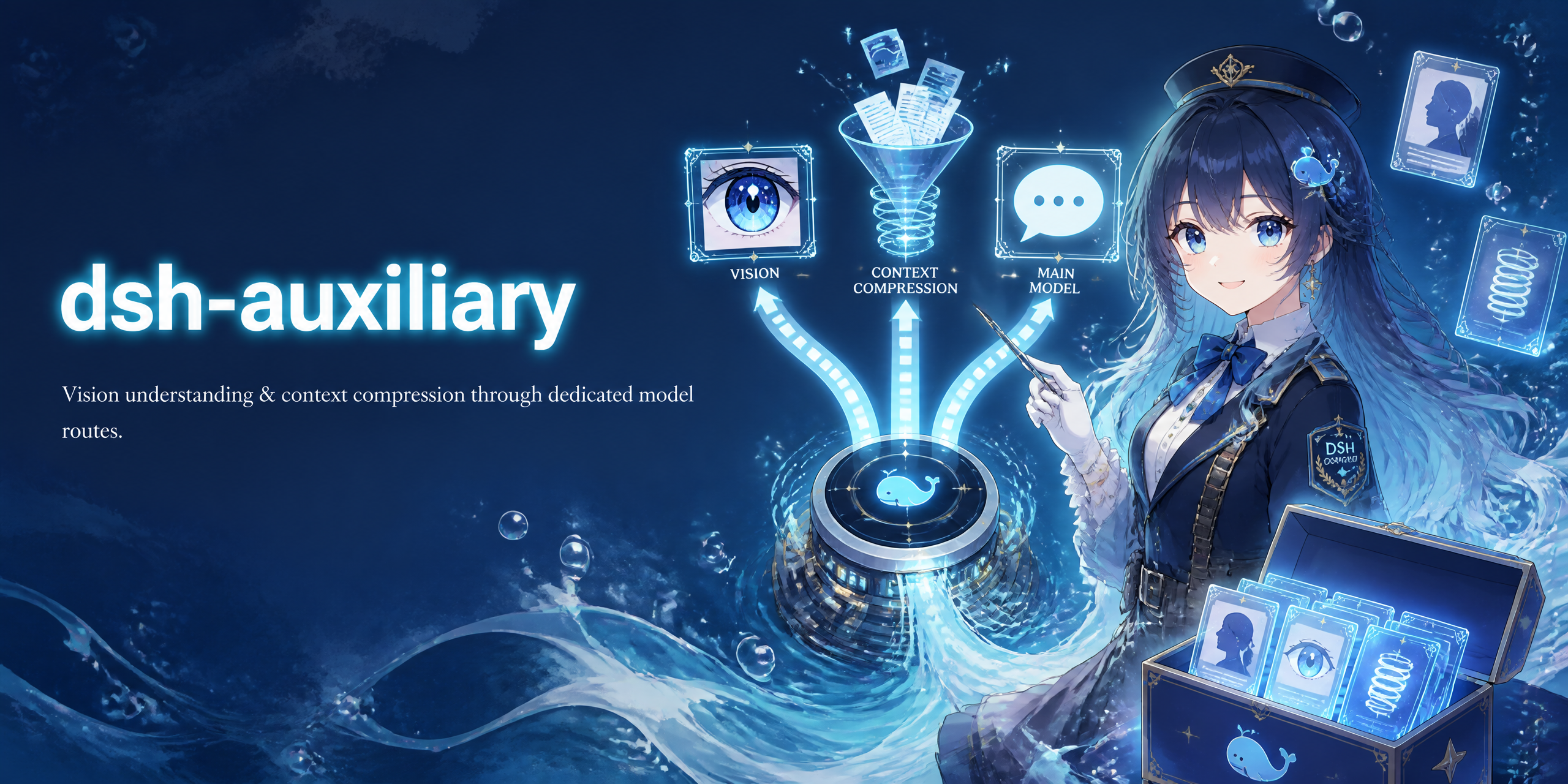
Auxiliary models for DeepSeek Harness — dedicated model routes, tools, and system guidance for vision, compaction, reviews, subagents, titles, and image generation, without touching the main conversation model.
dsh-auxiliary is a DeepSeek Harness plugin that layers auxiliary-model capabilities on the harness LLM seam (ctx.llm). It never replaces the main conversation model: each feature is an independent, optional route that kicks in only for its own narrow call category, so you can give expensive or specialized work (vision, compaction summaries, approval reviews, delegated subagents, session titles, image generation) its own cheap or capable model.
Feature overview
Feature
What it does
Where to configure
Vision understanding
inspect_image tool: read a local image and ask a vision model about it
Chat images survive a text-only main model via describe_image
Vision understanding card → Image handoff
Context compaction
Summaries (purpose: 'compaction') use a dedicated model
Auxiliary Models → Context compaction
Compression engine (optional)
Replaces the compaction backend with an explicit compression prompt
engine.enabled in the config
@dsh-plugin/dsh-auxiliary · DSH Hub
Approval model
Reviews from dsh-command-approve-for-me use a dedicated model
Auxiliary Models → Approval model
Subagent model
Delegated child agents use a dedicated model
Auxiliary Models → Subagent model
Title model
Session titles (purpose: 'session-title') use a dedicated model
Auxiliary Models → Title model
Image-generation model
generate_image tool: create images through an OpenAI-compatible images API
Auxiliary Models → Image-generation model
Model capability marks
Checkboxes on your own llm-pi-ai models: Allow image input / Allow image generation
Models page → provider → customized settings → model
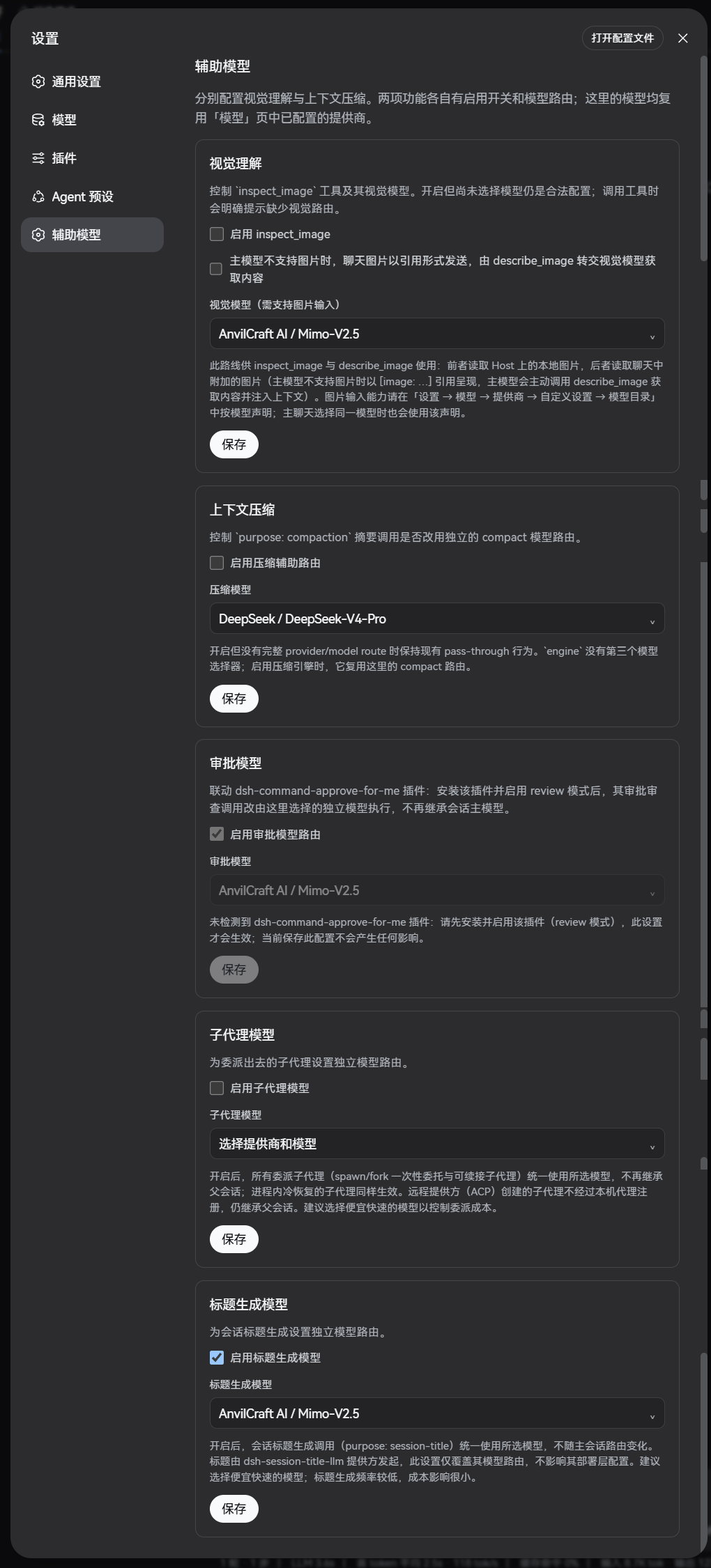
All routes are configured in Settings → Auxiliary Models (the plugin ships that settings section) and take effect immediately on save — no restart, no rebuild of the conversation.
Installation
Copy the block below and paste it to your DSH agent (the assistant in this web
GUI). The agent performs the install and verification for you — no manual npm
or profile editing needed:
Install the @dsh-plugin/dsh-auxiliary plugin into the profile I specify (or ask me if I didn't name one). The npm package name is `@dsh-plugin/dsh-auxiliary`; use the GitHub source `github:dsh-plugins/dsh-auxiliary`, or `file:
` for local development.

Steps:
1. Add the plugin dependency: `dsh plugin --profile
 add @dsh-plugin/dsh-auxiliary` (or the equivalent plugin-manager command for my profile).
2. The package declares a `prepack` build script. If pnpm fails with `ERR_PNPM_IGNORED_BUILDS`, approve the build in the profile's `pnpm-workspace.yaml` (`allowBuilds`) and retry the add.
3. Make sure the profile's `cordis.patch.yml` contains an insert entry for `@dsh-plugin/dsh-auxiliary` (`name: '@dsh-plugin/dsh-auxiliary'`, `config: { tool: { enabled: true } }`). `dsh plugin add` sometimes only updates `package.json` — if the insert is missing, add it yourself.
4. Verify `node_modules/@dsh-plugin/dsh-auxiliary` holds a built `lib/` directory (at least `lib/index.js` and `lib/client.js`). If the build artifacts are missing, run `npm run build` in the plugin directory and re-add.
5. Do not start the profile — install and verify only, then report what you changed.
Then open Settings → Auxiliary Models in the web UI to configure the
routes, and mark the models you want to use in Settings → Models.
Features in detail
Vision understanding and inspect_image
Configure a provider/model in the Models page first, then pick the pair under Vision understanding (saved as vision.provider + vision.model). tool.enabled independently controls whether the inspect_image tool is registered.
vision:
  provider: anvilcraft-ai     # any registered provider route
  model: mimo-v2.5            # a vision-capable model on that provider
tool:
  enabled: true               # register the inspect_image tool
  maxImageBytes: 10485760     # per-file size cap
  timeoutMs: 120000           # cooperative tool-call budget
Once enabled, ask the agent to run inspect_image on a Host-readable path:
Use inspect_image to analyze screenshots/error.png
The tool commits the file through the ctx.attachments seam and asks the selected vision model, returning a text answer (optionally truncated at vision.maxTokens). PNG, JPEG, WebP, and GIF are supported.
Model capability mark: for a user-configured llm-pi-ai model, the Allow image input checkbox in the model's settings writes its canonical input declaration ([text, image] when checked, [text] when cleared). Both inspect_image and the main chat composer read that same capability fact. The declaration cannot add vision to a text-only model — only check it when the upstream endpoint actually accepts images.
Image handoff (chat images with a text-only main model)
When Image handoff (vision.handoff, default on) is enabled with a vision route selected, attaching an image to a text-only main model no longer fails:
A runtime wrapper on ctx.llm.resolveModelInfo claims image input for models that declare none while the handoff is active, so the image admission preflight passes (the model catalog and the per-model checkboxes are unaffected — they read the settings document directly).
A listener on the official llm/stream waterfall replaces the image block with a text reference [image: {"attachmentId":…,"mediaType":…}] before the adapter sees it; the text-only model never receives an image payload (vision-route calls such as inspect_image are left untouched).
The system prompt tells the main model to call describe_image with the exact JSON from the reference; the tool reads the stored attachment bytes, asks the selected vision model, and returns a text description.
The reference is plain text, so it survives restarts, forks, and replays. Both seams are plugin-side; no core package is modified. Disable vision.handoff to restore the original rejection behavior.
Context compaction
Every summarization call carries the official GenerateOptions.purpose: 'compaction'. The plugin installs an llm/stream waterfall listener that reroutes those calls to the configured pair:
compact:
  enabled: true
  provider: deepseek-official  # e.g. a cheap, fast summarizer
  model: deepseek-chat
The listener is always installed and is a pure pass-through until a complete route is configured. Only purpose: 'compaction' calls are rerouted; the main session and every other call category are untouched.
Compression engine(optional): engine.enabled: true replaces the stock compaction backend with a BasicCompactionEngine subclass that drives summarization with an explicit context-compression instruction (see engine.compressPrompt). It reuses the compact route and adds no third model route. It is mutually exclusive with @deepseek-ai/dsh-compaction-basic — the plugin detects the conflict and skips the engine with a warning.
Approval model (dsh-command-approve-for-me hookup)
dsh-command-approve-for-me adds codex-style auto-approval; in review mode a lightweight reviewer model decides each approval prompt. The Approval model card gives the review a dedicated model:
A listener on the llm/stream waterfall recognizes the review call by its public contract — the fixed >>> APPROVAL REQUEST START marker in the user message, no sessionId, and temperature: 0 — and reroutes it to approve.provider / approve.model.
Everything else about the call (policy, transcript, timeout, retries, fallback) stays owned by approve-for-me; only the model route is swapped, and the verdict never enters the session history.
The routing activates only when enabled with a complete route; without the plugin installed there are no review calls, so the listener is inert. Requires approve-for-me's mode: review plus the approve-for-me or strict-review permission preset. Prefer a cheap, fast model.
The settings page detects installation: the plugin serves a read-only JSON endpoint at /dsh-auxiliary/state ({"approvePluginInstalled": true|false}) through the optional webServer service, and the card shows a "plugin not installed" notice with editing disabled when the presets are absent from the live permissionPresets table. The endpoint is loopback-local, returns no sensitive data, and is absent on headless profiles.
Child agents inherit their parent's route by default. With this feature enabled and a complete route, every delegated child — one-shot spawn/fork runs and continuable children, including cold-resumed ones — is routed to the selected pair. The plugin listens for agent/created and, for agents with delegation depth > 0, installs an agent/request waterfall listener on the agent's own scoped context; returning a replacement LlmCallConfig is the loop's official "switch" contract, so the changed header snapshot is logged like any other model switch. Remote providers (ACP) never register a process-local agent and their children keep inheriting the parent route. Prefer a cheap, fast model to control delegation cost. No external plugin required.
Session titles are issued by the dsh-session-title-llm provider, which has its own deployment-level provider/model config. With this feature enabled, every purpose: 'session-title' call is rerouted to the selected pair, leaving the provider's own config and the main session route untouched. Recognition uses the official GenerateOptions.purpose marker, so it cannot collide with agent-loop, compaction, or approval calls. Like the compaction router, the listener is always installed and passes through until a complete route is configured.
The harness LLM seam only speaks text, so image generation talks to the provider's OpenAI-compatible images API directly. With this feature enabled and a complete route:
The generate_image tool is registered and a system-prompt section tells the main model to call it when the user asks to generate, draw, or create a picture.
The tool reads the provider's baseURL from the resolved llm-pi-ai settings and resolves apiKeyEnv through the harness credential seam (ctx.credentials.resolve — env/file/user-env layers), then calls POST {baseURL}/images/generations with {model, prompt, size, n}.
The returned images (base64 or URL) are written under the working directory (generated/) and the file paths are returned; the main model can verify them with inspect_image.
Model capability mark: the picker only lists models marked Allow image generation — check that box in the model's settings (it writes imageGeneration: true into the raw user section of the llm-pi-ai namespace). Mark exactly the models whose upstream endpoint actually generates images.
How it works
The plugin is built on standard DSH extension points (see the plugin development guide). Nothing in the harness core is modified.
All text routing shares one pattern: install an llm/stream waterfall listener once (always active), inspect the call, and either pass it through untouched or re-enter the seam with a frozen replacement config:
Recognition uses stable, official markers — GenerateOptions.purpose ('compaction' / 'session-title') or the approval call's public contract — so each router can only ever match its own call category.
Rerouting calls deepFreeze({...options, provider, model}) and re-enters ctx.llm.stream(); the provider/model replacement is the only change, so timeouts, retries, and fallback stay harness-owned.
Loop protection: the replacement carries the same route marker; an equality check on the config prevents the router from matching its own re-entry.
Laziness: the listener is a pure pass-through until a complete route exists — enabling the feature later needs no reinstall, and disabling it needs no cleanup beyond removing the listener.
2. Tools and system guidance
Tools are registered with ctx.tools.register(defineTool(...)) and announced to the model through ctx.systemPrompt.section(...):
describe_image — handoff: reads the JSON from a chat [image: …] reference and answers via the vision route.
generate_image — image generation: prompt (+size/n) → provider images API (credential seam) → PNG files under generated/ → paths.
Each tool is registered only while its feature is enabled with a complete route (reconcile pattern), so the model never sees a tool it cannot use.
3. Settings integration and the model catalog
The plugin registers its own settings namespace (dsh-auxiliary) with a schemastery schema; the settings page writes through settings.update(...), and installSettingsSection keeps the plugin's resolved view in sync. Two details matter:
Raw vs resolved: model rows in the llm-pi-ai namespace are validated by a z.object schema that strips unknown keys from resolved views but does not throw — so non-schema fields like imageGeneration survive in the raw user section. Reads that must see such fields go through namespace.user (raw); routed reads use settings.get() (resolved).
DOM injection: the model catalog page is owned by the harness client, so the plugin observes the DOM (MutationObserver) and appends the Allow image input / Allow image generation checkboxes into each user-owned model row's expanded advanced area. The checkboxes read/write the raw user section directly, and the image-generation picker filters the catalog to marked models only.
4. Credentials, not plain env
apiKeyEnv values are credential-refs, so the image-generation tool resolves the key through ctx.credentials.resolve(credentialRef(...)) — the harness credential seam covers env/file/user-env layers and re-resolves per call (a changed key reaches the next call without a restart). Never process.env.
5. Everything reconfigures live
Each feature is owned by a reconcile*() + disposer pair: on every settings change the plugin re-resolves the config and registers or disposes exactly the pieces whose conditions changed. Saving a route in the web UI takes effect immediately.
Configuration
All fields are optional; defaults are shown.
- name: '@dsh-plugin/dsh-auxiliary'
  config:
    vision:
      maxTokens: 2048                      # inspect_image output cap (provider/model written by the settings page)
      handoff: true                        # text-only main models may reference chat images via describe_image
    tool:
      enabled: true                        # register the inspect_image tool
      maxImageBytes: 10485760              # per-file size cap
      timeoutMs: 120000                    # cooperative tool-call budget
    compact:
      enabled: false                       # reroute compaction summaries to an auxiliary model
      provider: ""                         # e.g. deepseek-official (a registered provider route id)
      model: ""                            # e.g. deepseek-chat (a model id on that provider)
    approve:
      enabled: false                       # give dsh-command-approve-for-me's reviews a dedicated model
      provider: ""                         # e.g. deepseek-official (a registered provider route id)
      model: ""                            # e.g. deepseek-chat (a model id on that provider)
    subagent:
      enabled: false                       # route delegated subagents to a dedicated model
      provider: ""                         # e.g. deepseek-official
      model: ""                            # e.g. deepseek-chat
    title:
      enabled: false                       # route session-title calls to a dedicated model
      provider: ""                         # e.g. deepseek-official
      model: ""                            # e.g. deepseek-chat
    imagegen:
      enabled: false                       # register generate_image with a dedicated image model
      provider: ""                         # e.g. lanqin-gpt (an OpenAI-compatible provider route)
      model: ""                            # e.g. gpt-image-2 (marked Allow image generation)
    engine:
      enabled: false                       # optional compression engine (mutually exclusive with dsh-compaction-basic)
      thresholdRatio: 0.8
      retainRatio: 0.16
      maxTokens: 8192
      compactionRetries: 1
      maxOverflowRetries: 1
      auto: true
      compressPrompt: "..."                # custom compression instruction
Settings page: Auxiliary Models
The plugin ships a web settings section (Settings → Auxiliary Models).
Configure providers and models in the Models page first, then use the
feature cards here: each card has its own enable switch and provider/model
picker. The picker presents all currently available models together, grouped
by provider (the image-generation card lists only models marked Allow image
generation). A saved route that is temporarily absent from the catalog is
kept and is never replaced automatically.
Marking models in the catalog
For a user-configured llm-pi-ai model, open its model settings under
Settings → Models → Provider → Customized settings → Models → Model
settings:
Allow image input writes the canonical input declaration ([text, image] when checked, [text] when cleared) — consumed by inspect_image
and the main chat composer. Enable only when the upstream endpoint actually
accepts images.
Allow image generation writes imageGeneration: true — the mark that
makes the model selectable in the Image-generation model card. Enable
only when the upstream endpoint actually generates images.
The checkboxes are injected into every user-owned llm-pi-ai model row and
are always visible — no need to expand the row's capacity disclosure. A model
you are adding gets working checkboxes immediately: the marks are recorded
in the browser and written into the model's settings at the same time the page
saves the new model (Apply), so you can set image capabilities while adding,
not only after saving. Rows that cannot carry the marks explain why instead of
staying silent: DeepSeek-official (or any non-pi-ai adapter) rows show a notice
that the marks are llm-pi-ai-only, and pi-ai catalog rows not yet saved into
the user section say to save the model first.
Notes
Routing features reroute only their own call category (purpose: 'compaction' / purpose: 'session-title' / the approval review contract);
the main session route is never touched.
engine.enabled: truereplaces the stock compaction backend; do not load
@deepseek-ai/dsh-compaction-basic at the same time. The plugin detects the
conflict and skips the engine with a warning.
Vision tool arguments: path (absolute or workspace-relative) and optional
question. Supported formats: PNG, JPEG, WebP, GIF.
generate_image arguments: prompt (required), optional size and n
(most providers accept only n: 1).
Development
npm install          # installs dependencies (typescript, @deepseek-ai/* peers)
npm run typecheck    # tsc --noEmit
npm run build        # emits lib/