dsh-claw-mesh
LAN device mesh for DeepSeek Harness: discover same-account peers, grant control per device, share SSH endpoints, and dispatch agents remotely.
安装
npx -p @deepseek-ai/dsh dsh plugin --profile web add github:AlanTaoEx/dsh-claw-mesh说明文档
阅读完整 README ↗Claw-Mesh
English | 简体中文
LAN device mesh for DeepSeek Harness. Every DSH instance that signs in with the same account on your network joins one mesh: devices discover each other, each device grants control on its own terms, SSH-only machines stay behind the node that registers them, and any chat can hand work to an agent running on another device.
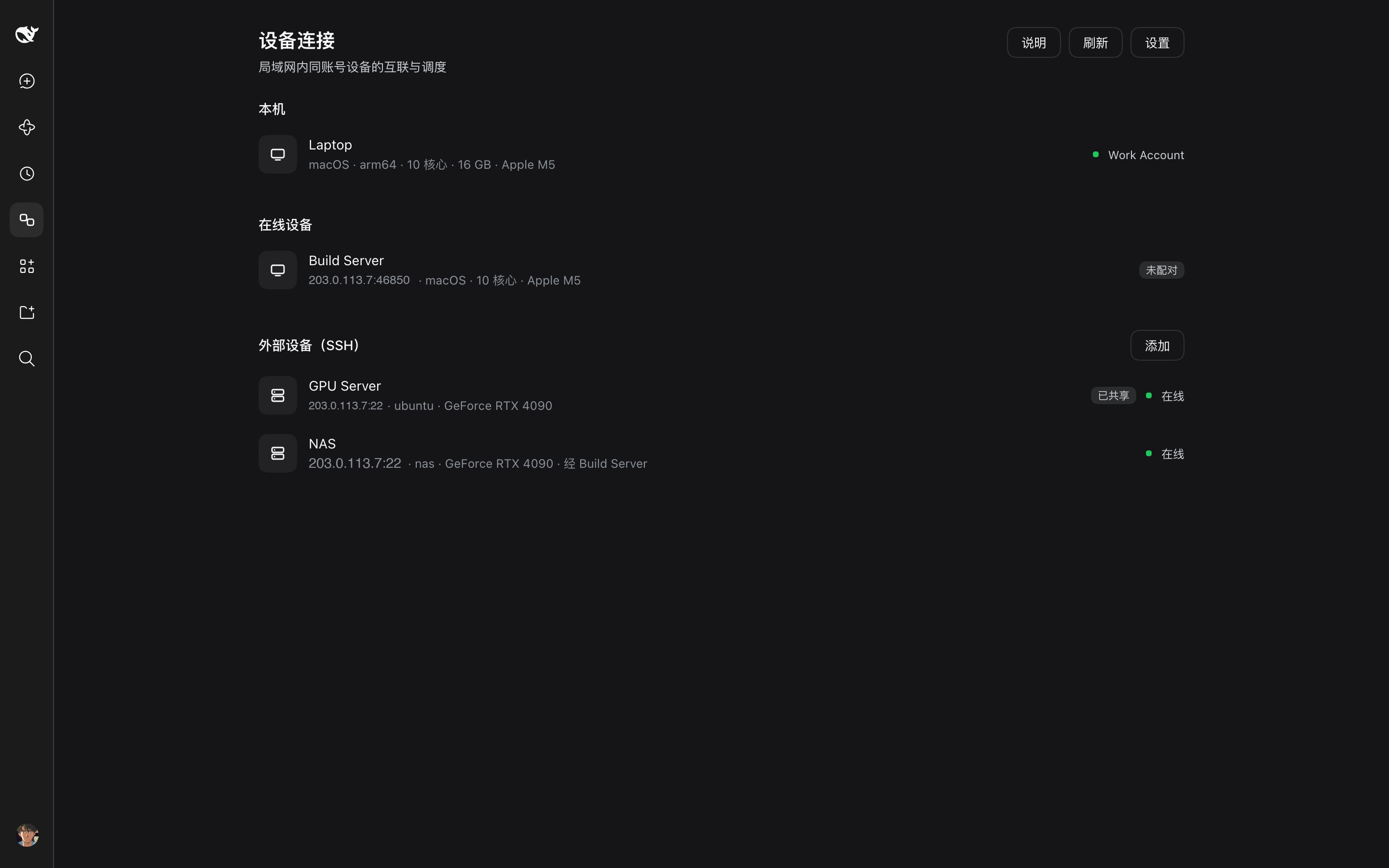
Features
| Discovery | Devices announce themselves over UDP 46801. Peers with the same account fingerprint are controllable; other accounts are listed separately and stay inert. The broadcast can be switched off per device. |
| Per-device control | Each peer has its own allow this device to control this machine switch, off by default, grantable only by a human. The reverse direction is shown separately and must be granted on the other machine. |
| Remote dispatch | A short device inventory is injected into every session, so you can ask in plain language. The agent calls mesh_dispatch; the target runs dsh --profile headless locally and streams the result back into your conversation. |
| SSH endpoints | Machines that cannot run DSH (Linux servers, NAS, SBCs) are registered as endpoints. Only the registering node opens SSH; other nodes ask it, and only for endpoints that are shared. |
| Status | Online dots for peers, a 60-second SSH probe per owned endpoint, and a hardware profile (system, CPU, memory, GPU, free disk) on every device row. |
Requirements
- DeepSeek Harness Desktop 0.2.x, signed in on every device.
- The same DeepSeek account on both sides — different accounts never pair.
- IP reachability. The plugin ships no tunnel; Tailscale, ZeroTier, or EasyTier are fine as a base.
Install
# macOS
ELECTRON_RUN_AS_NODE=1 "/Applications/DeepSeek Harness.app/Contents/MacOS/DeepSeek Harness" \
  "/Applications/DeepSeek Harness.app/Contents/Resources/app.asar/dsh/node_modules/@deepseek-ai/dsh/lib/bin.js" \
  plugin --profile desktop add link:/path/to/dsh-claw-mesh
# Windows
$env:ELECTRON_RUN_AS_NODE = "1"
& "$env:LOCALAPPDATA\Programs\DeepSeek Harness\DeepSeek Harness.exe" `
  "$env:LOCALAPPDATA\Programs\DeepSeek Harness\resources\app.asar\dsh\node_modules\@deepseek-ai\dsh\lib\bin.js" `
  plugin --profile desktop add link:C:\path\to\dsh-claw-mesh
Restart DSH, or toggle the bundle once under Plugins. The sidebar then shows 设备连接 / Claw-Mesh.
Use it
-
Open 设备连接. Your own device comes first, peers second, SSH endpoints third.
-
Open a peer and switch on 允许该设备控制本机 to let it send work here.
-
Do the same on the other machine if you want to send work the other way — control is not symmetric and never granted by an agent.
-
Ask in any chat:
run
git statuson Build Server and paste the outputThe agent picks the device with
mesh_list_devicesand callsmesh_dispatch. -
For a Linux box: 外部设备(SSH) → 添加, fill in host, user, key path (or password), then 测试连接. Enable 共享 when other authorized devices should be able to use it.
Tools exposed to the agent
| Tool | Purpose |
|---|---|
mesh_list_devices | Peers, endpoints, hardware profile, online state, latency. |
mesh_dispatch | Run a prompt on a peer or on self; can pick the node by requires (os, gpu, minCores, minMemGb, tag). |
mesh_job_status | Poll a dispatch with jobId + jobDeviceId. |
mesh_ssh_run | Run one shell command on an SSH endpoint. |
mesh_add_endpoint | Register an endpoint with a key or a password, optionally shared. |
Ports
| Port | Plane | Reachability |
|---|---|---|
UDP 46801 | discovery broadcast | LAN |
TCP 46800 | peer control plane (/mesh/info, /mesh/pair, /mesh/control) | LAN, HMAC-signed per pair |
TCP 46810 | local UI plane (/ui/*) | loopback only |
Ports shift upward when busy. On Windows allow the app on private networks, or open 46800/tcp
and 46801/udp.
Security model
- Pairing exchanges a random 32-byte key; every control request is HMAC-SHA256 signed over
deviceId\nts\nbodywith a two-minute window. - Authorization is per device and per direction, and only a human can grant it.
- SSH credentials stay in the registering node's state file (
~/.dsh/claw-mesh/state.json). They are never broadcast, never sent to peers, and never passed on a command line. - Endpoints are private by default; a remote node sees only the endpoints you explicitly share.
- The UI plane binds to loopback, so other machines cannot drive your panel.
Screens
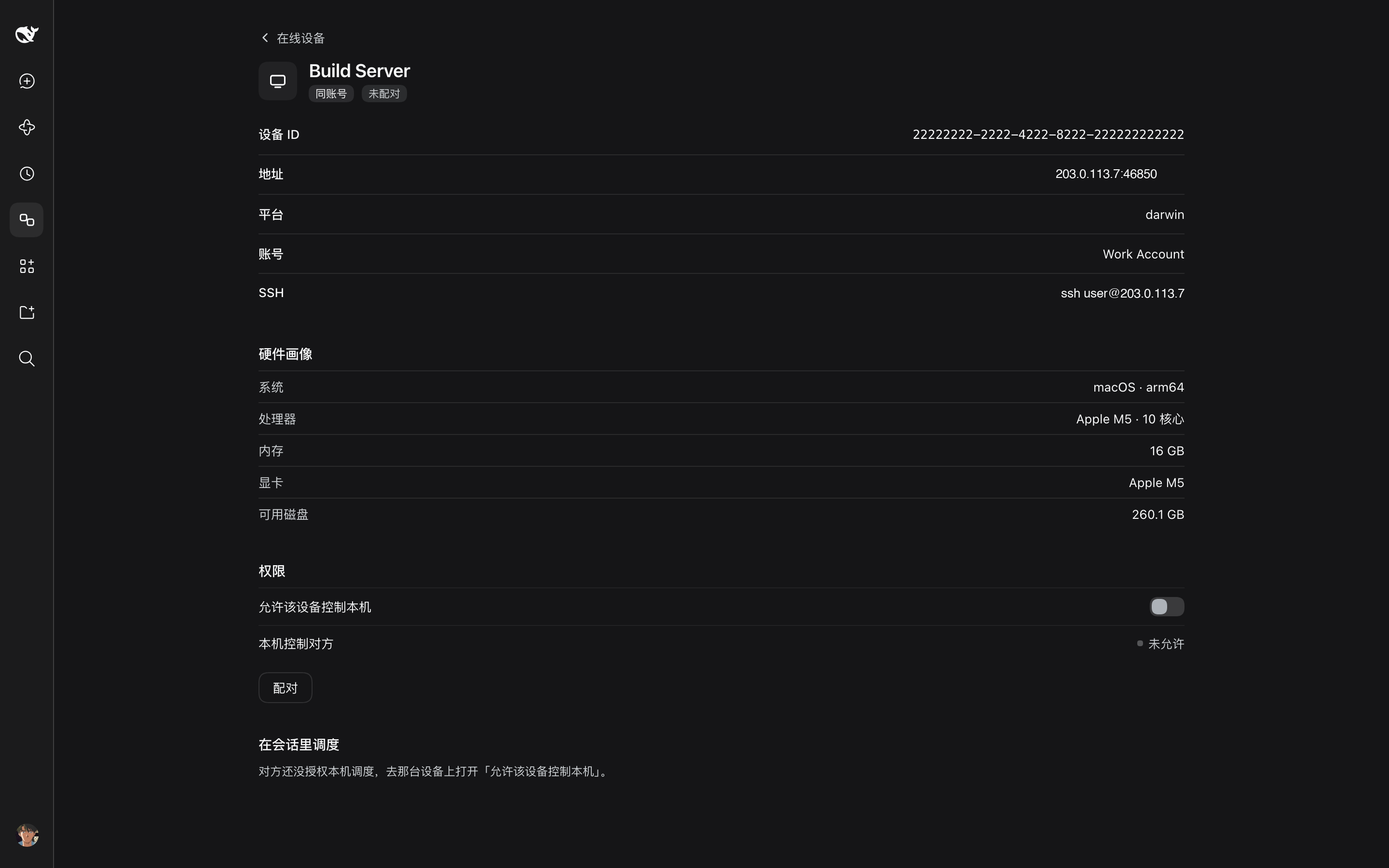 | 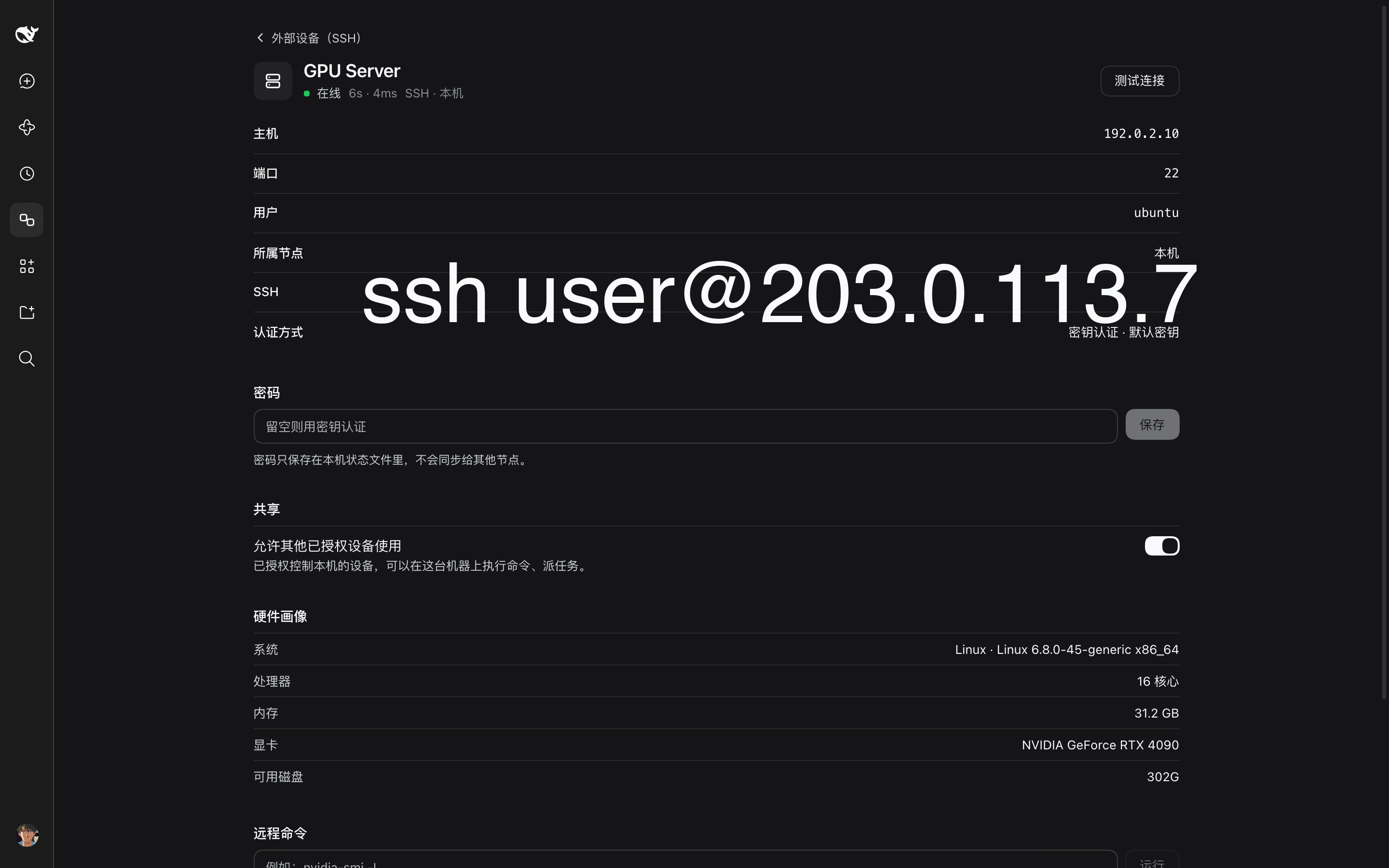 |
| Peer identity, hardware profile, per-direction control | Endpoint identity, probe status, sharing switch |
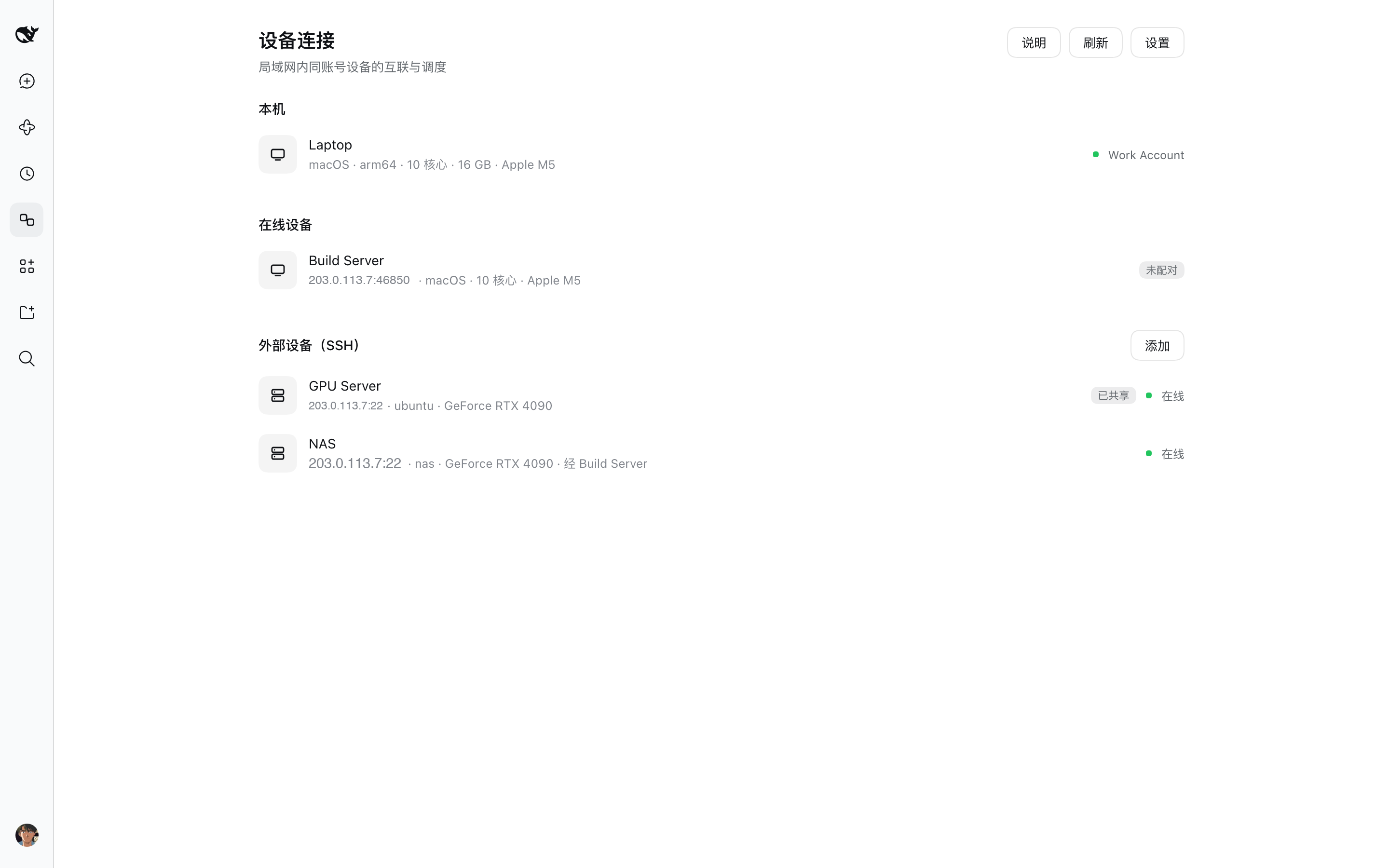 | 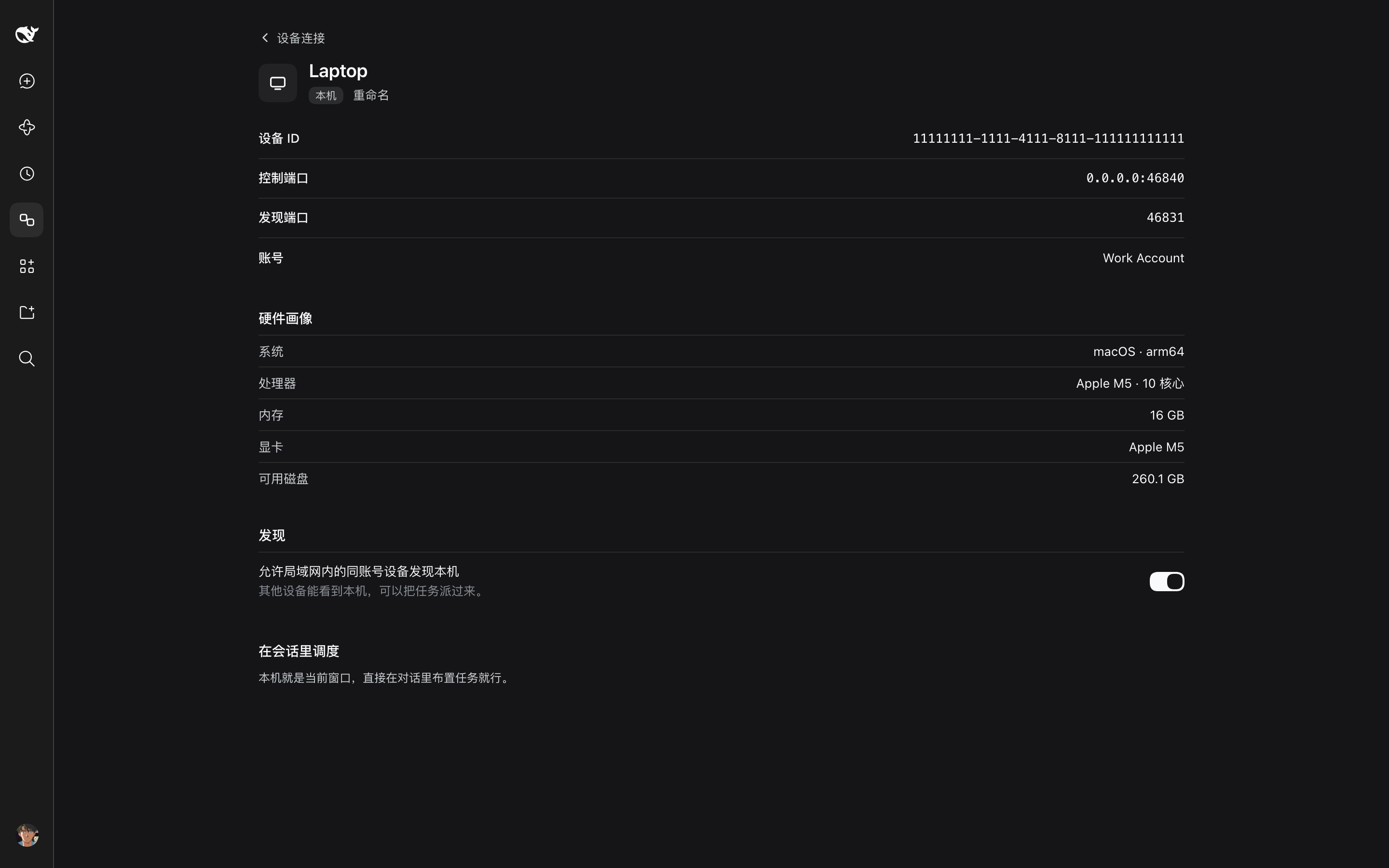 |
| Light theme | This device: discoverability and profile |
Screenshots use documentation addresses (192.0.2.0/24, 198.51.100.0/24, 203.0.113.0/24) and
placeholder device names.
Documentation
docs/GUIDE.md — the full manual (Chinese): console layout, permission model, in-session dispatch, SSH endpoints and authentication, hardware profile, state and diagnostics, known limits.
Development
npm run check                # manifest, locales, detail document, icon, syntax
node tools/second-node.mjs   # a second node on one machine, for LAN tests
License
MIT