dsh-studio
Themes and personalisation for DeepSeek Harness: 18 themes, a theme editor (moods, one colour, any word or any image; locks, fine-tune sliders, variations, undo, colour-blindness preview), a theme per workspace, a community gallery of themes and prompt packs, liquid-glass panels, wallpapers (Bing daily, slideshow, video), fonts, saved looks on a time or sunrise/sunset schedule, Windows accent colours, layout and focus mode, AI modes, task-finished alerts, a usage and cost dashboard with spending alerts, chat export to Markdown and PDF, accessibility options, smarter saved prompts, settings sync via a private GitHub Gist, a Ctrl+K quick switcher, and 19 languages
同名包的其他仓库
安装
npx -p @deepseek-ai/dsh dsh plugin --profile web add github:IRdotAI/dsh-studio说明文档
阅读完整 README ↗Studio for DeepSeek Harness
Themes and personalisation for DeepSeek Harness (DSH): 18 themes, a theme editor that builds themes from a mood, one colour, any word or any picture, a theme per workspace, a community gallery of themes and prompt packs, liquid-glass panels, wallpapers (Bing daily, slideshows and video), fonts, saved looks on a schedule that can follow sunrise and sunset, your Windows accent colour, layout controls and a focus mode, AI modes, task-finished alerts, a usage and cost dashboard with spending alerts, chat export to Markdown and PDF, accessibility options, smarter saved prompts, settings sync, a Ctrl+K quick switcher, and 19 languages.
Zero npm dependencies. Your settings stay on your machine unless you turn on sync.
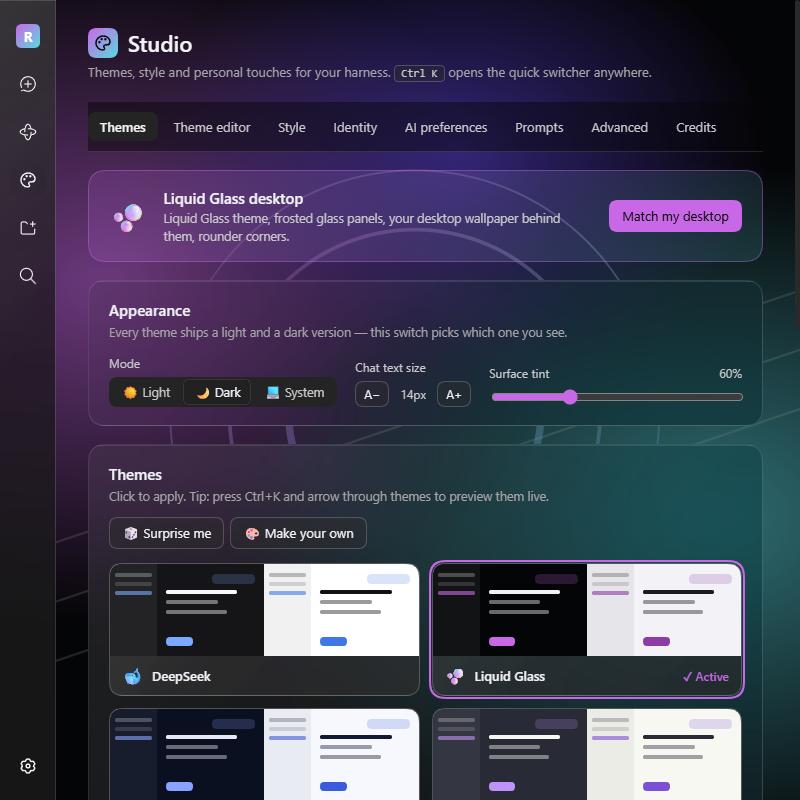
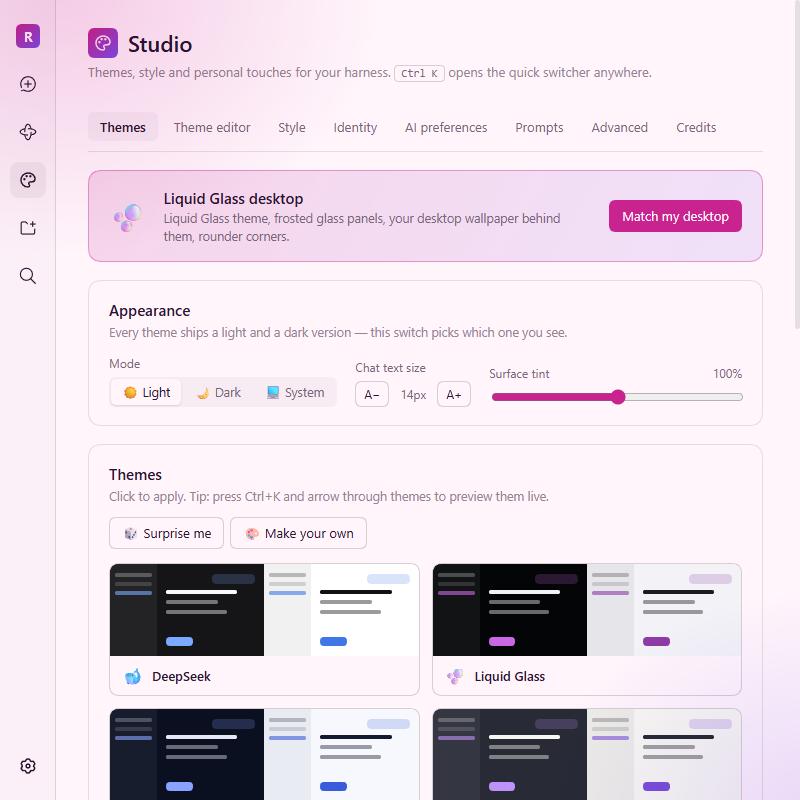
| Liquid glass + personal greeting | Quick switcher (live preview) | Theme editor |
|---|---|---|
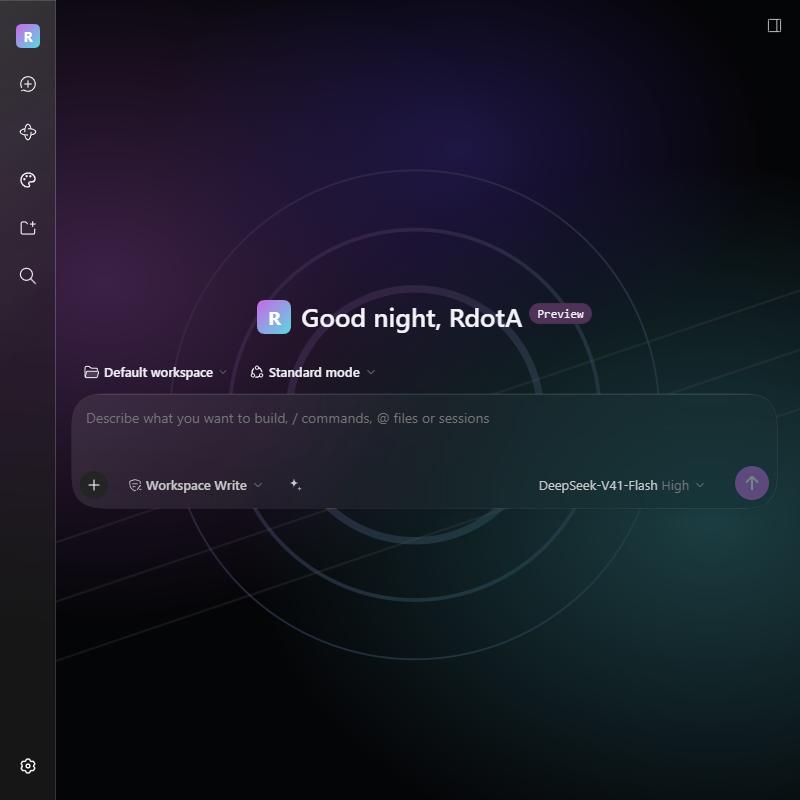 | 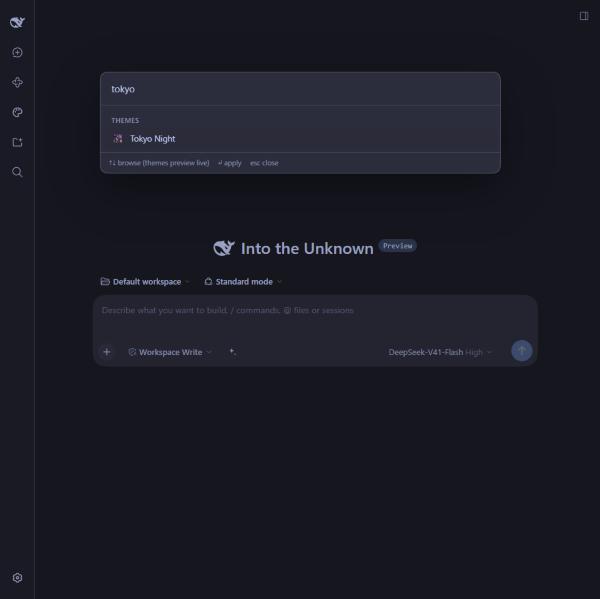 | 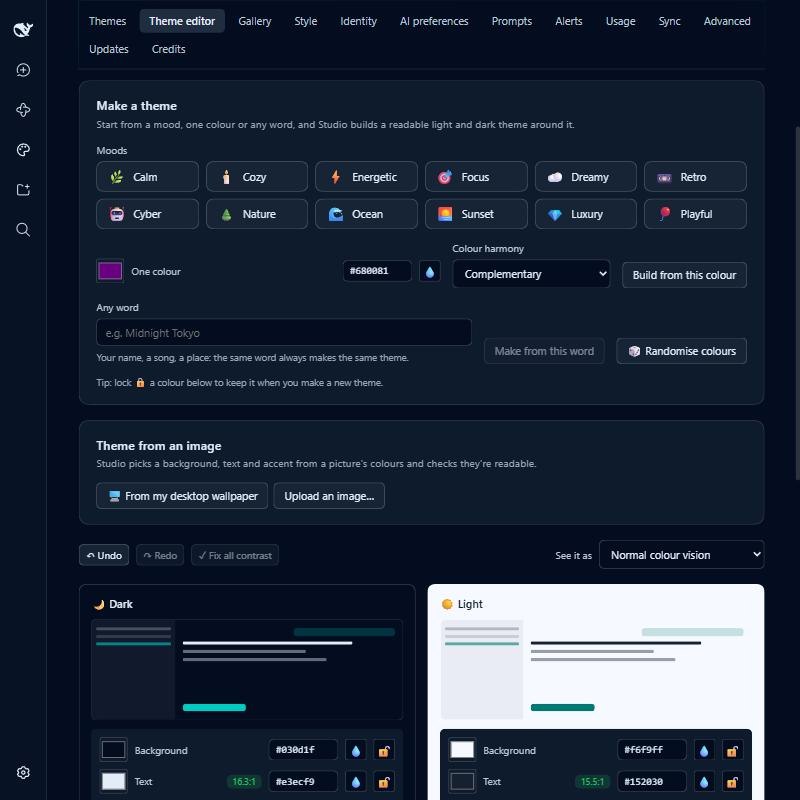 |
| Community gallery | Usage & cost (sample data) | Looks & schedule, in Japanese |
|---|---|---|
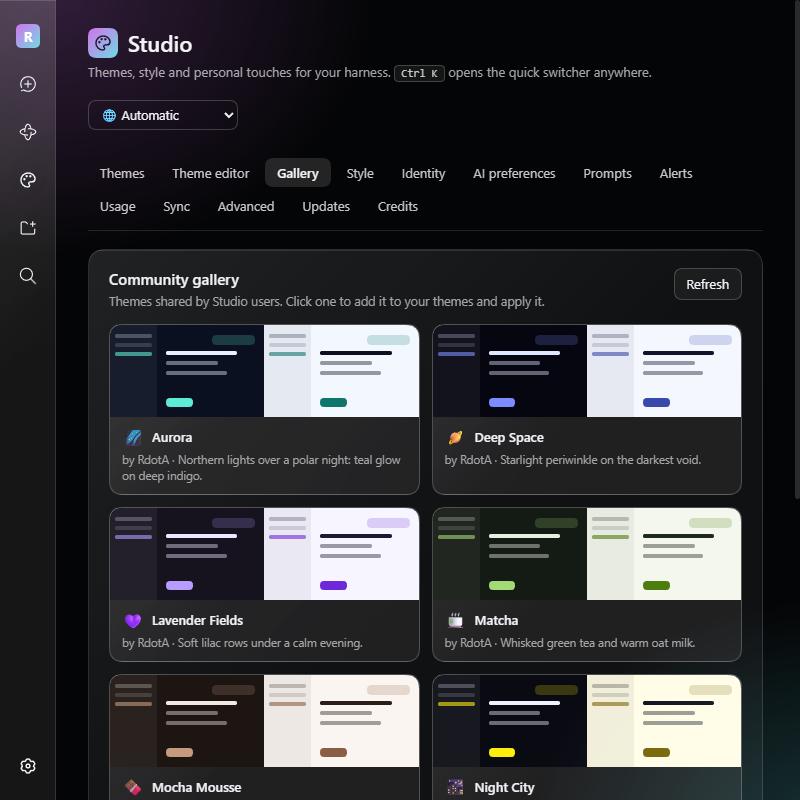 | 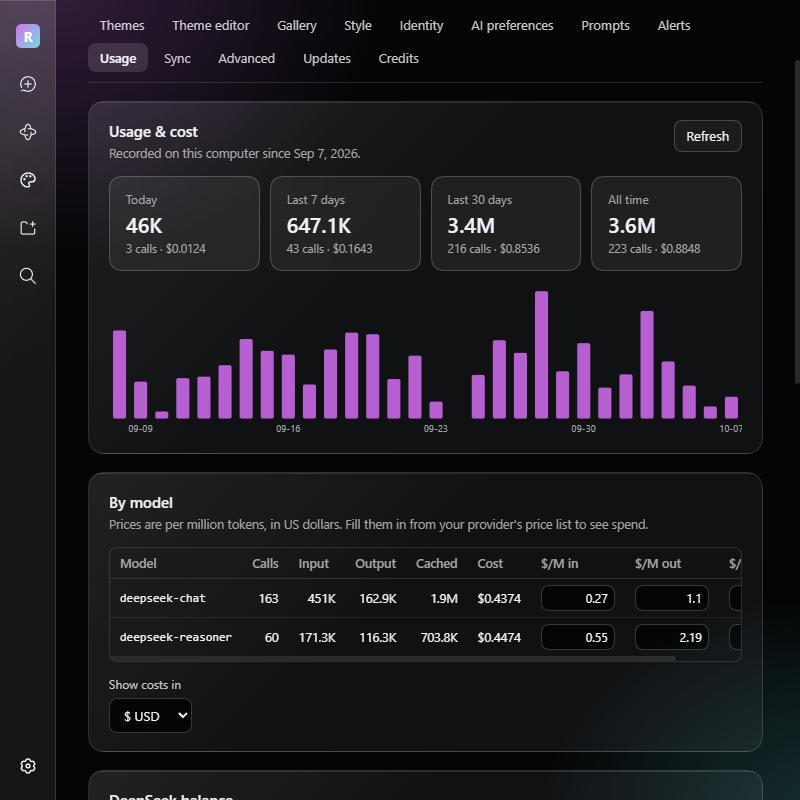 | 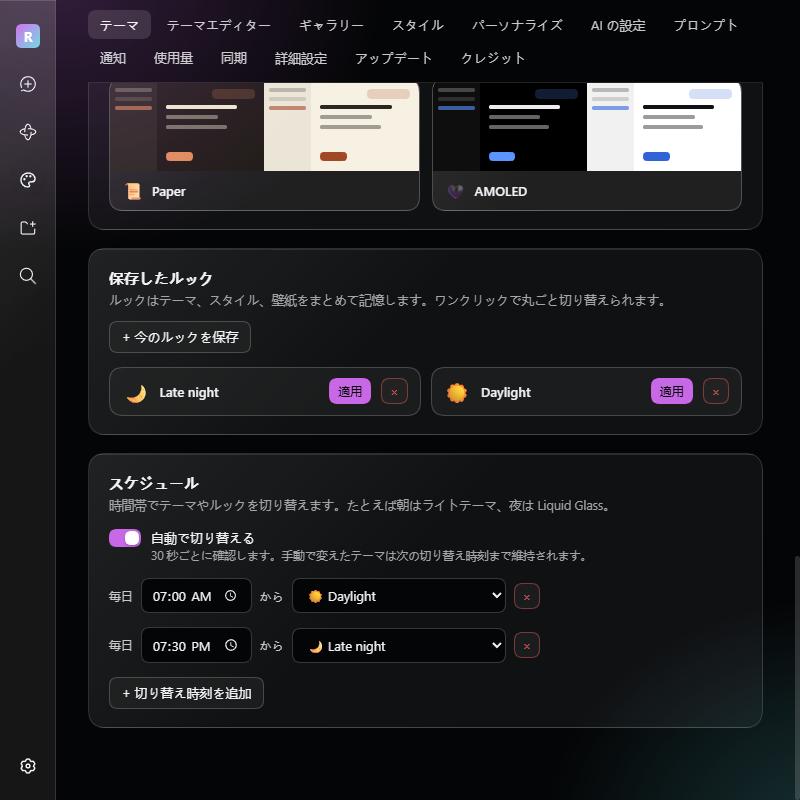 |
| Prompts that ask first | Saved prompts | Light mode (Synthwave) |
|---|---|---|
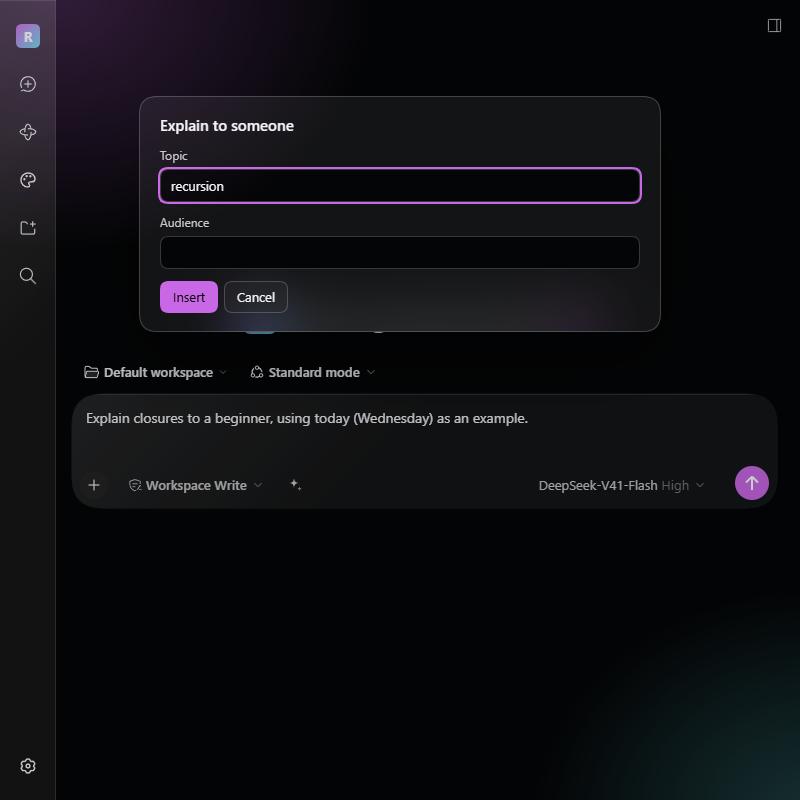 | 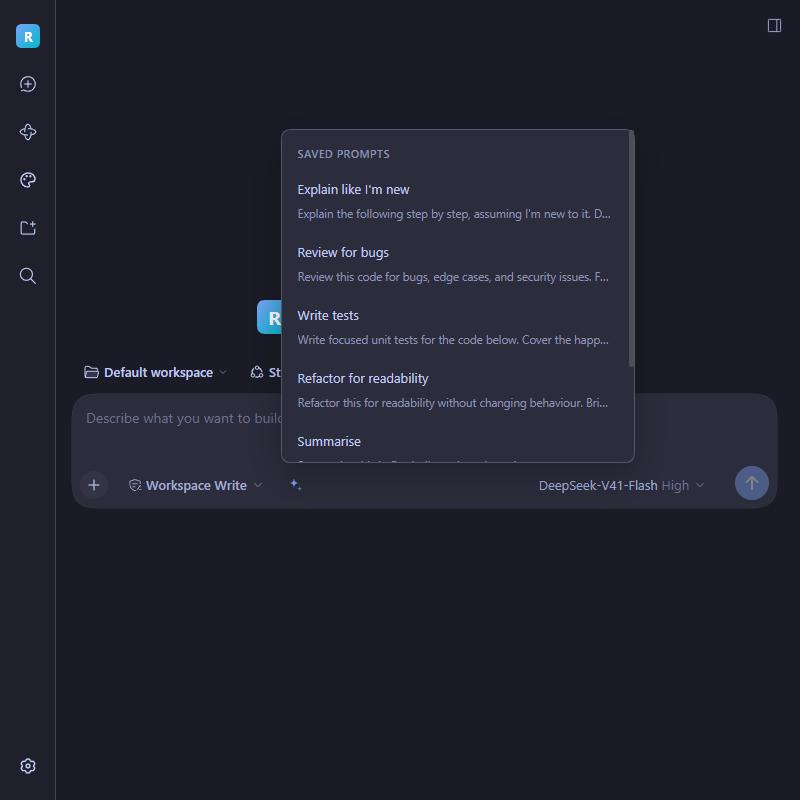 |  |
Install
From the app: open DSH → sidebar Plugins → Add plugin → enter
github:IRdotAI/dsh-studio
From a terminal:
npx @deepseek-ai/dsh plugin --profile web add github:IRdotAI/dsh-studio
Then restart dsh web. A Studio entry appears in the sidebar. Requires DSH 0.2 (tested with 0.2.0-rc.2), the web profile, and Node 22.5+. pnpm must be on your PATH for plugin installs (npm install -g pnpm).
Already on 1.3 or later? Studio offers the update itself (Studio → Updates).
To remove it, use Uninstall on its Plugins page entry.
Using it
- Studio in the sidebar has everything, in tabs. Pick your language in the top-right corner (Automatic follows your browser, or DSH itself when it's set to Chinese).
- Ctrl+K (Cmd+K on macOS) opens the quick switcher anywhere: themes (arrow through them to preview live; Esc puts yours back), your looks, AI modes, light/dark, text size, chat width, focus mode, ambience, saved prompts, alerts, chat export, backup, updates and every Studio page.
- In the composer, type /theme, /ai, /transcript, /prompts, /focus or /studio, or click the ✦ button beside the input for saved prompts.
Features
| Area | What you get |
|---|---|
| 18 themes | Liquid Glass, Midnight, Dracula, Nord, Tokyo Night, Catppuccin, Rosé Pine, Gruvbox, Solarized, Forest, Ocean, Synthwave, Sakura, Arc Reactor, Espresso, Paper, AMOLED and High Contrast, plus the stock look. Each has a light and a dark version, so DSH's Light / Dark / System switch keeps working. |
| Theme per workspace | Give any workspace its own theme or look, so you can tell your projects apart at a glance. It switches as you move between workspaces and goes back to your usual theme everywhere else. |
| Theme editor | Pick a background, text and accent colour per mode, plus an optional second accent for gradients. Studio derives every surface, border, button and text shade from them in OKLCH, with contrast floors so secondary text stays readable. Live contrast badges with one-click Fix, a screen colour picker 💧, any CSS colour (rgb(…), hsl(…), tomato), undo/redo (Ctrl+Z / Ctrl+Y), Make Light from Dark (and back), a colour-blindness preview, whole-app preview while editing, shareable dshs1: codes and .json theme files. |
| Make a theme | Twelve moods (Calm, Cozy, Cyber, Sunset…, a new take every click), one colour with a colour-harmony rule (monochrome, analogous, complementary, split, triadic), any word (the same word always makes the same theme), or 🎲 Surprise me. Lock 🔒 the colours you like and generators keep them. Fine-tune sliders move the whole theme (hue, vividness, warmth, background), and Variations offers eight ready-made twists. Text always stays readable. |
| Theme from an image | Build a theme from your desktop wallpaper, your Studio wallpaper or any picture: Studio clusters its colours, picks a background tint and accents, and fits them for contrast in both modes. |
| Community gallery | Studio → Gallery lists themes and prompt packs shared by other users; one click adds a theme or a whole pack of prompts. Submit to the gallery in the theme editor, or on a prompt folder, opens GitHub with your file ready to propose. See gallery/. |
| Looks & schedule | Save your theme, style and wallpaper together as a named look, then switch whole setups in one click, or on a schedule: at a set time, or at sunrise and sunset where you are (e.g. a light theme at sunrise, Liquid Glass at sunset). Changing things yourself sticks until the next switch. |
| Windows colours | Use my Windows accent colour recolours the current theme's highlights to your Windows accent and follows it when you change it; Follow Windows light/dark switches with the system. |
| Liquid glass | Style → Material turns the sidebar, composer, cards, dialogs, message bubbles and menus into frosted, see-through panes: backdrop blur, a faint frost, a specular top edge and a diagonal sheen. DSH's own surfaces are found at runtime, so it keeps working across DSH updates. Match my desktop applies the whole look in one click. |
| Layout | Chat width (narrow to full), interface size (75–140 %), and focus mode, which folds the sidebar and side panel away. |
| Wallpaper | Upload an image or use a URL; (on Windows) use your desktop wallpaper, which follows wallpaper changes; Bing daily, a new picture every day; a slideshow from a folder of images, changing every few minutes to once a day; or a muted, looping video that pauses when the window is hidden. Adjustable visibility and blur. |
| Style | Interface and code fonts (presets, any installed font, or a folder of .otf/.ttf/.woff2 files), corner style, accent-tinted chat bubbles, accent text selection, surface tint. |
| Ambience | Aurora glow, vignette, film grain or CRT scanlines, with a strength slider. Never blocks clicks; honours reduced motion. |
| Identity | Rename the app in the sidebar, swap the logo (emoji, monogram or your own image, removable with one click), and replace the new-chat headline with a greeting like Good {timeOfDay}, {name}, in your language. |
| AI preferences | Optional custom instructions: your name, about you, a response style (Concise, Thorough, Friendly, Mentor, Butler, Hype), reply language and free-form instructions. Off by default; the tab shows exactly what the model will receive. |
| AI modes | Saved sets of style, language and instructions: Coding, Writing, Explain simply and Brainstorm to start, plus any you save yourself. Switch with /ai in the composer, from Ctrl+K, or on the AI tab. |
| Saved prompts | Six starters; add, edit, reorder and file your own into folders. Placeholders fill themselves in when you insert: {clipboard}, {date}, {time}, {day}, and {ask:Topic}, which asks you first. Share all your prompts as one dshp1: pack code, add a pack from a code or file, or send a folder to the gallery. |
| Chat export | /transcript (or Ctrl+K → Export this chat) saves the open chat as a Markdown file, a PDF (in your theme's colours or plain black on white), or copies it as Markdown. |
| Task alerts | A desktop notification and a sound (four built-in, synthesised, with volume) when a task finishes, and optionally when the agent needs your approval or an answer. Only when you're looking elsewhere, and only for tasks longer than a threshold, if you like. |
| Usage & cost | Exact token counts from every model call (input, output, cache reads), totals for today, the last 7 and 30 days and all time, a 30-day chart, a per-model table, and recent calls. Enter prices per million tokens to see spend in any of eight currencies. Check balance asks DeepSeek for your account balance. |
| Spending alerts | Set a daily and/or monthly budget. Studio shows how much of it you've used and alerts you (toast, sound and desktop notification) once when you're close and once when you reach it. |
| Accessibility | A High Contrast theme, Reduce transparency (solid panels, no wallpaper; follows Windows' own setting), strong keyboard focus outlines, and an easy-reading font with roomier spacing. |
| Sync | Back up your Studio settings to a private GitHub Gist and restore them on another computer, by hand or automatically a minute after each change. Uploaded images stay local unless you include them. |
| 19 languages | English, 简体中文, 繁體中文, 日本語, 한국어, Español, Français, Deutsch, Português (Brasil), Italiano, Русский, Українська, Polski, Nederlands, Türkçe, Tiếng Việt, Bahasa Indonesia, हिन्दी and العربية (right-to-left). |
| Advanced | Custom CSS (applied last; use the --dsw-* design tokens), export/import settings as JSON, reset. |
| Updates | Update banner and sidebar dot when a new version is out, optional auto-updates, every release listed for updating, reinstalling or downgrading, and an automatic harness restart afterwards so the new version takes over by itself. |
| Credits | Who made Studio, what it builds on, and where each adapted theme palette comes from. |
Updates
Studio updates itself from this repo's releases:
- When a new version is out, a banner at the top of Studio (and a dot on its sidebar icon) offers Update now, Turn on auto-updates and What's new.
- Studio → Updates lists every release. Update to a newer one, Reinstall the current one, or Downgrade to an older one if a new version gives you trouble.
- With auto-updates on, Studio checks GitHub every 6 hours and installs new versions by itself.
- Installs go through DeepSeek Harness's own plugin manager (the same as Plugins → Add plugin). A new version only runs in a fresh harness, so Studio then restarts DeepSeek Harness by itself: straight away for an update you start, and once no task is running for an automatic one. Open windows pick up the new version on their own. The restart reuses the exact command the harness was started with, on the same terminal or log, so Ctrl+C (or the app that started it) still stops it. Turn it off under Studio → Updates → Restart DeepSeek Harness by itself after an update; a harness started some other way than the
dshcommand needs a manual restart, and the Updates page says so. - Your settings are backed up before every install (
~/.dsh/studio/studio.backup-*.json, newest five kept). - Downgrading switches auto-updates off, so Studio doesn't jump straight back.
- Versions before 1.3.0 don't have the Updates page; to come back from one, use Plugins → Add plugin →
github:IRdotAI/dsh-studioagain.
One-click updates need Studio to have been installed from GitHub. A copy linked from a local folder (a developer install) says so on the Updates page and updates from that folder instead.
Privacy
- Settings live in
~/.dsh/studio/studio.json(or$DSH_HOME/studio/studio.json), uploaded images included. Usage records live next to them inusage.jsonand never leave your machine. - Sync is off until you add a GitHub token. The token is kept in
~/.dsh/studio/github-token(readable only by you), is never sent to the browser, and is only used to talk to GitHub. Backups go to a private gist on your account. - Check balance sends your existing DeepSeek API key to DeepSeek's own balance endpoint, and only when you press it.
- The Gallery tab downloads the theme and prompt-pack list from this repository on GitHub.
- AI preferences (and modes) are only added to the model's system prompt while you have them switched on.
- A wallpaper set by URL is fetched by your browser from that URL. Uploads, slideshow folders, video files and the desktop wallpaper never leave your machine.
- Bing daily downloads the picture of the day from bing.com once a day and keeps the last three in
~/.dsh/studio/bing/. - Sunrise and sunset use a location you type or allow once; it is rounded to about 10 km and stored only in your settings. The times are worked out on your machine.
- Chat export happens in your browser; nothing is uploaded.
How it works
DSH plugins have a host half (Node) and a browser half (React). Studio's host half stores settings, serves them over authenticated /api/studio/* routes, injects the stylesheet into every page load (so your theme is there from the very first frame), serves the desktop wallpaper and font files, reads the Windows accent colour, records token usage from the llm/stream waterfall, runs the gist sync, and contributes the optional system-prompt section. The browser half renders the UI and updates the stylesheet live.
Theming works by re-deriving DSH's three static colour scales (--dsw-static-neutral-bluish-*, --dsw-static-neutral-*, --dsw-static-deepseek-*). Every alias token points at them, so the whole interface follows while keeping the original contrast ladder.
| File | Role |
|---|---|
lib/shared.js | Pure core: colour maths, presets, palette extraction, stylesheet builder, settings validation, schedule and sun times, prompt placeholders, usage totals and budgets, persona text and modes, chat export. Shared by both halves. |
lib/index.js | Host half: settings file, API routes, first-paint stylesheet, wallpaper (desktop, Bing, slideshow, video) and font serving, gallery and balance lookups, chat export, system-prompt section. |
lib/updater.js | Finds releases on GitHub and installs updates or downgrades through the harness plugin manager. |
lib/restart.js | Restarts the harness after an install: a graceful shutdown, then the same dsh web command again in the same process tree. |
lib/usage.js | Usage recorder: wraps llm/stream and stores each call's token counts. |
lib/windows.js | Reads the Windows accent colour. |
lib/sync.js | Private-gist backup and restore. |
src/client/*.js | Browser half source, one file per area (store, styles, each tab, quick switcher, composer button, slash commands, entry). |
locales/*.json | Interface text, one file per language. English is built into the bundle; others load on demand. |
lib/client.js | Generated browser bundle. Edit src/client/, locales/en.json or lib/shared.js, then run node scripts/build.mjs. |
gallery/ | Community themes and prompt packs, and the generated index.json the Gallery tab reads. |
API
All routes are behind DSH's own browser authentication.
GET /api/studio/state: settings plus what this machine offers (desktop wallpaper, served fonts, Windows accent)POST /api/studio/patch: partial update (objects merge, arrays replace)POST /api/studio/replace: whole-settings importPOST /api/studio/resetwith{"confirm":"reset-studio"}- `GET /api/