Keridium/dsh-gopeed-downloader ↗★ 0
dsh-gopeed-downloader
Agent tools for a local Gopeed downloader: create, inspect, pause, resume and remove downloads; diagnose or launch the Gopeed process; and receive download-complete events, including a background job that can wake an idle agent. The REST tools are cross-platform; process control is Windows-only.
安装
npx -p @deepseek-ai/dsh dsh plugin --profile web add dsh-gopeed-downloader说明文档
阅读完整 README ↗Configuration
Screenshots
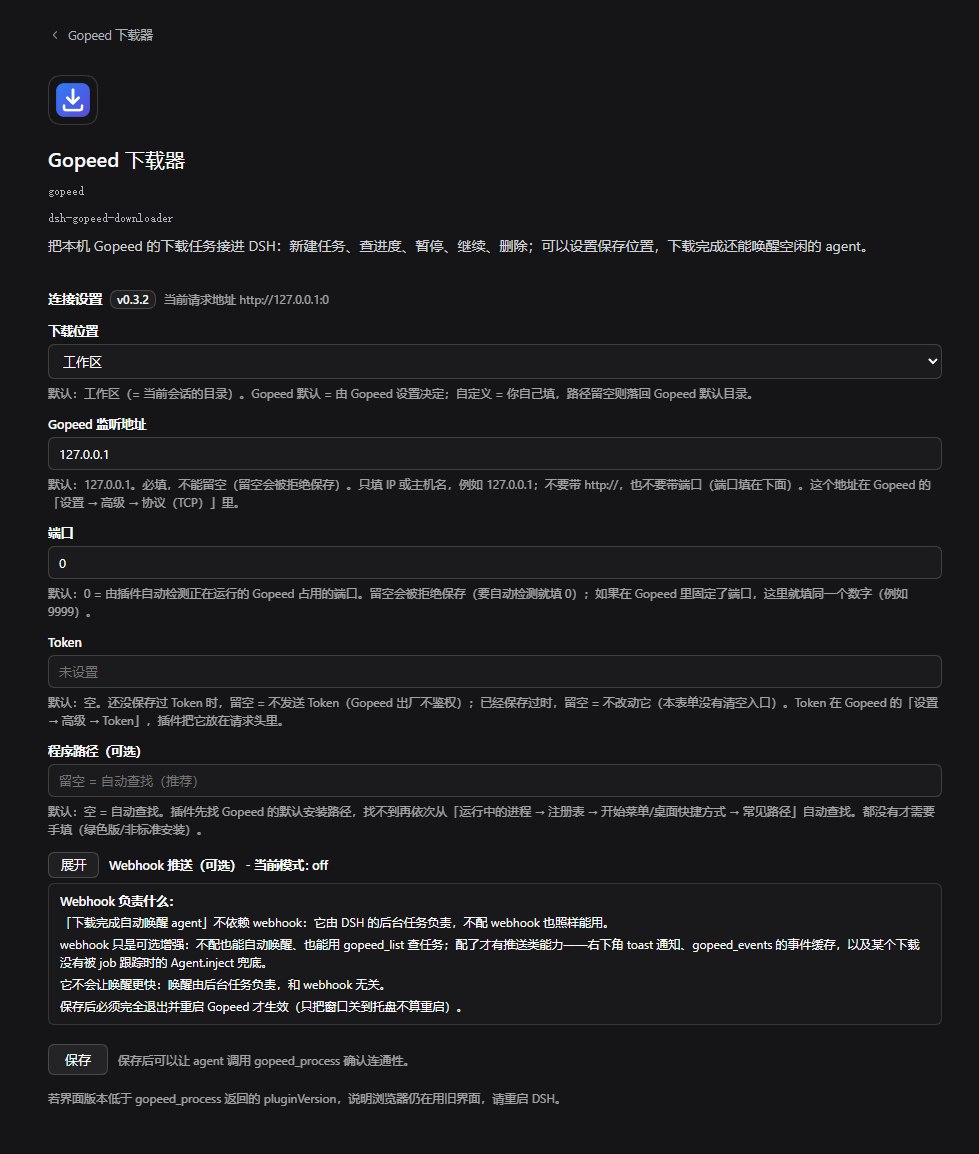
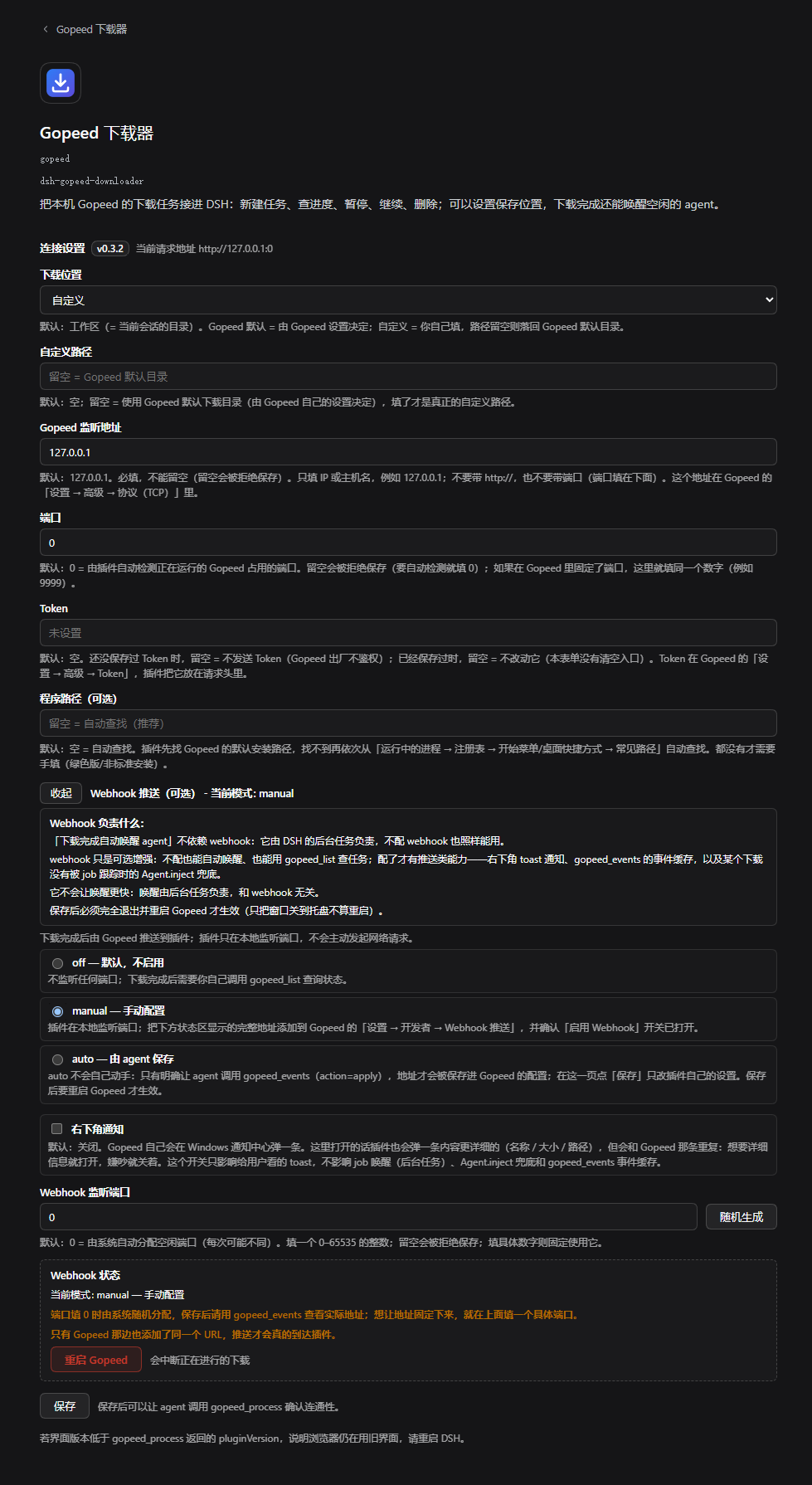
The form on Plugins -> Installed -> Gopeed Downloader -> Configure is volatile: saving applies
immediately, with no plugin remount and no DSH restart. Every field's hint reads Default: X; empty = Y.
downloadTarget--workspace(default) /gopeed/custom.workspacesaves into the session's current working directory, which follows acd. An explicitpathargument togopeed_addalways wins.customDownloadPath-- used when the target iscustom. Empty = Gopeed's own download directory, and the fallback is reported injobNote, never silent.host-- default127.0.0.1, required. IP or hostname only;http://...orhost:portis rejected, and a bare IPv6 literal must be bracketed ([::1]).port-- default0= auto-detect the live port of the running process. An empty box is rejected on save, so auto-detect means typing0, not clearing the field.token-- empty (the default) means no token is sent, which is what Gopeed ships with. An empty field keeps the stored token instead of clearing it; the browser only ever sees "set" / "not set". A wrong token is reported asunauthorized-- Gopeed answers HTTP 401, so it never looks like a connection failure, and auto-detection keeps the port it found. Only the token needs fixing.exePath-- empty (the default) = auto-detect. Only portable or non-standard installs need it.webhookMode--off(default) /manual/auto;webhookPort--0= system-assigned (the URL then changes across restarts), a concrete number keeps it stable;webhookToast-- off by default, because Gopeed already posts its own notification.- Config-only, not in the UI:
timeoutMs(20000),portScan(false) andwebhookNotify(true). Set them in the active profile'scordis.patch.ymlunderid: gopeed.
The port. Gopeed's desktop build starts on 127.0.0.1:0 -- port 0, a random port per launch -- with an
empty token. Leave the plugin's port at 0 and it asks Windows which port the live Gopeed.exe holds. To pin
one instead, open Gopeed -> Settings -> Advanced -> Protocol, choose TCP, set e.g. 127.0.0.1:9999, and
enter the same number in the plugin form. Any concrete number in this README (such as 9999) is only an
example. Saving writes the values into cordis.patch.yml under id: gopeed and takes effect immediately.
Why there is no default port, and where those defaults come from
Gopeed's own source hardcodes network="tcp", address="127.0.0.1:0", apiToken=""
(app_controller.dart), and binds it with net.Listen (pkg/rest/server.go). The 9999 in Gopeed's OpenAPI
document and JS SDK is a client-side convention (the CLI and gopeed-web build default -P to 9999); the
desktop app never listens there unless you set it.
With port at 0 the plugin asks Windows for the ports Gopeed.exe holds (netstat -ano, then
Get-NetTCPConnection). When neither discloses them it says so and points at the fixed port instead of guessing.
portScan exists for that case and is off by default, because sweeping the dynamic port range touches
software unrelated to Gopeed. There is no silent 9999 fallback: it would make an honest "port unknown"
diagnosis unreachable.