@michengai/dsh-codex-ui
以 Codex 风格重构 DSH 网页端侧边栏的独立客户端插件
AI 分析
重构 DSH 侧边栏,提供全局搜索、工作区固定、会话管理(重命名/归档/派生)等高级导航功能。适合追求高效、紧凑界面交互体验的用户。
安装
$
npx -p @deepseek-ai/dsh dsh plugin --profile web add github:MichengAI/dsh-codex-ui说明文档
阅读完整 README ↗Usage
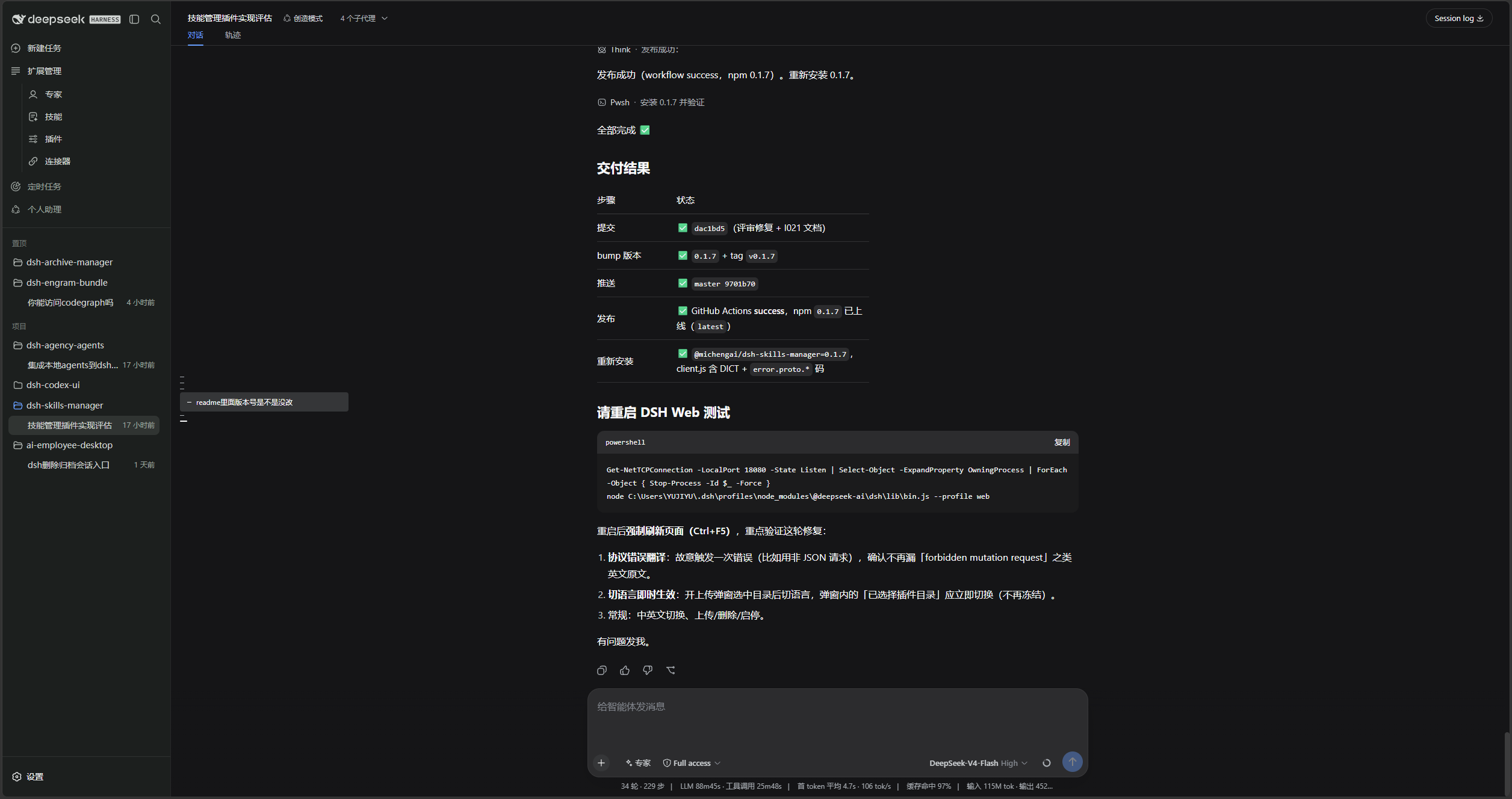
Open DSH Web. The left navigation is rendered by this plugin.
| Goal | Action |
|---|---|
| Start a conversation | Select New task, or use a workspace + / New conversation action. |
| Find a conversation or setting | Use the header search field and choose a session, Settings page, or quick action. |
| Collapse the sidebar | Use the header panel button. The expand control stays on the collapsed rail. |
| Pin a workspace | Drag it into Pinned, or use Pin project in the project menu. |
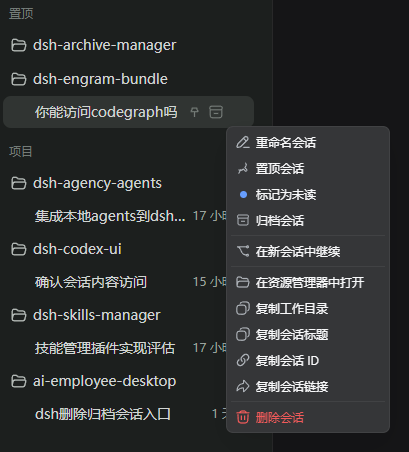
| Manage a conversation | Open the conversation menu to rename, pin, mark unread, archive, fork, copy, or delete. |
| Jump between turns | Use the turn marks on the left of the current conversation. |
| Inspect connectors | Open Settings → Connectors. Addresses, commands, and credentials are never shown. |
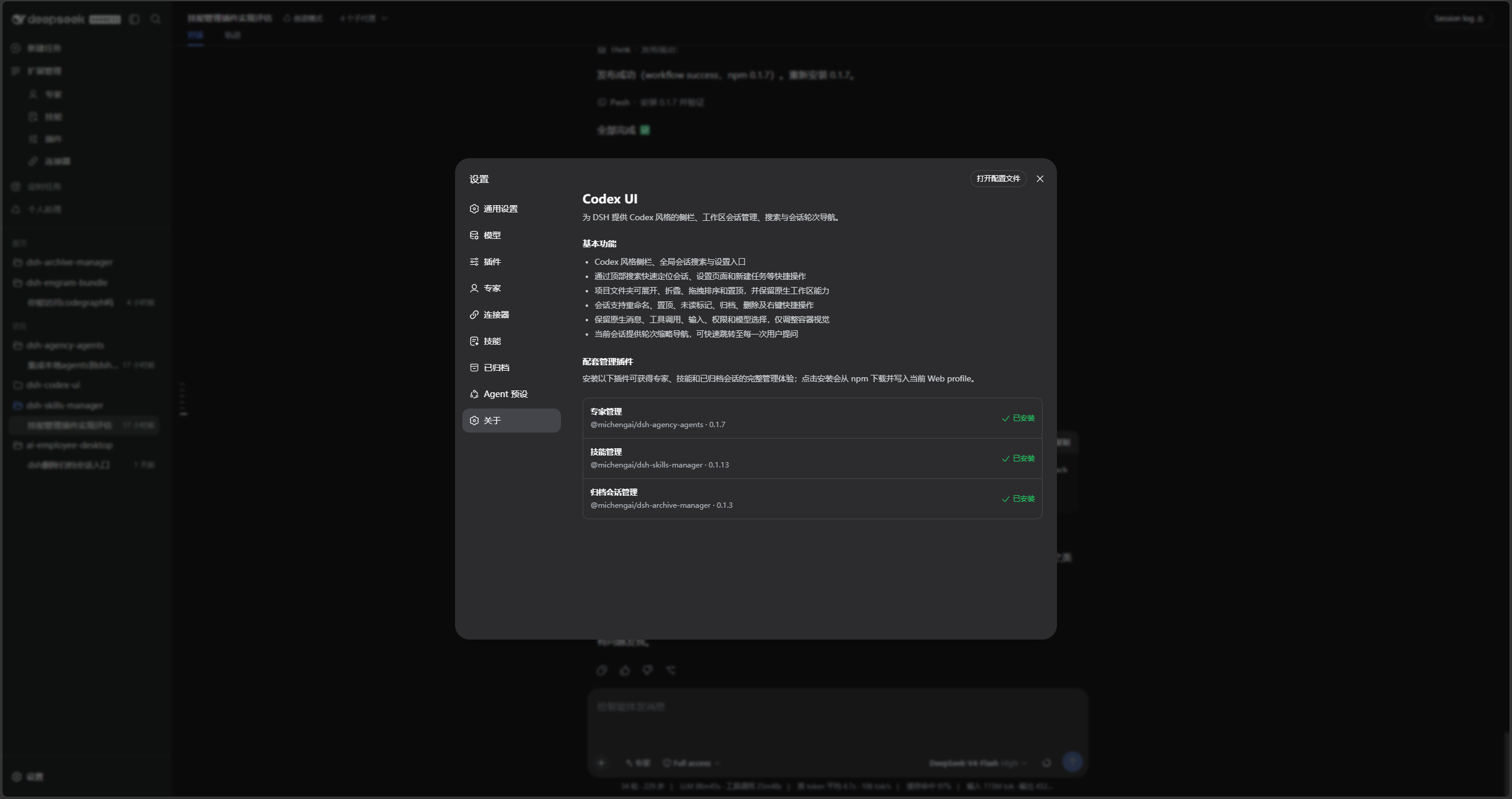
| Check companion plugins | Open Settings → About to see expert, skill, and archive plugin status. |
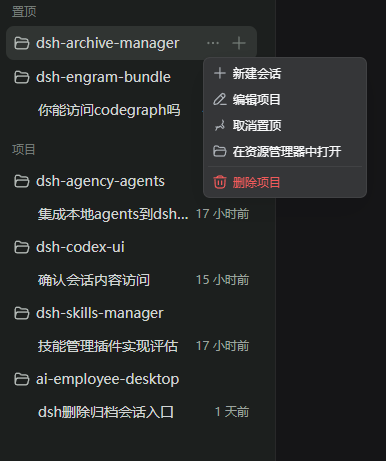
Deleting a workspace registration does not delete its folder or conversation records. Pinned and unread state is stored only in the current browser.