@dsh-feishu/dsh-feishu
DeepSeek Harness 的飞书客户端界面插件:支持实时流式卡片、卡片内提问与审批,提供一键扫码配置,将飞书群聊或私聊转化为 DSH 会话。
AI 分析
核心用途是将 DSH 的 AI 能力接入飞书办公生态。适合企业团队或个人用户,通过飞书机器人直接与 DSH 智能体交互,并进行远程任务审批。需要 Node.js 及 pnpm 环境。
安装
npx -p @deepseek-ai/dsh dsh plugin --profile web add github:PGZXB/dsh-feishu说明文档
阅读完整 README ↗Usage
A Feishu chat is a dsh session — the bot is the agent's avatar. A typical session goes like this:
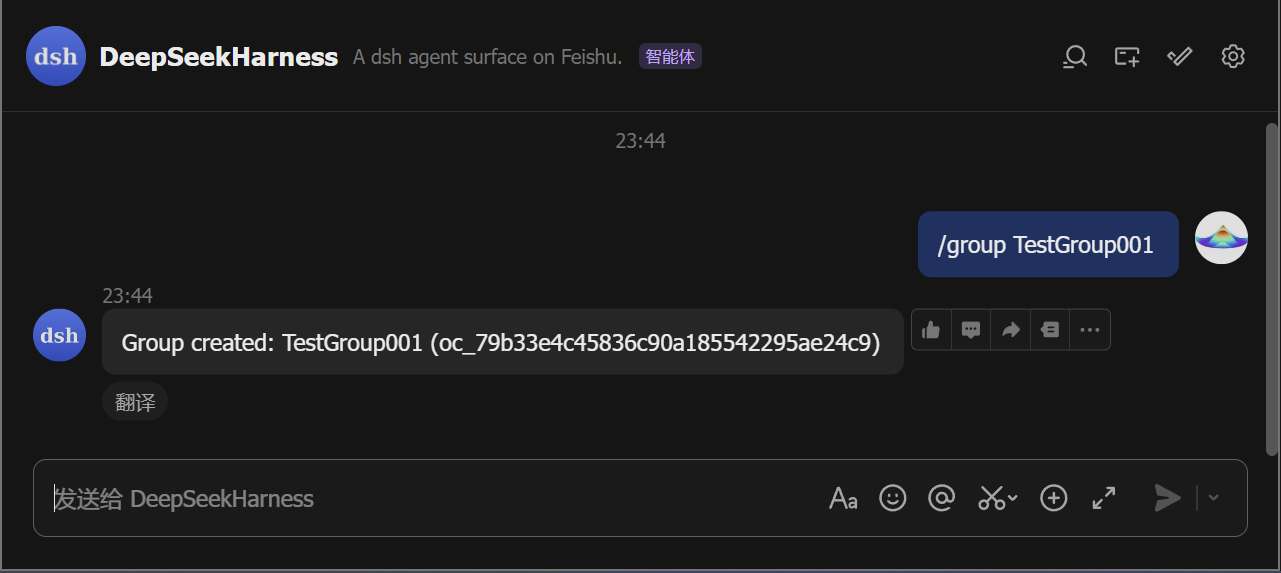
- Start a chat. Direct-message the bot, or run
/groupto create a group the bot joins. In a group, @-mention the bot (the default policy; a group with just you and the bot also answers plain messages, and the policy is configurable).
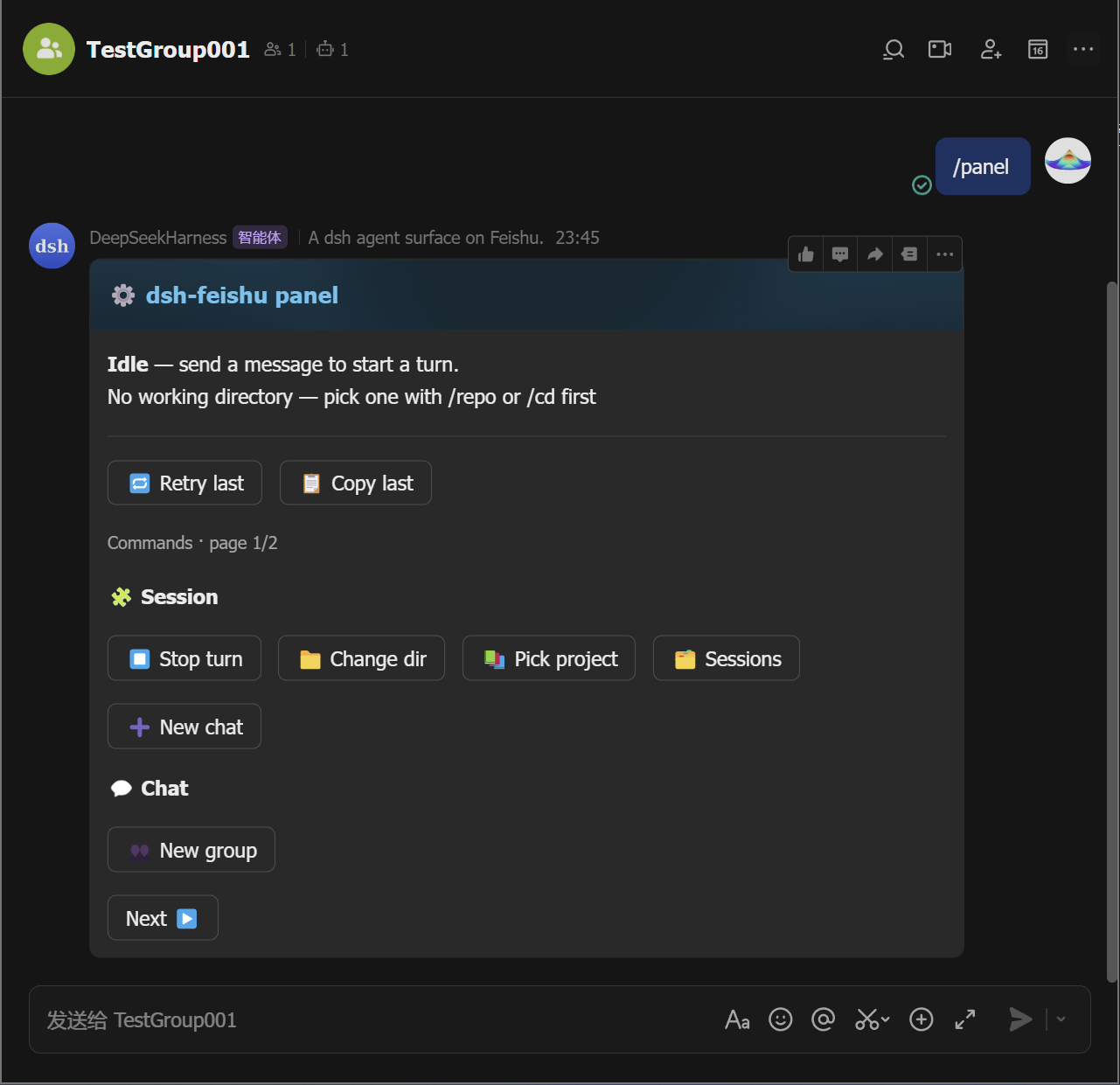
- Open the control panel. Send
/panelto pop up the panel card.
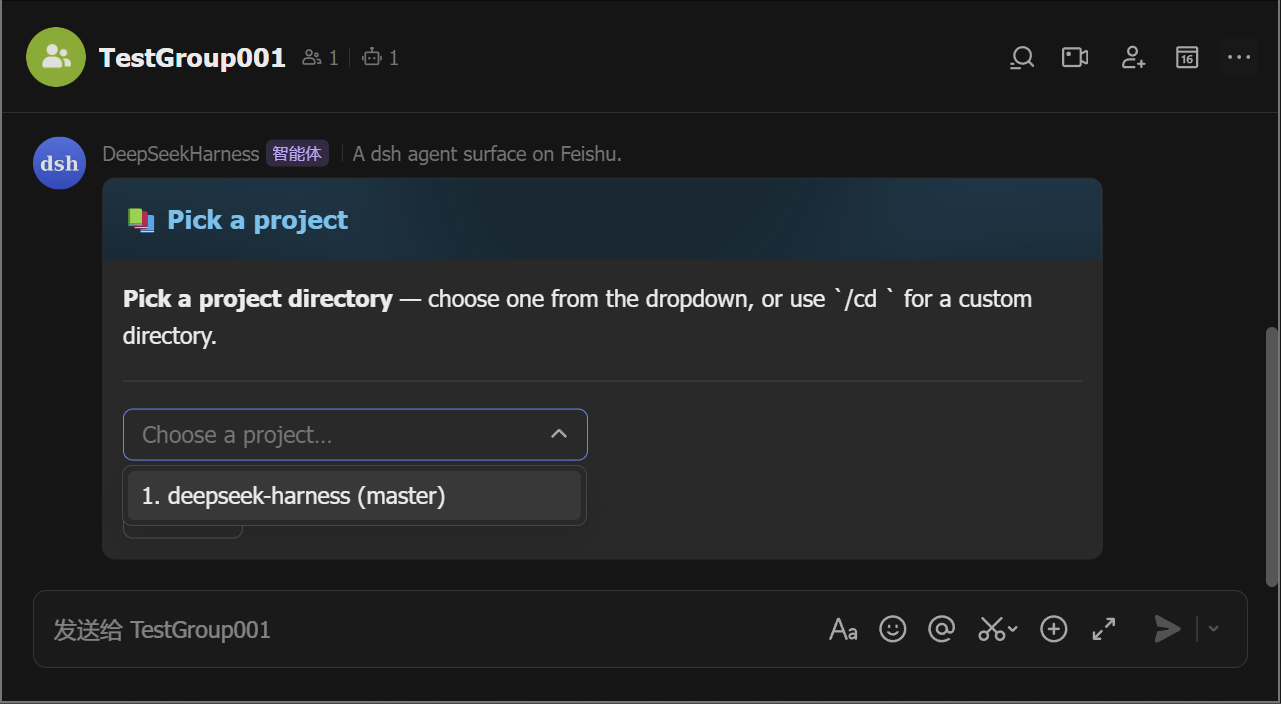
- Pick a working directory. The bot refuses work until the chat has
one: tap 📚 Pick project to choose from a list (the
/repoequivalent), or 📁 Change dir to type a path (the/cdequivalent).
-
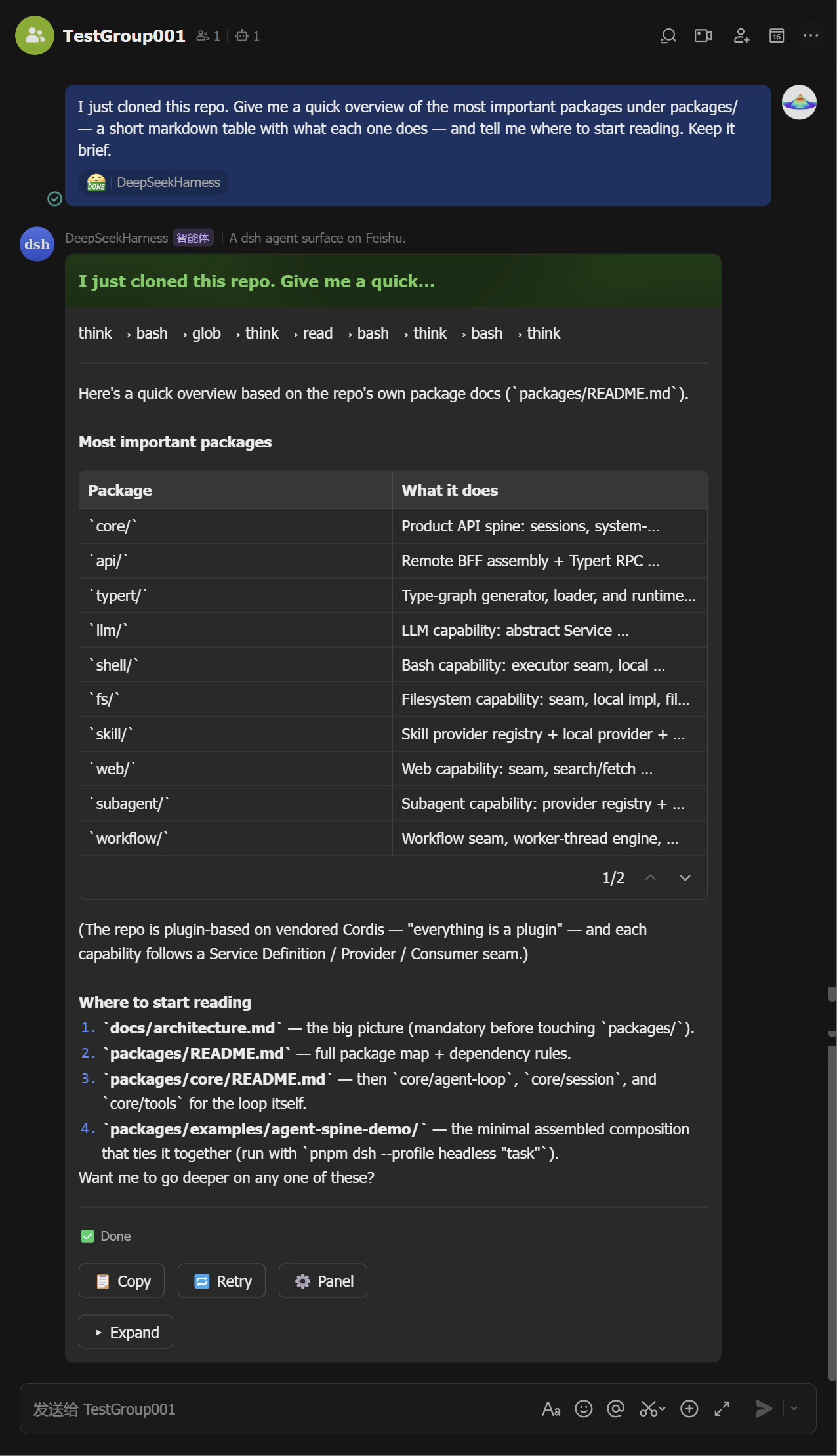
Ask. Send a message — the agent runs and its output streams into a live card (tool calls, reasoning, markdown, tables). The card ends green with the full answer inside; Stop, copy, retry, and the ⚙️ panel button sit on it.
Mid-stream Finalized 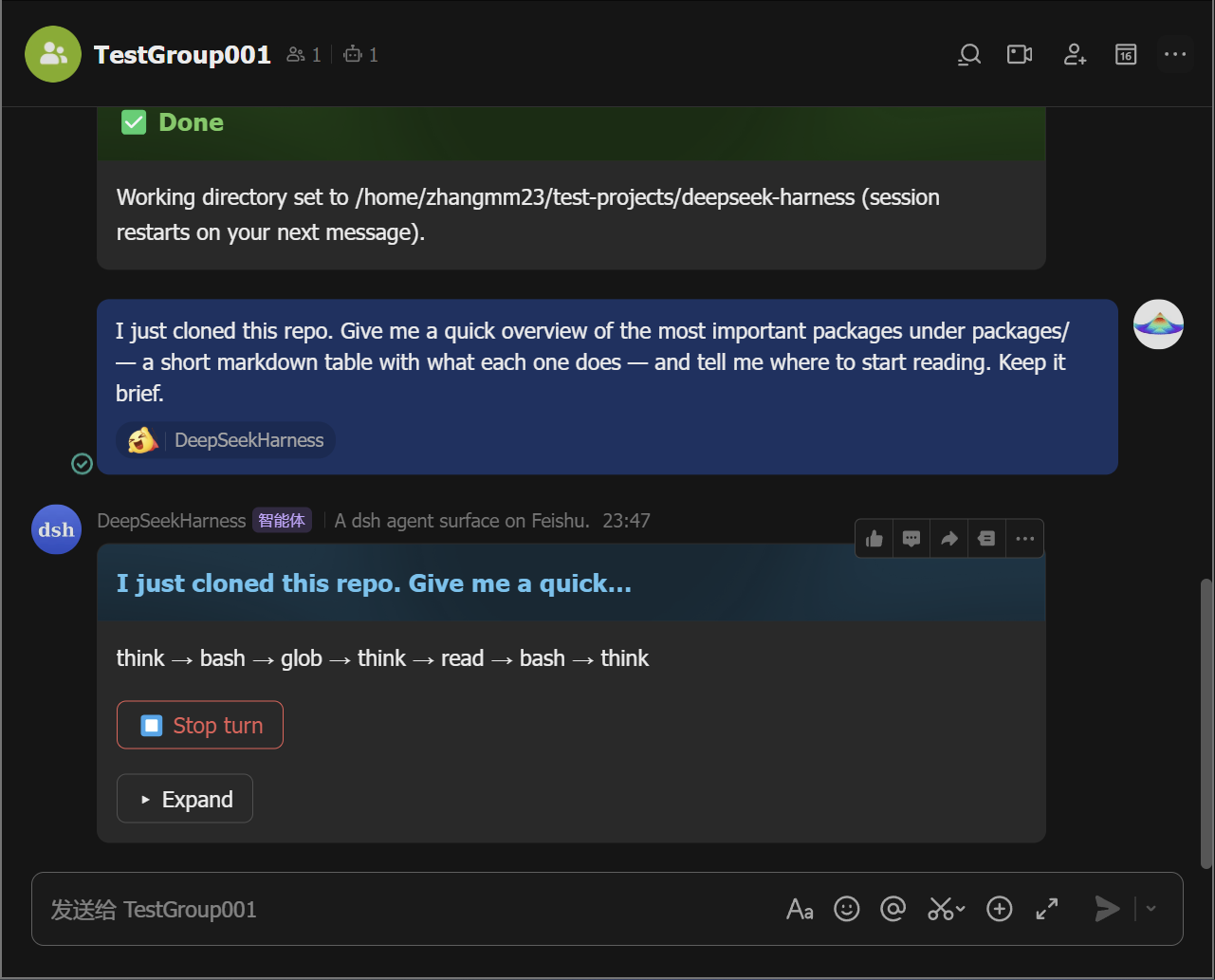
-
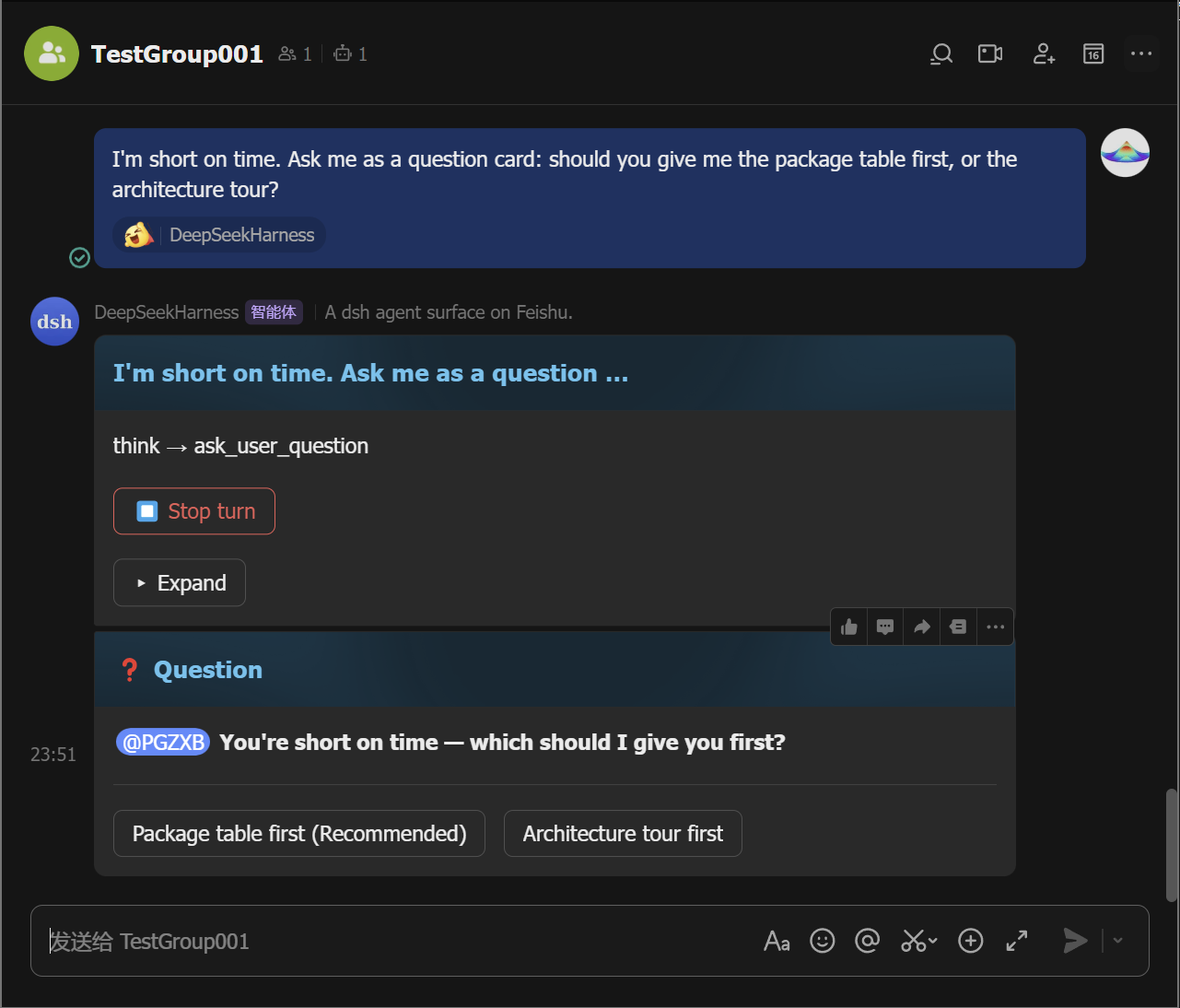
Approve or answer when asked. A permission escalation posts an approval card — tap Allow once (or Reject). A question posts a card you answer with a tap (or a reply).
Approval Question 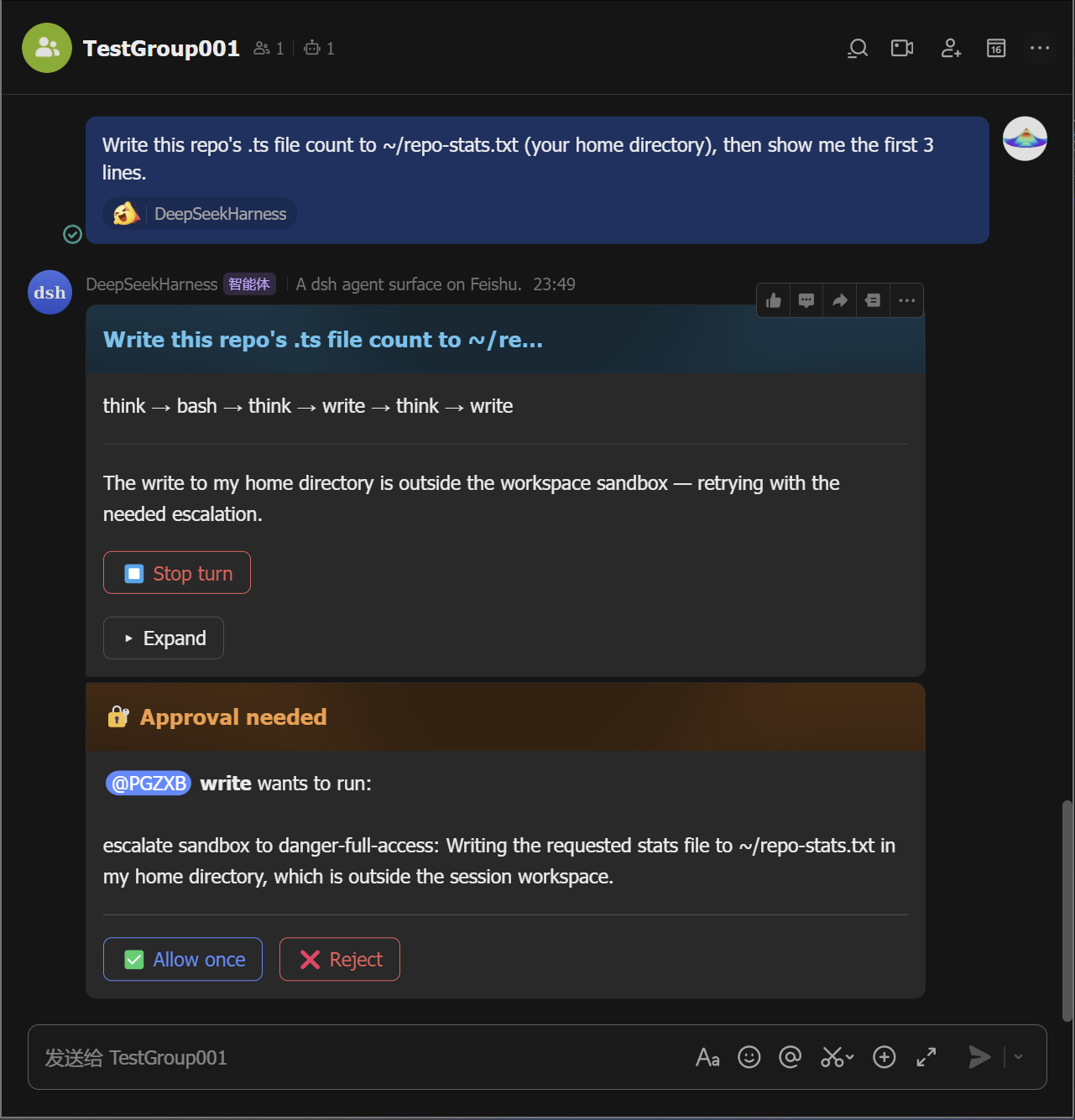
-
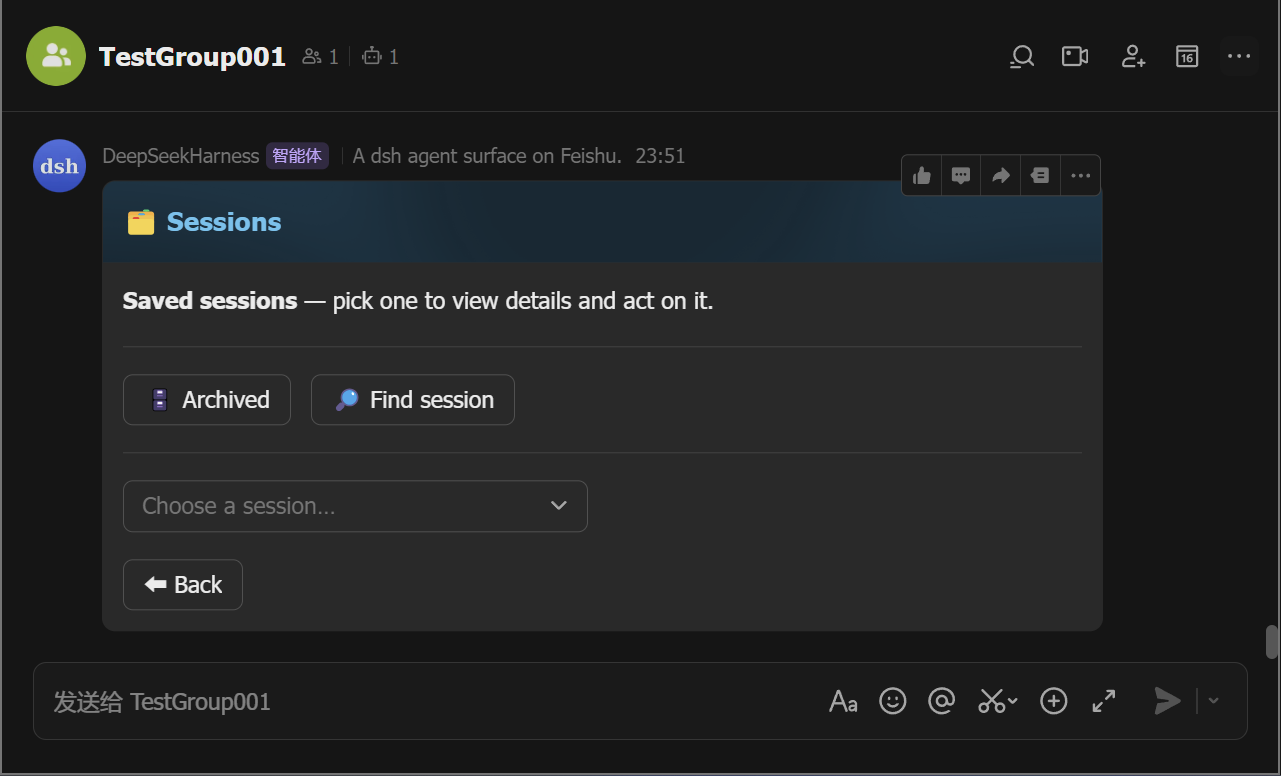
Manage sessions. Tap 🗂️ Sessions to list saved sessions and resume any of them from the card (the
/sessionsequivalent;/resumemoves one into this chat), and tap ➕ New chat (the/clearequivalent) to start fresh without deleting the old one.
Every button on the panel card maps to a slash command — pick whichever
feels faster; /help lists them all.