jjjjjjjjnnjnn/ai-terminal-pet ↗★ 1
dsh-ai-terminal-pet
Marketplace shim: the DSH plugin lives in packages/dsh-ai-terminal-pet, and this manifest lets a repository-URL install resolve to it.
安装
npx -p @deepseek-ai/dsh dsh plugin --profile web add github:jjjjjjjjnnjnn/ai-terminal-pet说明文档
阅读完整 README ↗ai-terminal-pet
Your agents are waiting. You are in another tab.
One 56 px always-on-top strip that says which AI coding agent is blocked on you, what it is asking for, and how long it has been waiting — then puts you back in that terminal in one click.
DeepSeek Harness · Claude Code · OpenCode · Antigravity





English · 中文 · Platforms · Protocol · Changelog · DSH Plugin
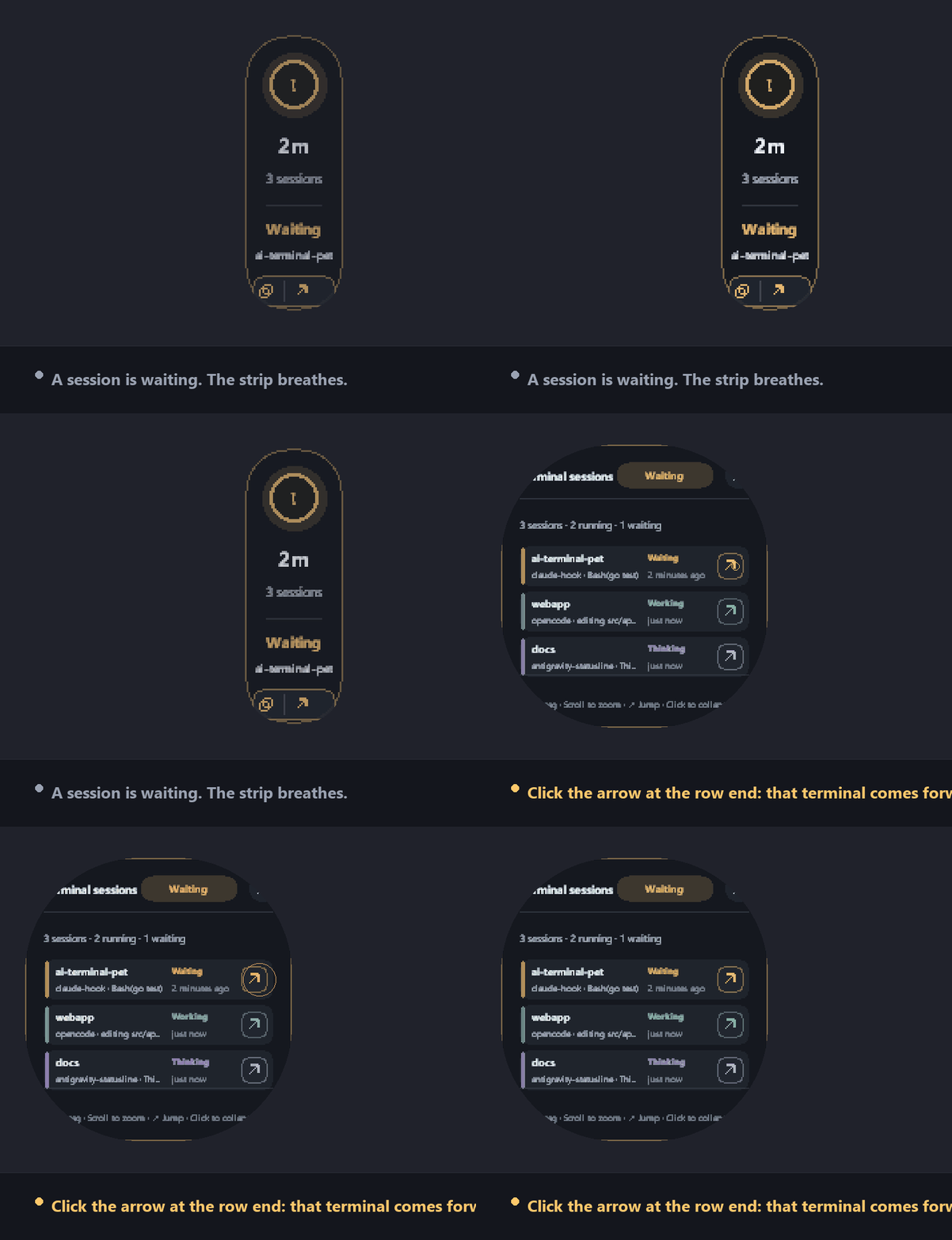
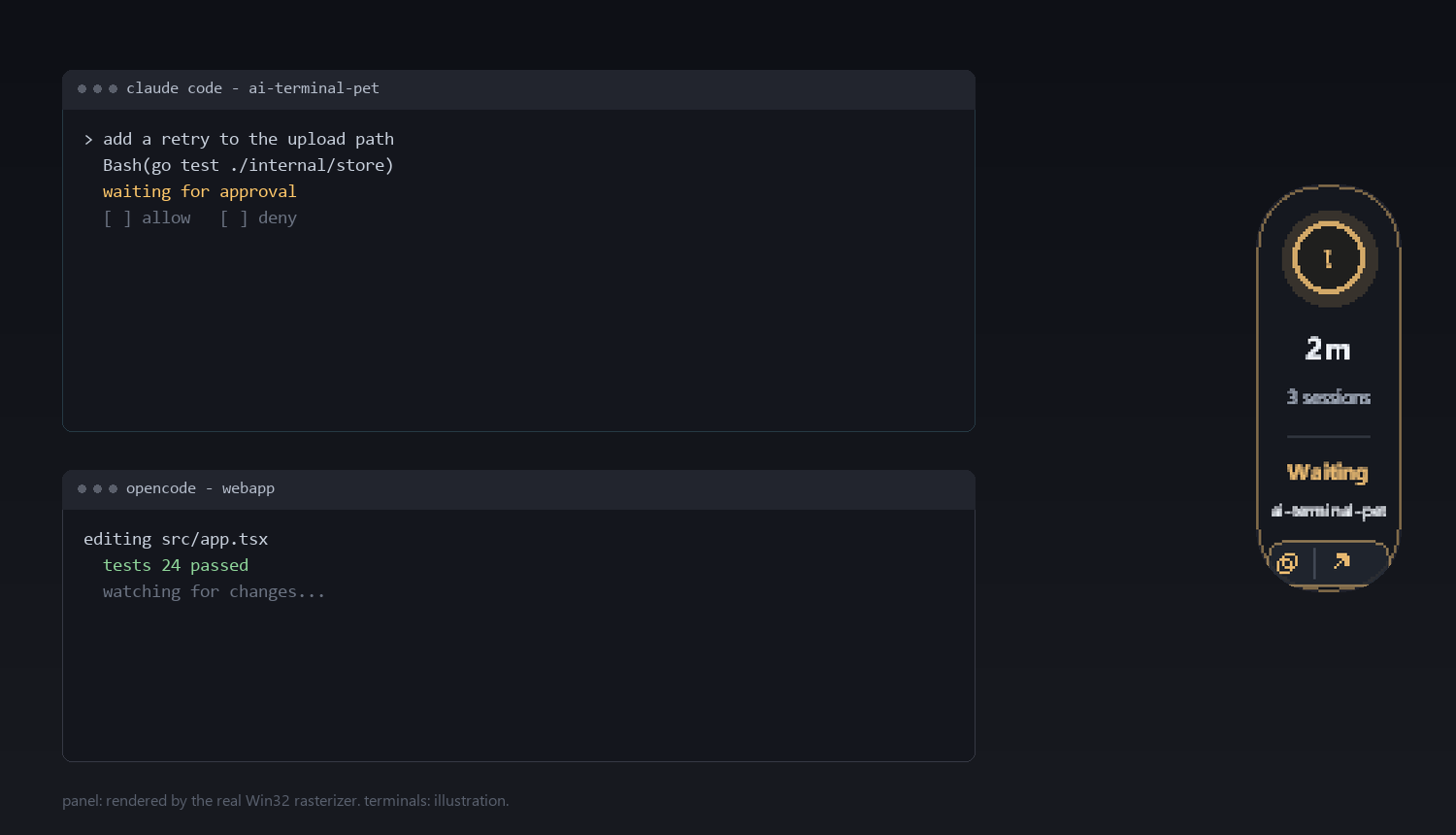
Panel pixels are rendered by the overlay's own rasterizer (go test ./internal/ui -run TestRenderPreview); the terminal windows around them are drawn in docs/assets/make_launch_assets.py. No mockup of a UI that does not exist.
Install in one line
dsh plugin --profile
 add dsh-ai-terminal-pet   # DeepSeek Harness
opencode plugin add opencode-ai-terminal-pet             # OpenCode
The panel itself is one file: pet-setup.exe on Windows, a tar.gz + install.sh on Linux and macOS
(Install has every path, including the pinned-tag and offline forms). On Windows the OpenCode
package carries that panel and drops it in place on first load, so its one line really is one line.
Claude Code and Antigravity are wired once with ai-terminal-pet --connect; on Windows Claude Code can
also be installed as a plugin, panel included (see Connect).
What it is not: not an Electron app, not a web view, and no runtime to install for the panel itself — a single 5 MB Go binary that draws its own pixels and speaks to reporters over a local endpoint. No account, no telemetry, no network.
The 15-minute problem
You have four agents running in four tabs. One of them hits a permission prompt, waits for an answer, and gets none — because you are reading a diff in another window, or on another monitor, or you only have one monitor and that tab is behind this one.
Nothing crashed. Nothing is broken. You just paid fifteen minutes of an agent's life for nothing, and you will only notice when you switch back and see it still sitting there.
A bell does not fix this. Neither does a spinner in each terminal's own window: the information exists, but it is inside the thing you are not looking at.
ai-terminal-pet puts that information where you cannot miss it: a 56 px strip, always on top, docked to an edge of the screen. It knows every local agent session, what each one is asking for, and how long it has been asking.
What it does
- One strip, every agent. Windows, Linux (X11) and macOS; DeepSeek Harness, Claude Code, OpenCode and Antigravity in one list — sorted so the session that wants you is at the top, with its project folder, the reason it is blocked, and how long it has been blocked.
- One click back. The arrow at the end of a row activates that terminal — the window and the right tab where the platform allows it. Clicking the row body copies its workspace path instead, with a pill that says "Copied" or "Copy failed" rather than staying silent.
- Quiet until it matters. It rings only for real events: an agent that asked for something, an agent that failed, an agent that finished while you were away. A conversation that vanished is not a completion, an ordinary command is not an event, and a session you muted stays muted. The full rule table is in docs/HANDOVER.md §40–§43.
What it looks like
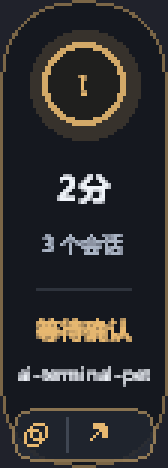
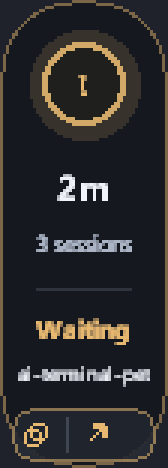
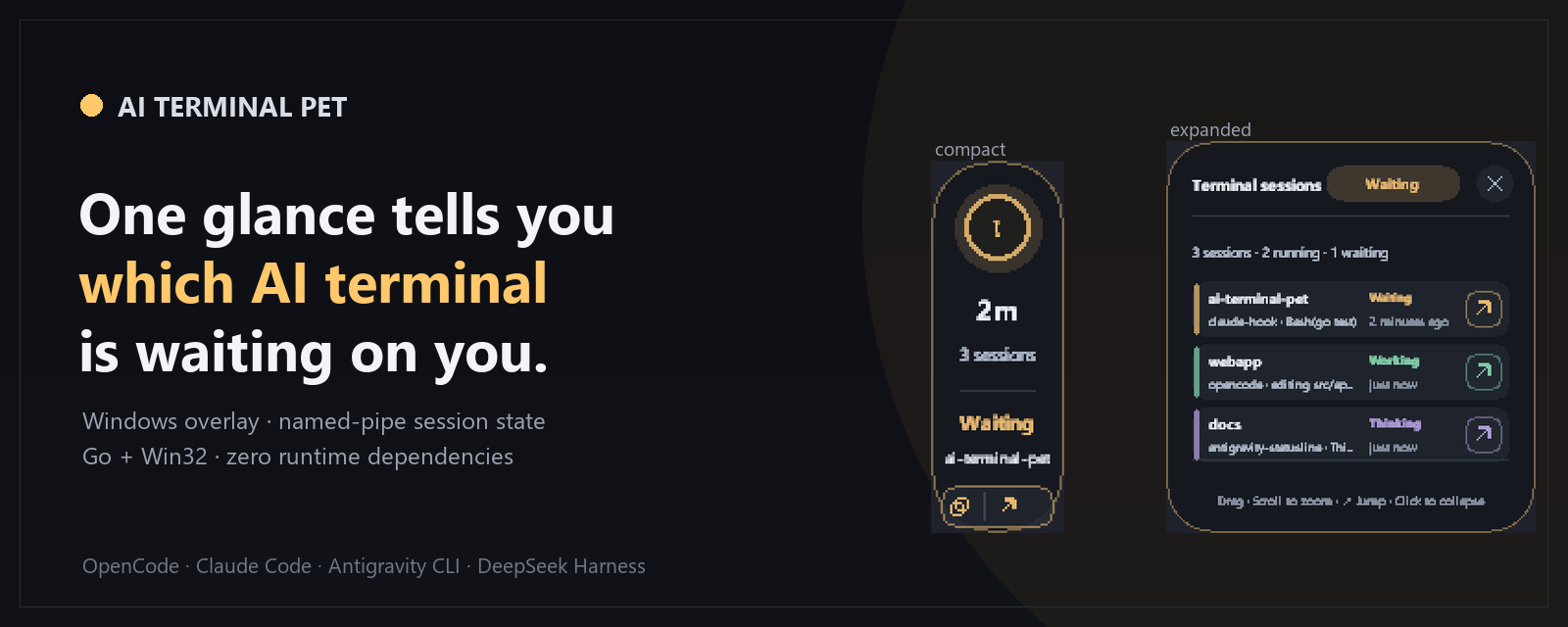
Compact — idle, 56 px wide
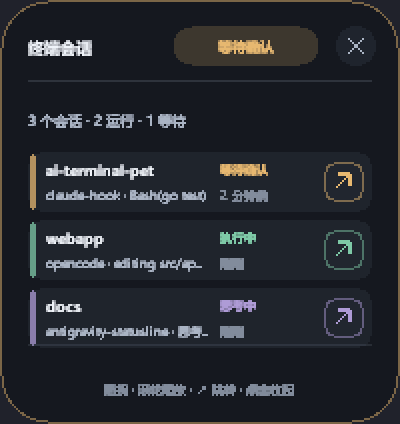
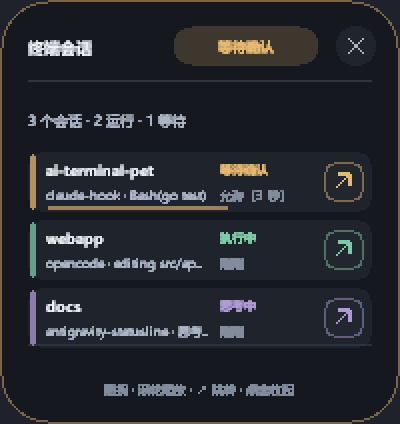
Expanded — hover or click
English UI (same states, same layout)
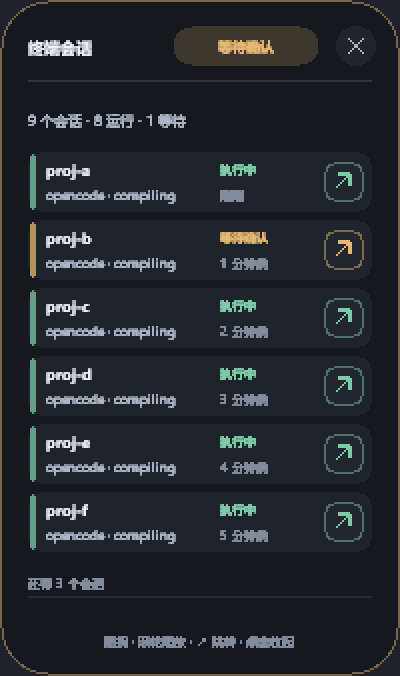
Longest wait, then six sessions
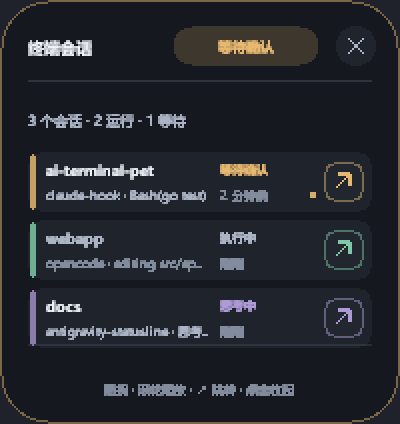
Unread marks — what you have not looked at yet
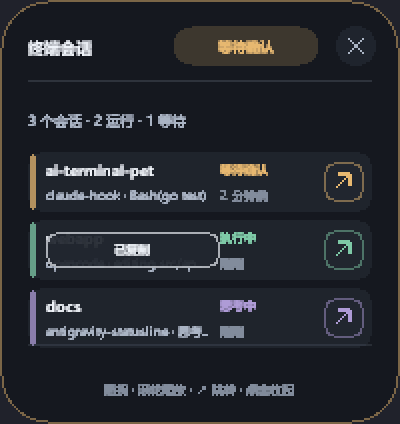
Copy receipt — a claim about what happened, not a decoration
Auto-approve veto — opt-in, 5 s countdown
Hero — compact and expanded side by side
| The row says | Meaning |
|---|---|
| Waiting | a permission prompt, a question, or a plan is waiting for your decision |
| Tool call / Working / Thinking | the agent is busy — nothing for you to do yet |
| Error | the turn failed; the reason is on the row |
| Idle / Closed | finished, and waiting to be read |
Install
The overlay is one statically linked binary per platform (CGO_ENABLED=0, no Electron, no WebView, no libgtk, no cgo). Reporters use the Node.js standard library only — zero npm dependencies.
Windows (x64) — download pet-setup.exe from the latest release (pet-v1.0.24) and run it. It verifies the SHA-256 of every embedded file before writing anything, then installs into %LOCALAPPDATA%\AI-Terminal-Pet\ and registers an uninstall entry, so Windows can remove it later even if you delete the download. Prefer a portable archive? Grab ai-terminal-pet-1.0.24-win-x64.zip, unzip, and run .\install.cmd (-VerifyOnly, -AddToPath, -Uninstall included).
macOS (Apple Silicon arm64 / Intel amd64):
tar -xzf ai-terminal-pet-1.0.24-darwin-arm64.tar.gz   # or darwin-amd64
cd ai-terminal-pet-1.0.24-darwin-arm64
xattr -dr com.apple.quarantine .                      # unsigned, not notarized yet
sh ./install.sh
Linux (amd64 / arm64, X11):
tar -xzf ai-terminal-pet-1.0.24-linux-amd64.tar.gz    # or linux-arm64
cd ai-terminal-pet-1.0.24-linux-amd64
sh ./install.sh
Both POSIX installers land in the platform's data directory, symlink ~/.local/bin/ai-terminal-pet, and support --verify-only / --uninstall.
DeepSeek Harness users — the plugin is the zero-config path, on all three platforms now:
The package is now 1.2.37 (
dsh.bundle.platforms: ["win32", "linux", "darwin"]). It connects DeepSeek Harness sessions immediately: on Windows it installs the bundled overlay +protocol.jsoffline on first run, on Linux and macOS it fetches the pinned release archive once (SHA-256 verified) and installs the same overlay.
# from npm
dsh plugin --profile
 add dsh-ai-terminal-pet

# or pinned to the release tarball
dsh plugin --profile
 add https://github.com/jjjjjjjjnnjnn/ai-terminal-pet/releases/download/dsh-plugin-v1.2.37/dsh-ai-terminal-pet-1.2.37.tgz

# or pinned to a git tag, no npm needed
dsh plugin --profile
 add "git+https://github.com/jjjjjjjjnnjnn/ai-terminal-pet.git#dsh-plugin-v1.2.37&path:/packages/dsh-ai-terminal-pet"
Published on npmjs.com/package/dsh-ai-terminal-pet (1.2.37). Details and uninstall: packages/dsh-ai-terminal-pet/README.md.
Installing the plugin shows DeepSeek Harness sessions out of the box. The other three terminals need their reporter wired once — one command each, below. OpenCode is now that one command: opencode plugin add opencode-ai-terminal-pet.
Build from source
# Windows
git clone https://github.com/jjjjjjjjnnjnn/ai-terminal-pet.git; cd ai-terminal-pet
go build -trimpath -buildvcs=false -ldflags "-s -w" -o .\bin\AI-Terminal-Pet.exe ./cmd/ai-terminal-pet
go build -trimpath -buildvcs=false -ldflags "-s -w" -o .\bin\pet-statusline.exe ./cmd/pet-statusline
go build -trimpath -buildvcs=false -ldflags "-s -w" -o .\bin\pet-hook.exe ./cmd/pet-hook
.\scripts\install.cmd -AddToPath
# macOS / Linux
git clone https://github.com/jjjjjjjjnnjnn/ai-terminal-pet.git; cd ai-terminal-pet
CGO_ENABLED=0 go build -trimpath -buildvcs=false -ldflags "-s -w" -o ./bin/AI-Terminal-Pet ./cmd/ai-terminal-pet
CGO_ENABLED=0 go build -trimpath -buildvcs=false -ldflags "-s -w" -o ./bin/pet-statusline ./cmd/pet-statusline
CGO_ENABLED=0 go build -trimpath -buildvcs=false -ldflags "-s -w" -o ./bin/pet-hook ./cmd/pet-hook
sh ./scripts/install.sh
Unsigned binary notice
Windows (pet-setup.exe) is not Authenticode-signed and macOS builds are not notarized. Every release file can be checked bit-for-bit against SHA256SUMS.txt (install.cmd -VerifyOnly / install.sh --verify-only), and the CI workflows and scanners are in .github/workflows/ci.yml.
What Windows SmartScreen shows, and how to verify locally first
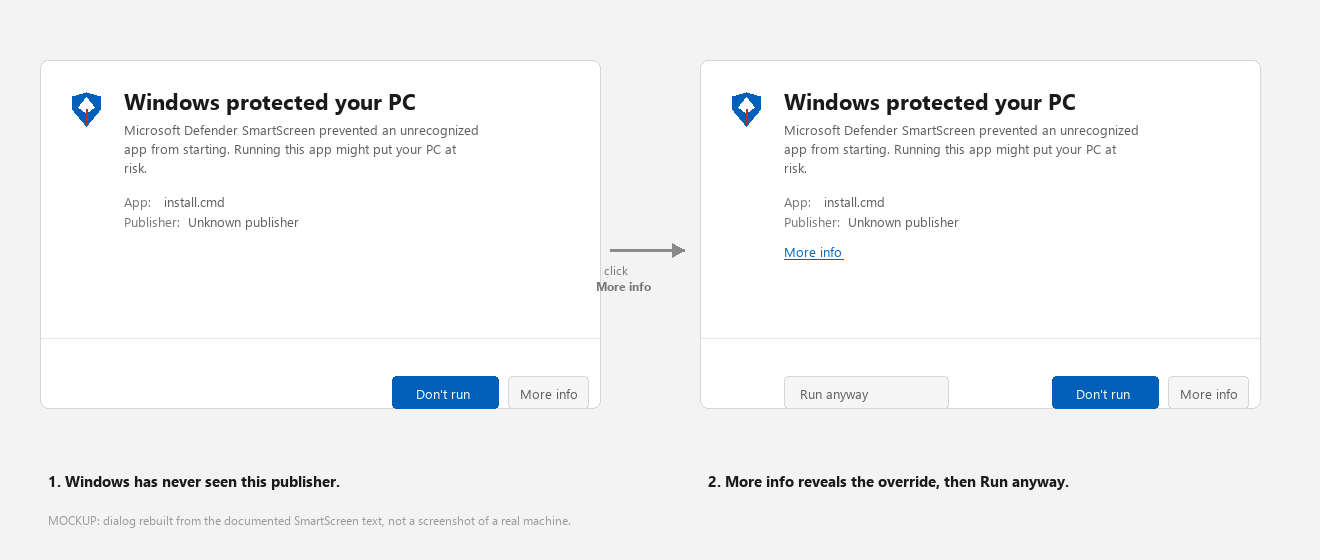
Check the SHA-256, then choose More info → Run anyway — or build from source above.
Connect the terminals you already use
ai-terminal-pet --connect
It reads your local host configs read-only (it never edits them for you) and prints ready-to-paste snippets with the resolved paths for your OS:
| Host CLI | Mechanism | What runs on each event |
|---|---|---|
| DeepSeek Harness | Cordis plugin dsh-ai-terminal-pet (or the host-only bridge in integrations/deepseek-harness/) | subscribes to session/event and approval/request inside DSH |
| Claude Code | on Windows the plugin ai-terminal-pet (claude plugin marketplace add jjjjjjjjnnjnn/ai-terminal-pet, then claude plugin install ai-terminal-pet@ai-terminal-pet-market); elsewhere hooks in ~/.claude/settings.json (--connect=claude) | native pet-hook --mode=claude; the plugin also installs the panel once, from the copy it carries |
| OpenCode | opencode plugin add opencode-ai-terminal-pet (or the entry in ~/.config/opencode/opencode.json, which --connect=opencode prints) | the npm package opencode-ai-terminal-pet — the same reporters/opencode.js with OpenCode 2.x event names. On Windows it also installs the panel, once, from the copy the package carries |
| Antigravity CLI | statusline + hooks in its settings (--connect=antigravity) | native pet-statusline (with the short-circuit) + pet-hook --mode=antigravity |
| Anything else | a shell wrapper around reporters/generic.js, or JSON lines over the endpoint | one JSON line per state transition — see docs/PROTOCOL.md |
Then check the machine:
ai-terminal-pet --doctor
13 checks — install files, version, endpoint, live instance, Node, host wiring, autostart, the alert decision record, and whether this machine can actually play the tone and show the notification. It exits 1 on any [fail] and prints what it measured.
Sample --doctor output

Alerts you will not mute
The rule that decides whether to interrupt you is a pure function over the session list, so it can be tested without a window, a clock or a filesystem:
- One balloon, one tone, one row marked unread per scan — two finished sessions do not stack two balloons.
- A conversation that disappeared is not a completion. A dead reporter, a pruned duplicate or an aged-out snapshot is silent, and the receipt says why.
- Quiet in place. If you are looking at the very session that just spoke, the balloon is suppressed; the unread mark is not.
- Per-session mute, and a "done" policy (off / background only / always) so a completion you watched yourself does not ring.
- Every decision is written down in
alerts.json(kind,decision,tone,presence), which is what--doctorand--jsonread when you ask "why was I not told?".
Local by design
- No network, no account, no telemetry. Nothing leaves the machine; the reporters and the overlay talk over a per-user endpoint — a named pipe on Windows, a Unix domain socket elsewhere — whose name is derived from
sha256(lowercased home directory). There is no HTTP client in the shipped binaries. - Redaction before storage. The wire layer drops 9 classes of secrets (bearer tokens,
sk-/pk-/rk-/ak-keys, GitHub tokens, and more) and bounds every field; the panel never sees a raw prompt. - Auto-approve is off by default. Even when enabled, anything matching the destructive-command blocklist always goes to manual review, and safe commands enter a countdown you can veto with one click.
Platform matrix
Every platform compiles all 16 Go packages cleanly with CGO_ENABLED=0. The overlay binary is 4.56 MiB (4,783,616 bytes) on Win64. Details and measurement methods: docs/PLATFORMS.md.
| Platform | Window & text engine | Local endpoint | System integration | Settings & audio |
|---|---|---|---|---|
| Windows (x64) | native Win32 layered DIB + ClearType GDI | named pipe \\.\pipe\ai-terminal-pet-v1- | tray icon + menu, HKCU\...\Run autostart, Windows Terminal tab activation | full 4-tab native settings window + synthesized WAV via winmm |
| Linux (amd64 / arm64, X11) | pure-Go X11 ARGB utility window (jezek/xgb) + OpenType rasterizer | Unix socket $XDG_RUNTIME_DIR/ai-terminal-pet/v1-.sock | /proc, _NET_CLIENT_LIST, MIT-SCREEN-SAVER, XRandR, X11 CLIPBOARD, XDG autostart | --settings edits every option in the terminal (--set key=value for scripts); the tone goes to a probed system player (pw-play / paplay / aplay), alerts through notify-send — silent when neither is installed |
| macOS (arm64 / amd64) | pure-Go AppKit NSWindow (ebitengine/purego) + OpenType rasterizer | Unix socket $TMPDIR/ai-terminal-pet-v1-.sock | NSStatusBar menu bar item, sysctl + CGWindowListCopyWindowInfo + NSRunningApplication, NSPasteboard, LaunchAgent | --settings edits every option in |