dsh-locale-ru
Russian language pack for the DeepSeek Harness web GUI
同名包的其他仓库
安装
npx -p @deepseek-ai/dsh dsh plugin --profile web add github:tenkrol/dsh_locale_ru说明文档
阅读完整 README ↗dsh-locale-ru
Russian language pack for DeepSeek Harness.
Русская версия · MIT · DeepSeek Harness 0.2.x




DeepSeek Harness ships with English and Chinese (zh) only. This package registers a third
language, ru («Русский»), and ships a dictionary for every namespace that exposes
localization strings in the current build.
It is an external client plugin, not an application setting: nothing is patched inside the app, and removing the package restores the previous behavior.
Coverage: 65 of 65 namespaces, 2,914 strings — verified against the 0.2.1-rc.5 build with
tools/check.mjs --reference, which compares every key and every {placeholder} with the English
source. Untranslated keys (if a future build adds any) fall back to English, so the UI is never
broken; the reference check is what turns a version bump into a diff instead of a guess.
Screenshots
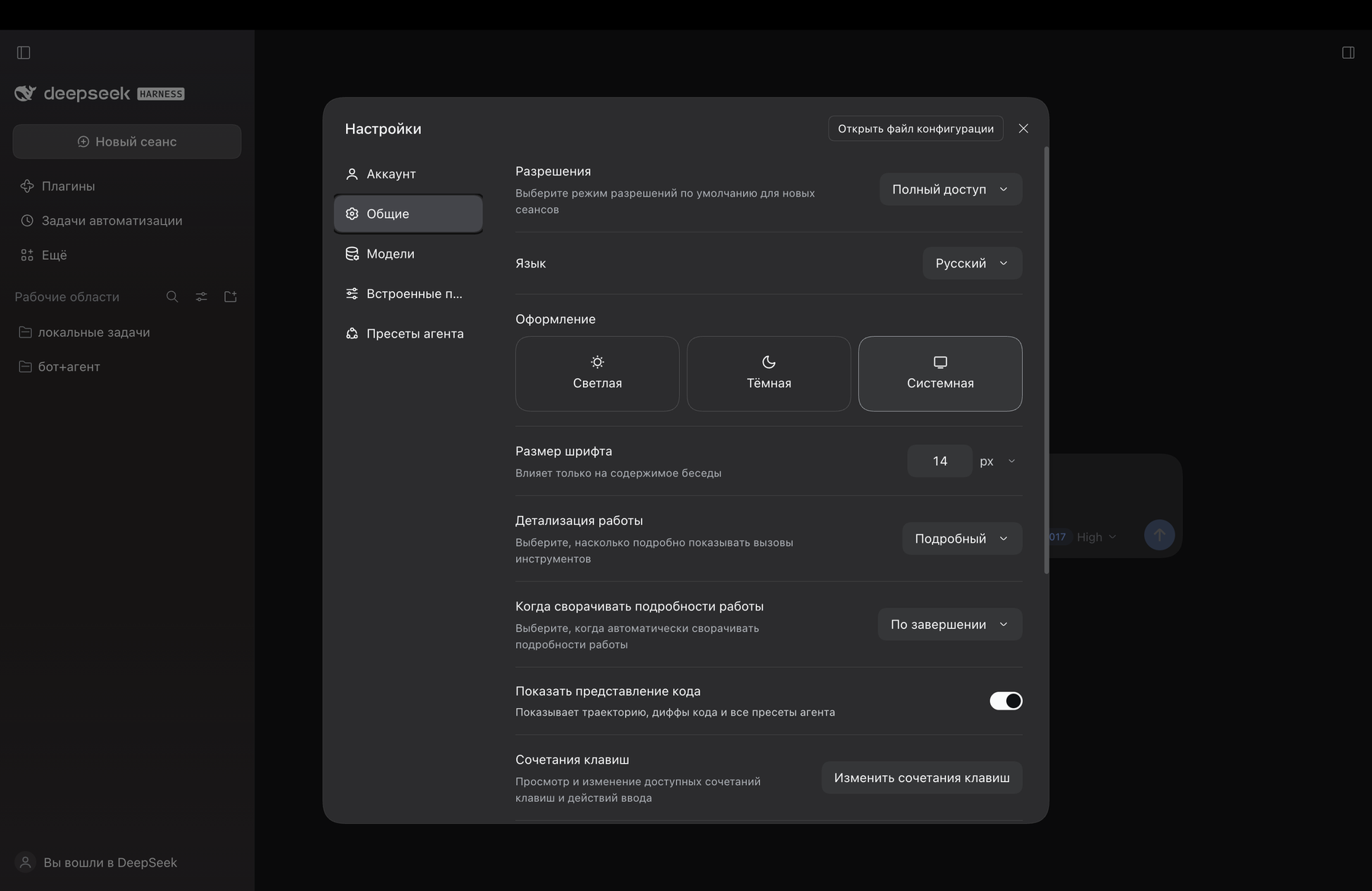
Settings → General → Language, with «Русский» selected:
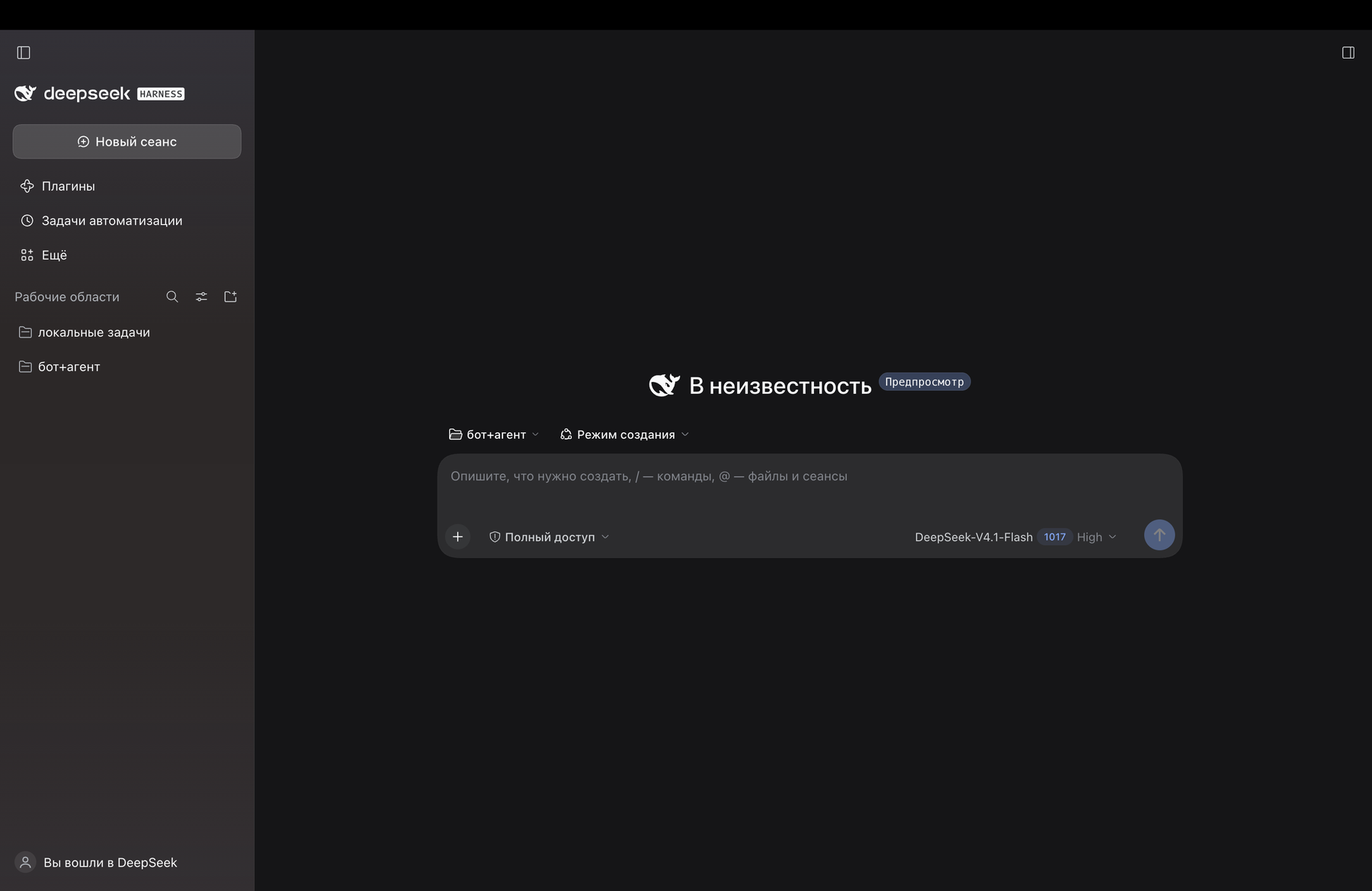
The interface itself, in Russian:
Install
A quick note on how it mounts: the pack is a bundle. The profile must list it in
dsh.profile.bundles, and the package itself must be resolvable from the profile's
node_modules. The install script performs both writes plus a symlink, which is exactly
what a package manager would do:
node tools/install.mjs --profile desktop
# roll back:
node tools/install.mjs --profile desktop --uninstall
--homeoverrides$DSH_HOME(default~/.dsh).--profileselects the DSH profile name.
After installing:
- with HMR enabled (Desktop profile) the composition is rebuilt on the fly;
- reload the page — the browser has to receive a new
window.__DSH_BOOT__that includes the language bundle; - open Settings → General → Language → Русский. The choice is stored in the profile's host settings and applied immediately.
To roll back: --uninstall, reload the page, pick another language.
How it works
| Path | Purpose |
|---|---|
package.json | manifest: dsh.bundle.patch (bundle layer) and dsh.client (browser half) |
cordis.patch.yml | bundle patch: a single locale-ru row mounting the package into the tree |
lib/index.js | host half: an empty plugin, needed only for the composition row |
lib/client.js | generated bundle: addLanguage({ id: 'ru', … }) + dictionaries |
dictionaries/.json | translation sources, one file per namespace |
GLOSSARY.md | glossary and translation rules (terms, placeholders, formatting) |
tools/build-client.mjs | builds lib/client.js from dictionaries/ |
tools/check.mjs | checks without launching the app, including reference parity |
tools/extract-reference.cjs | pulls English dictionaries out of an installed build (app.asar) |
tools/install.mjs | installs/removes the pack in a DSH profile |
The bundle patch is three lines:
- insert:
    - id: locale-ru
      name: dsh-locale-ru
The generated client half registers the language with the locale service; each dictionary
file registers under the namespace its owning package uses (locale.register(ns, {zh, en})).
The file name must match the namespace exactly, otherwise the dictionary is never found
and the whole namespace stays English.
Development
node tools/build-client.mjs                    # dictionaries/*.json -> lib/client.js
node tools/check.mjs                           # structure, bundle load, apply()
node tools/check.mjs --reference ./reference   # + key and placeholder parity
lib/client.js is generated — edit dictionaries/*.json, never the bundle itself.
To produce the reference for the installed build:
node tools/extract-reference.cjs "
/app.asar" .recon/en
node tools/check.mjs --reference .recon/en
--reference points at a directory of English dictionaries (.json)
extracted from an installed DSH build. Without it, check.mjs validates structure, JSON
validity, bundle loading and apply() calls; with it, it additionally verifies that the key
sets match the English source and that every {placeholder} survived translation.
Requirements: Node.js 20.11+ (uses import.meta.dirname), no other dependencies.
Limitations
- Only namespaces that have dictionaries in the DSH build are translated. Strings hardcoded outside the dictionaries stay English.
- Pluralization and word order are outside the locale API: dictionaries return ready-made strings, so forms like «1 задача / 2 задачи» have to be split into separate keys.
sidebarExcel.languageis intentionally left as"en": the spreadsheet engine registers only the English locale, and"ru"there would break number and date formatting.ruis not part of the shipped language set, so it exists only while this package is installed. After removal, a savedruchoice falls back to the browser language.- Coverage is version-specific: the dictionaries track a DSH build. Strings added in later builds stay English until they are translated, and the reference check is what surfaces them.
Contributing
Corrections, terminology suggestions and new namespace translations are welcome:
- edit
dictionaries/.json(keep the glossary inGLOSSARY.mdin sync); - run
node tools/build-client.mjsandnode tools/check.mjs --reference ./reference; - open a pull request with a short description of what changed.
Found a string that stays English? That is usually a string outside the dictionaries — open an issue with the screen and text, and it can be reported upstream.
License
MIT © 2026 tenkrol