wilsonchengassistant/dsh-mobile-sidebar ↗★ 0
dsh-mobile-sidebar
在窄屏下彻底隐藏侧边栏并改用抽屉式悬浮窗 适合在手机或小屏设备上使用,希望将全部宽度留给对话内容的用户。
安装
npx -p @deepseek-ai/dsh dsh plugin --profile web add github:wilsonchengassistant/dsh-mobile-sidebar说明文档
阅读完整 README ↗dsh-mobile-sidebar
Give the whole left column back to the conversation on phones.
What it changes
Below 1024px — the same breakpoint at which @deepseek-ai/dsh-client-ui-layout
auto-collapses the sidebar — the stock web shell still keeps a 56px icon rail
(computeColumns() resolves the collapsed track to collapsedWidth, which is 56 on
the web; only macOS desktop and the Windows titlebar shell pass 0). On a 390px
viewport that rail eats 14% of the screen for a column you cannot read anything in.
This plugin, under the same breakpoint:
| stock | with the plugin | |
|---|---|---|
| frame tracks at 390px | 56px 334px 0px | 0px 390px 0px |
| collapsed sidebar | 56px icon rail | nothing — no track, no paint |
| opening the sidebar | squeezes the centre to 110px | 300px drawer over a 390px centre, tap outside to close |
| header | no toggle | panel-left button at the header's leading edge |
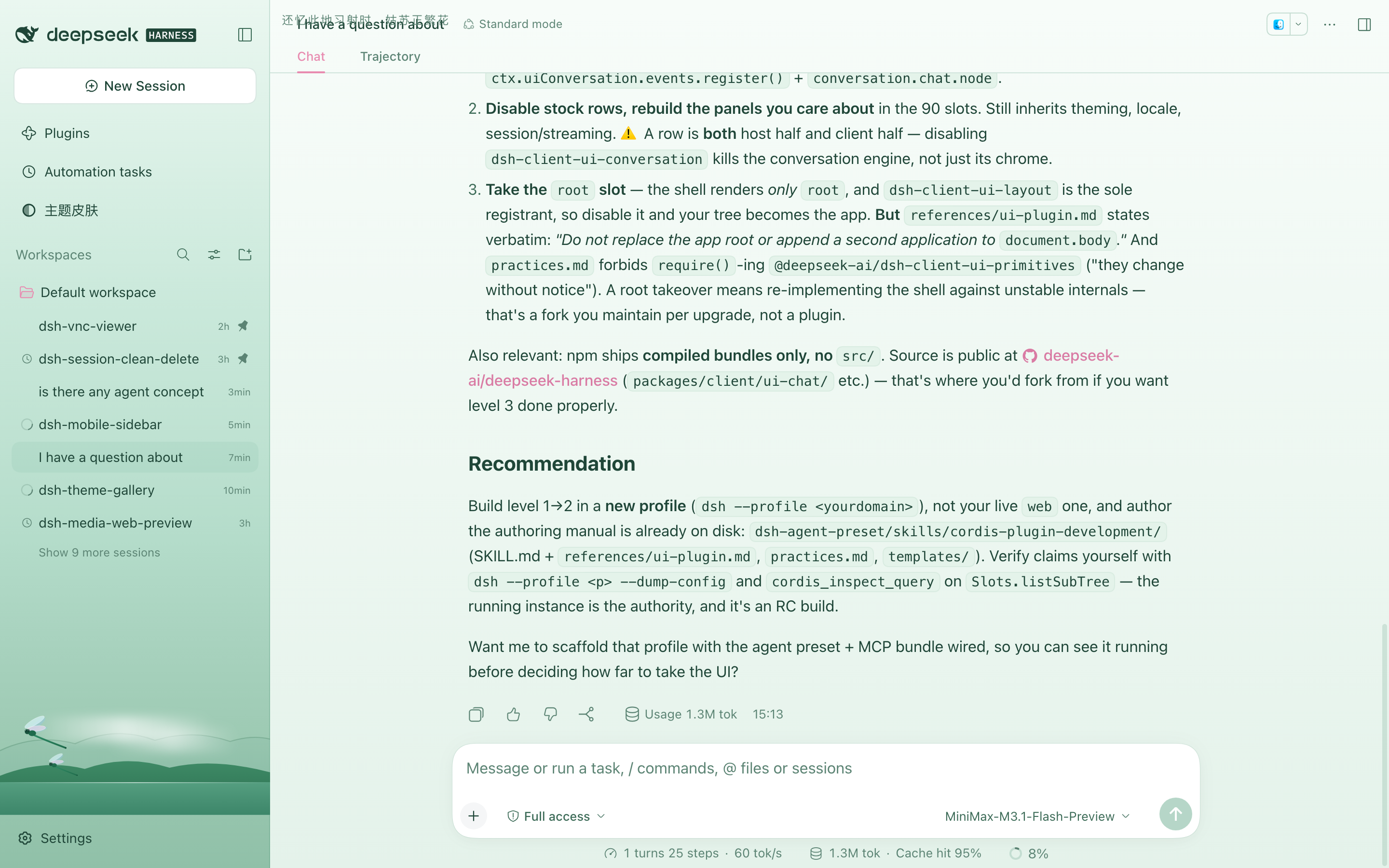
| ≥ 1024px | — | untouched (280px 1000px 0px, button hidden) |
Install
dsh plugin --profile web add file:/path/to/dsh-mobile-sidebar
dsh plugin add appends the package to dsh.profile.bundles and hot-mounts it;
the browser only needs a refresh to load the new client combo. No dsh web
restart is required.
To remove it, delete the "dsh-mobile-sidebar" entry from bundles in
~/.dsh/profiles/ /package.json, or disable the bundle from the Plugins
page.
How it works
Everything is browser-side; the Host half is intentionally empty.
- Zero the sidebar track. React writes
grid-template-columnsas an inline style, and a media query cannot override one track of it. AMutationObserveron the frame watches every solve, rewrites the value with only the first track replaced, and republishes it through the--dsh-mobile-frame-colscustom property. The centre and right tracks still matter between 800px and 1024px, where the right panel solves a real third track, so they are carried through untouched. - Hide the rail without leaving the grid.
visibility: hidden, notdisplay: none. Adisplay:nonebox is not a grid item, so auto-placement slides the centre column into the now-0px first track and the conversation renders at zero width. - Open as a drawer. The column stays a grid item in its 0px track and simply
overflows it (
position: relative+ an explicit width), so the centre column never changes width. A scrim in theshell.overlayslot closes it on tap. - The toggle. On the Conversation it is a primitives
Button+IconPanelLeftOutlineRegularin theconversation.header.leadingslot, callingctx.layout.toggleSidebar().
Global panels (Plugins, Automation tasks, …)
The Conversation is the only panel that declares a header slot. Every other
global panel registers into the keyed main slot and builds its own heading —
Plugins renders ``, Schedules renders
, and neither exposes anything to inject into.
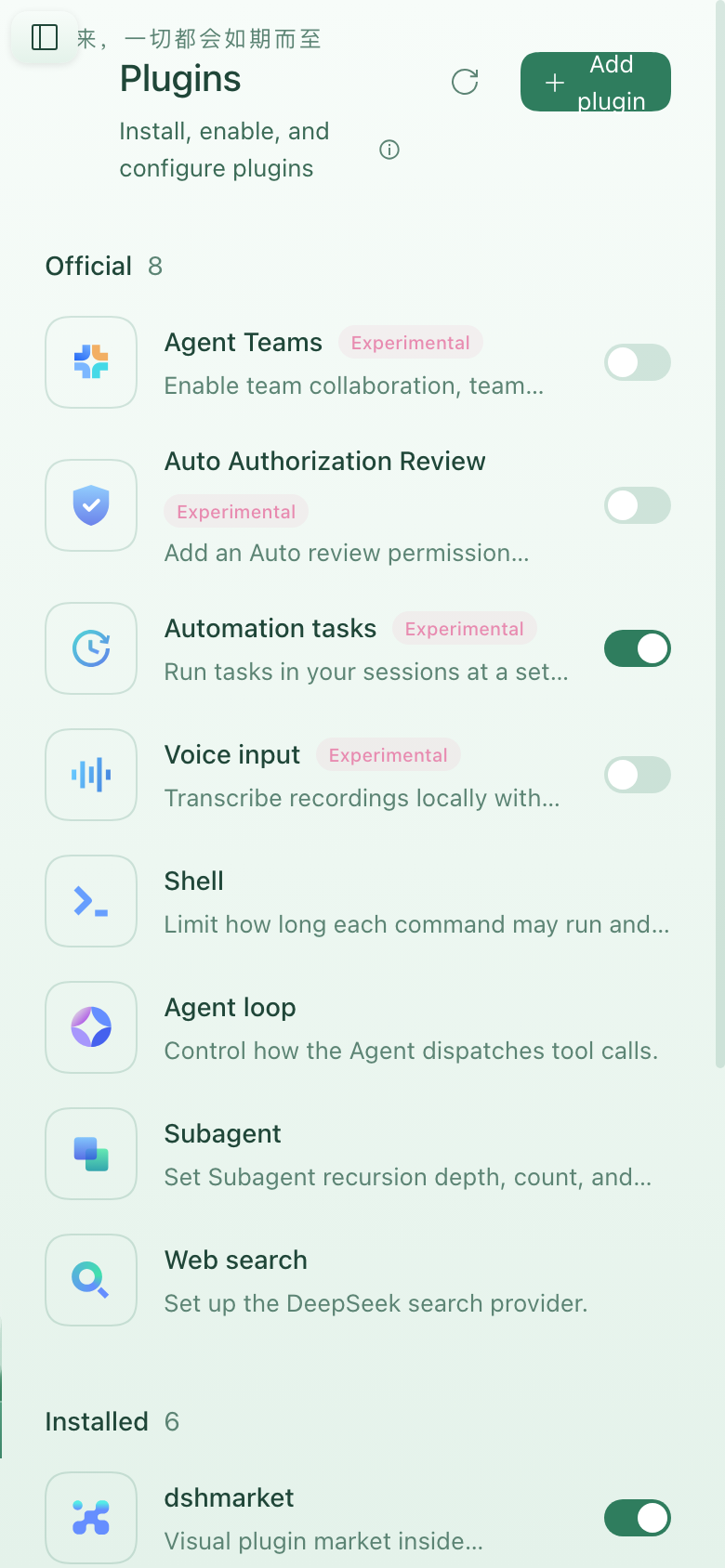
So the toggle falls back to a fixed control rendered in shell.overlay, which
the shell always mounts at root scope. That covers every panel at once, including
panels that do not exist yet. Two rules keep it honest:
- It steps aside on the Conversation.
[frame]:not(:has([data-dsh-mobile-sidebar-button]))is what hides it there, so the in-header button and the floating one never appear together. - It reserves its own lane. Panel headings all start 28px down and 24px in,
so the control would sit on the title's shoulder; a rule adds 40px of
padding-inline-startto those headings while the control is present.
| where | control |
|---|---|
| Conversation | conversation.header.leading slot |
| Plugins / Schedules / any future panel | fixed control in shell.overlay |
| ≥ 1024px | neither |
Screenshots
Closed on a phone — the rail is gone and the conversation keeps the full width:

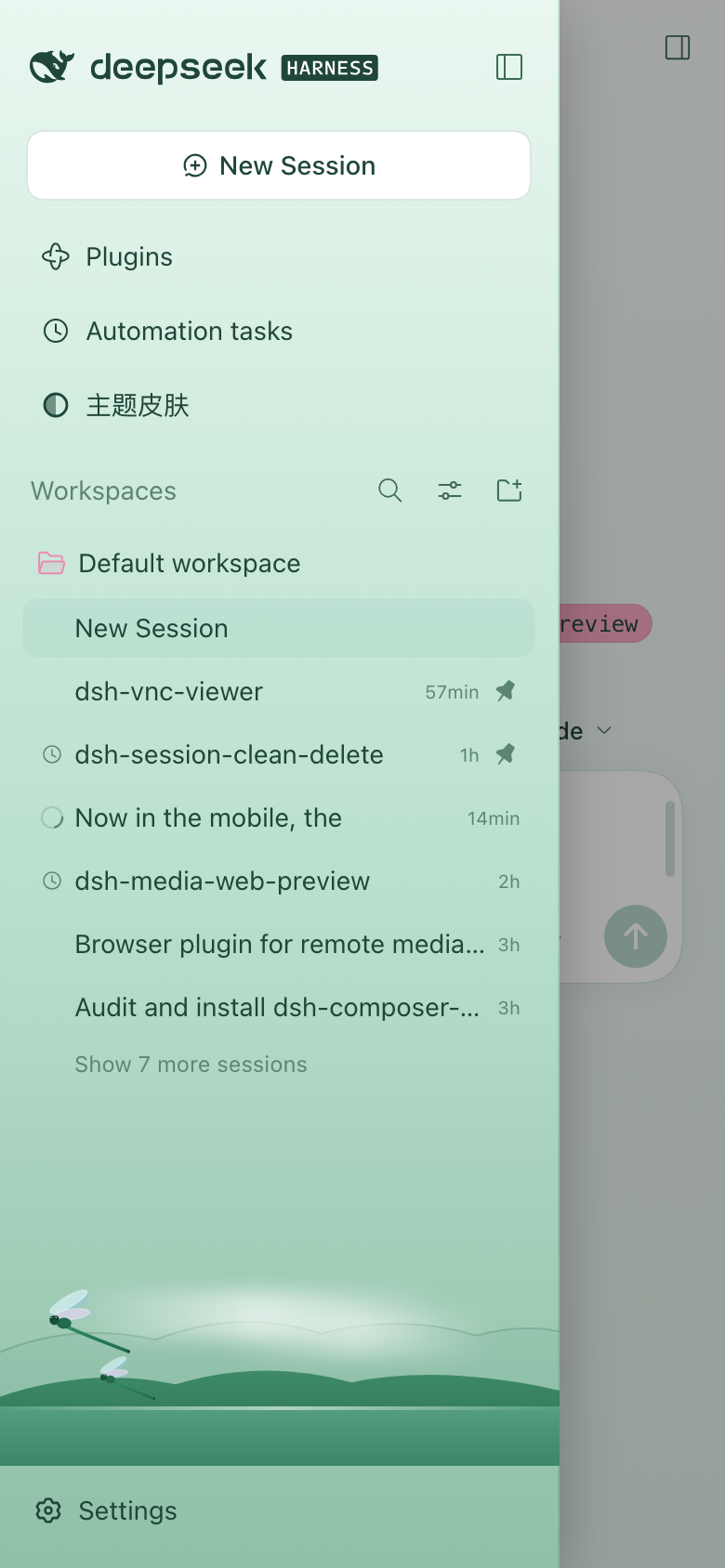
Tapping the header toggle opens the drawer over that same full-width conversation:
On a global panel the toggle falls back to a fixed control:
Above the breakpoint nothing changes:
Upgrades
The plugin targets source-written attributes, not the shell's CSS-module class names (which are build-hashed and change between DSH releases):
[data-shell-overlay]— the frame is its parent element[data-slot="sidebar"]— the sidebar column is its parent element[data-sidebar-collapsed]on the frame — closed vs. open[data-plugin-panel]— the one global panel that marks its section; the rest are matched on the_pageHead/_pageHeadingclass fragment
License
MIT