dsh-plugin-lab/dsh-ds-balance ↗★ 3
dsh-ds-balance
侧边栏底部显示账户余额 在侧边栏直观展示 DeepSeek 账户余额并支持阈值告警,适合需要监控 API 消耗的用户。
同名套件的其他儲存庫
安裝
npx -p @deepseek-ai/dsh dsh plugin --profile web add github:dsh-plugin-lab/dsh-ds-balance說明文件
閱讀完整 README ↗Configuration
The card lives on the Plugins page: sidebar Plugins → "Installed" → click the DeepSeek Balance card to step into its details page.
The configuration area is on the details page, right below the description, ready to edit:
- Connection — read-only: the two ways this plugin can read your balance, what each one is using right now, where that credential comes from, and a Test button that really calls the provider.
- Display — which currency amounts use, or let it follow the account.
- Thresholds — two lines per currency: a warning threshold and a critical threshold. Within one currency the critical value must stay below the warning value; saving is blocked otherwise.
- Refresh — the server refresh interval, the UI poll interval and the manual refresh cooldown; the defaults suit most setups.
Saving applies immediately; there is no need to restart DSH.
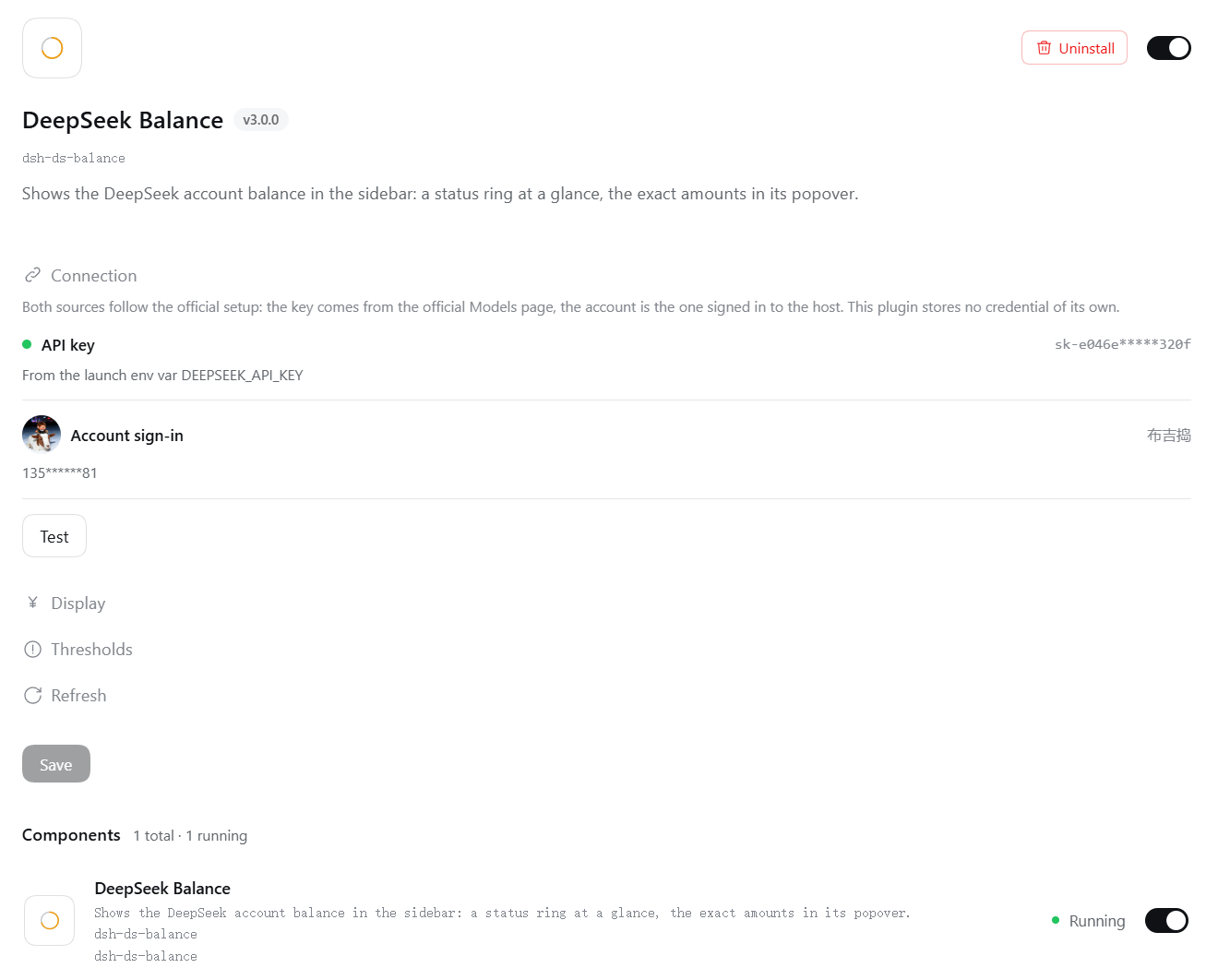
The configuration area on the details page. A group with an invalid entry expands itself.
Upgrade notes: the keys these settings are filed under changed once with a host upgrade, and old values are not migrated; after upgrading, fill the four groups in again as above. Separately, version 3.0 removed two settings: a hand-written
apiKeyand a custombaseUrlnow have no effect — the credential is the one the official Models page holds, and the endpoint is the official one. Remove them from your settings file if you had set them by hand.