lilcandi/dsh-any-background-plus ↗★ 1
dsh-any-background
提供自定义主题色、背景壁纸及界面透明度的外观设置 适合需要个性化定制网页端界面视觉样式与背景的用户。
同名套件的其他儲存庫
安裝
npx -p @deepseek-ai/dsh dsh plugin --profile web add github:lilcandi/dsh-any-background-plus說明文件
閱讀完整 README ↗dsh-any-background






English | 中文
This is a fork. It is modified from Tkingxiao/dsh-any-background (MIT). The upstream project is the original work; everything from v0.4.0 onward — the video rotation that was later removed, the dual-lane wallpaper of v0.4.2 and the two-folder rotation source — is this fork's own work. Upstream: github.com/Tkingxiao/dsh-any-background.
A DeepSeek Harness appearance plugin: custom theme color, background wallpaper (image / algorithmically generated), and fine-grained per-surface opacity & blur controls. Compatible with DSH 0.1.5-rc.2 ~ 0.1.7-rc.1 (official-Sidebar UI such as the "Theme" card enables itself where the host exposes the Sidebar registry extension point, and is skipped silently where it does not).
Screenshots
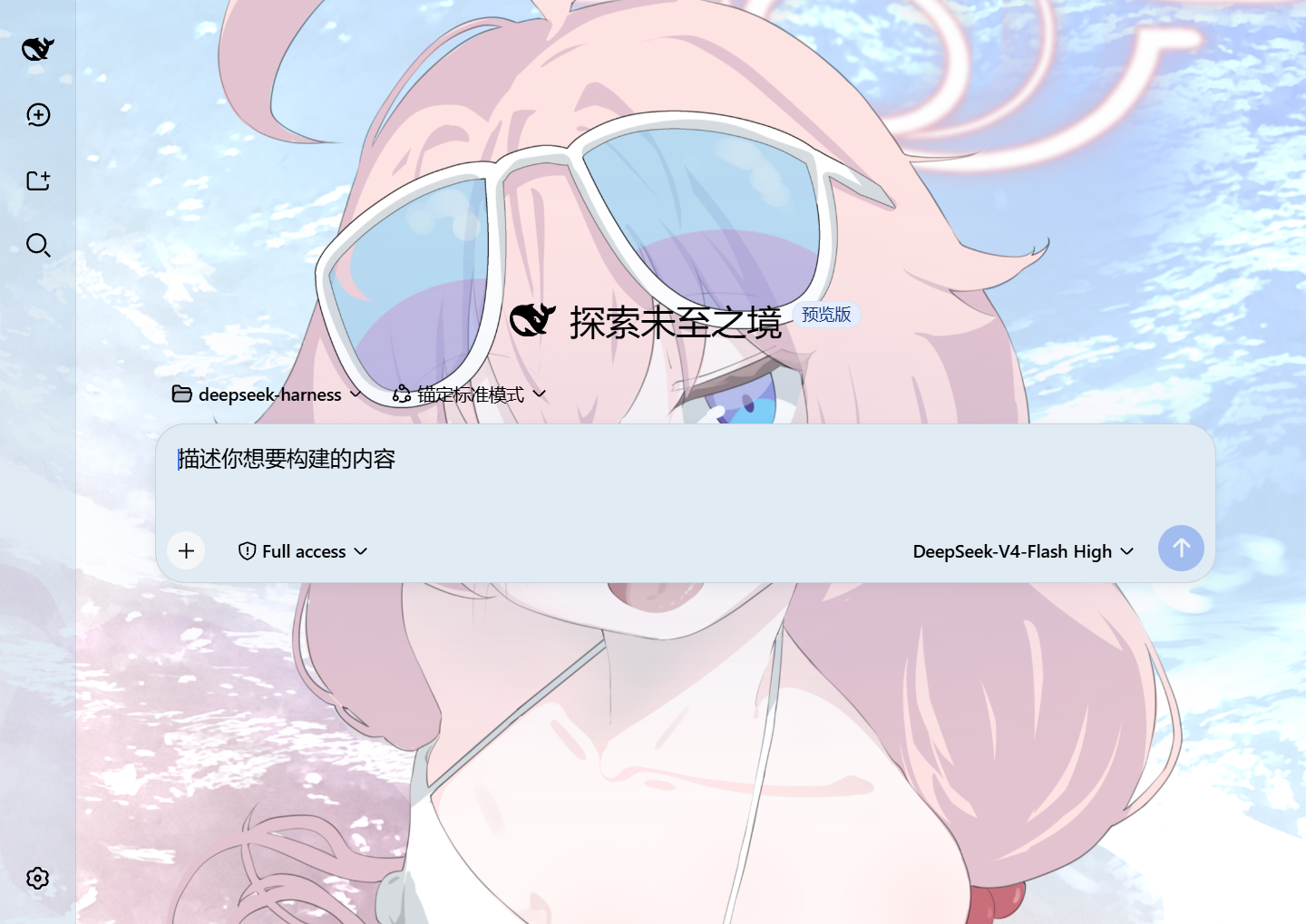
Custom homepage · wallpaper + theme color applied
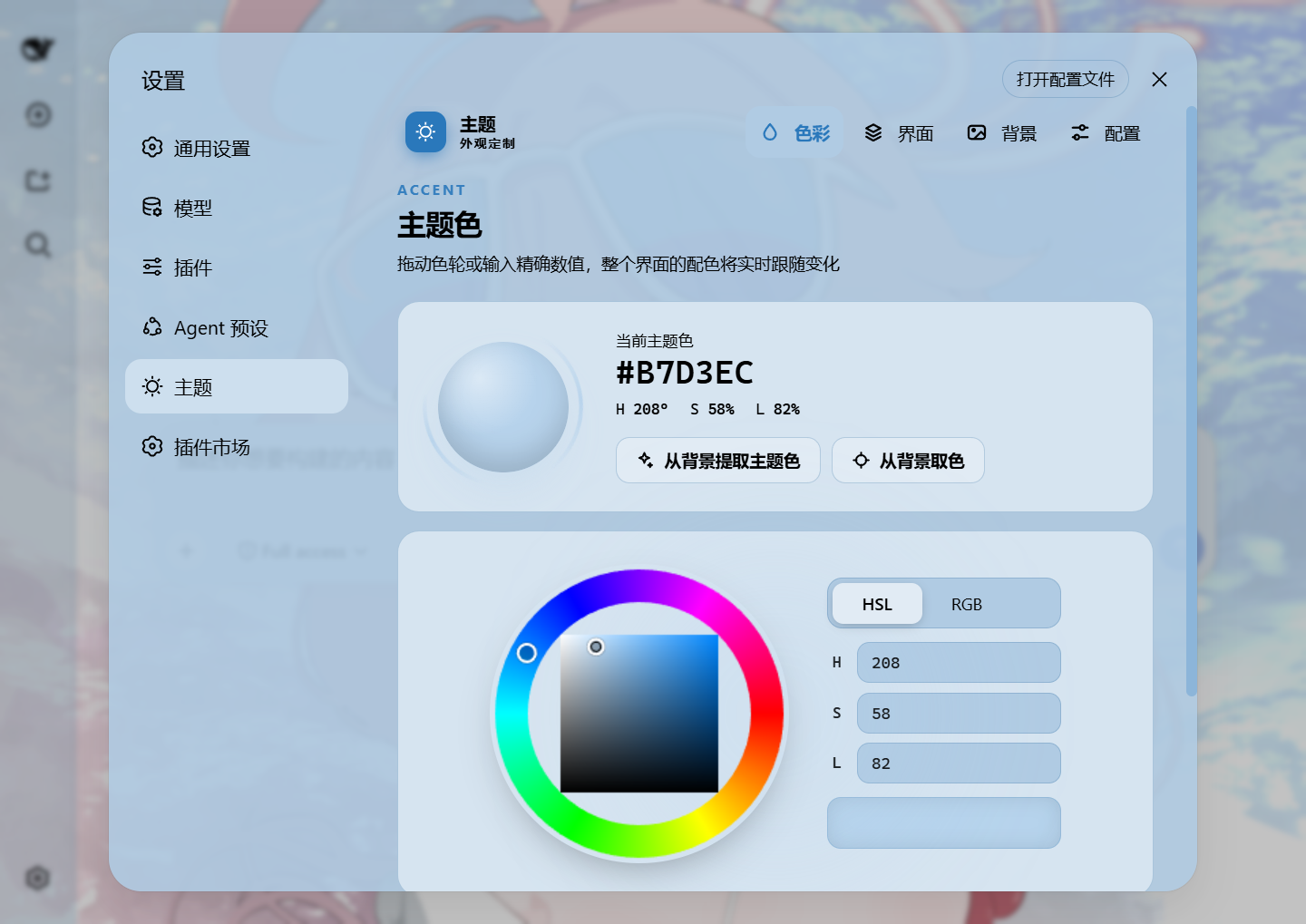
Theme color picker · PS-style wheel + precise HSL/RGB inputs
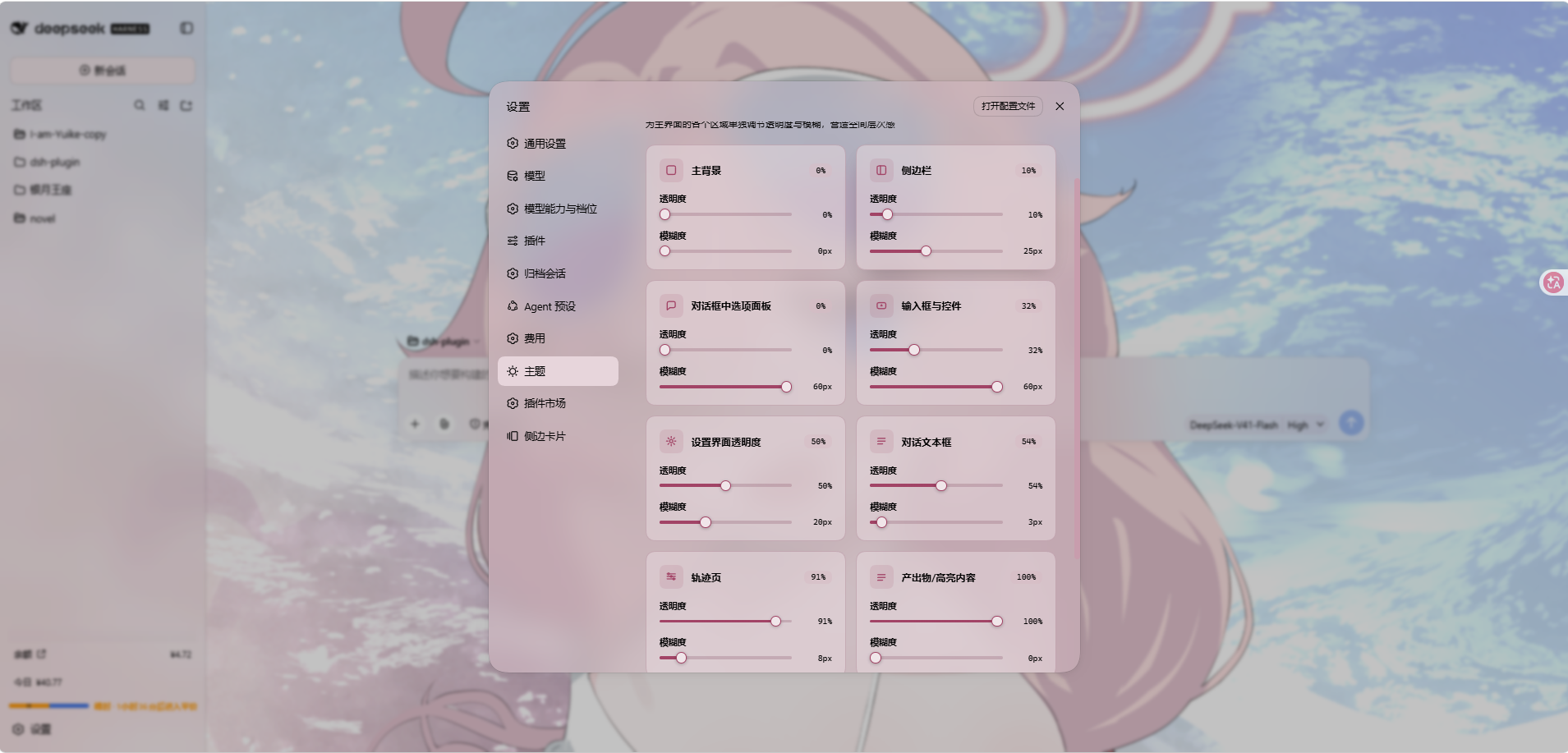
Per-part opacity and blur · main background, sidebar, cards, settings
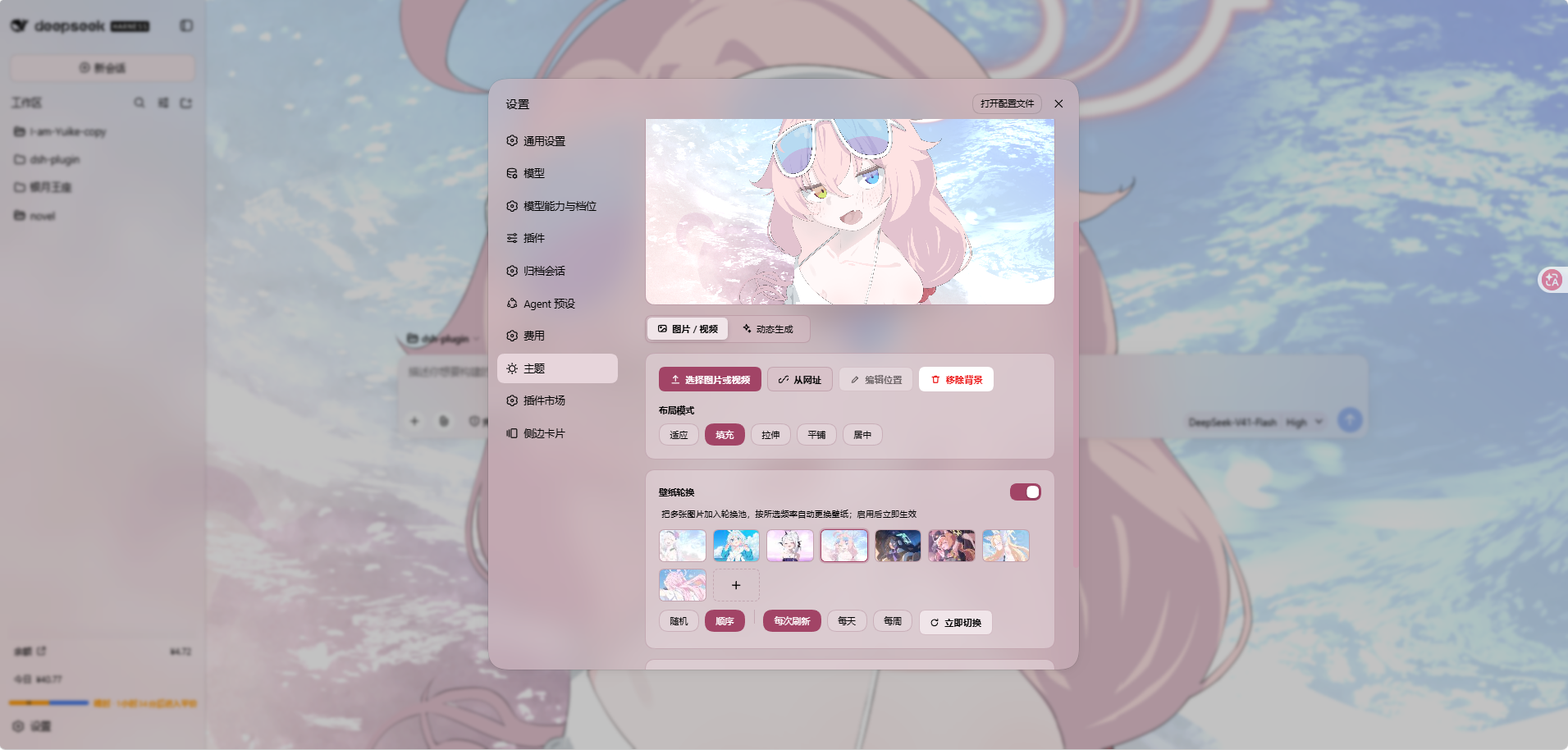
Background editor · image wallpapers support drag-to-pan and scroll-to-zoom
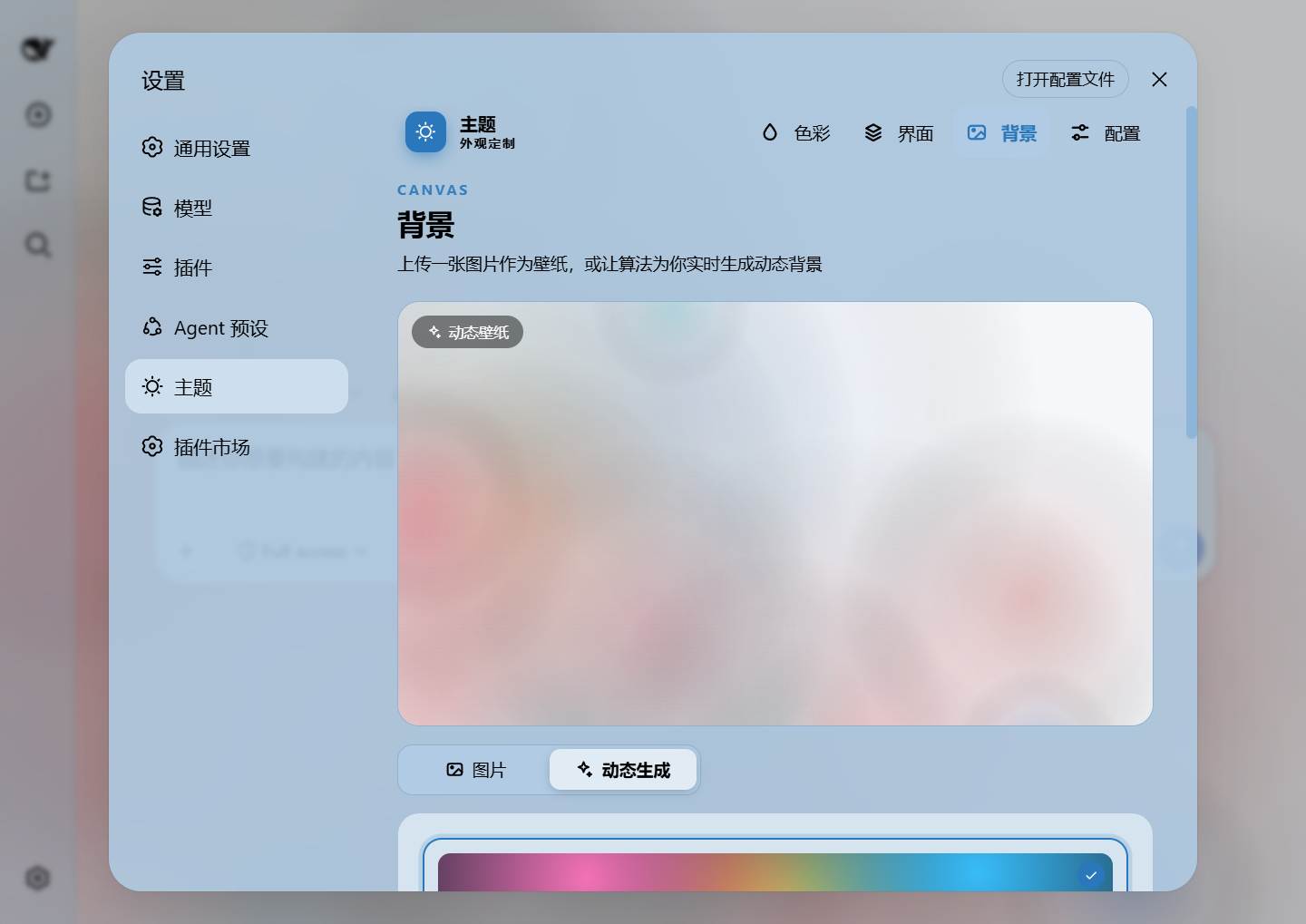
Generated dynamic background · mesh gradient / Shader / geometric presets
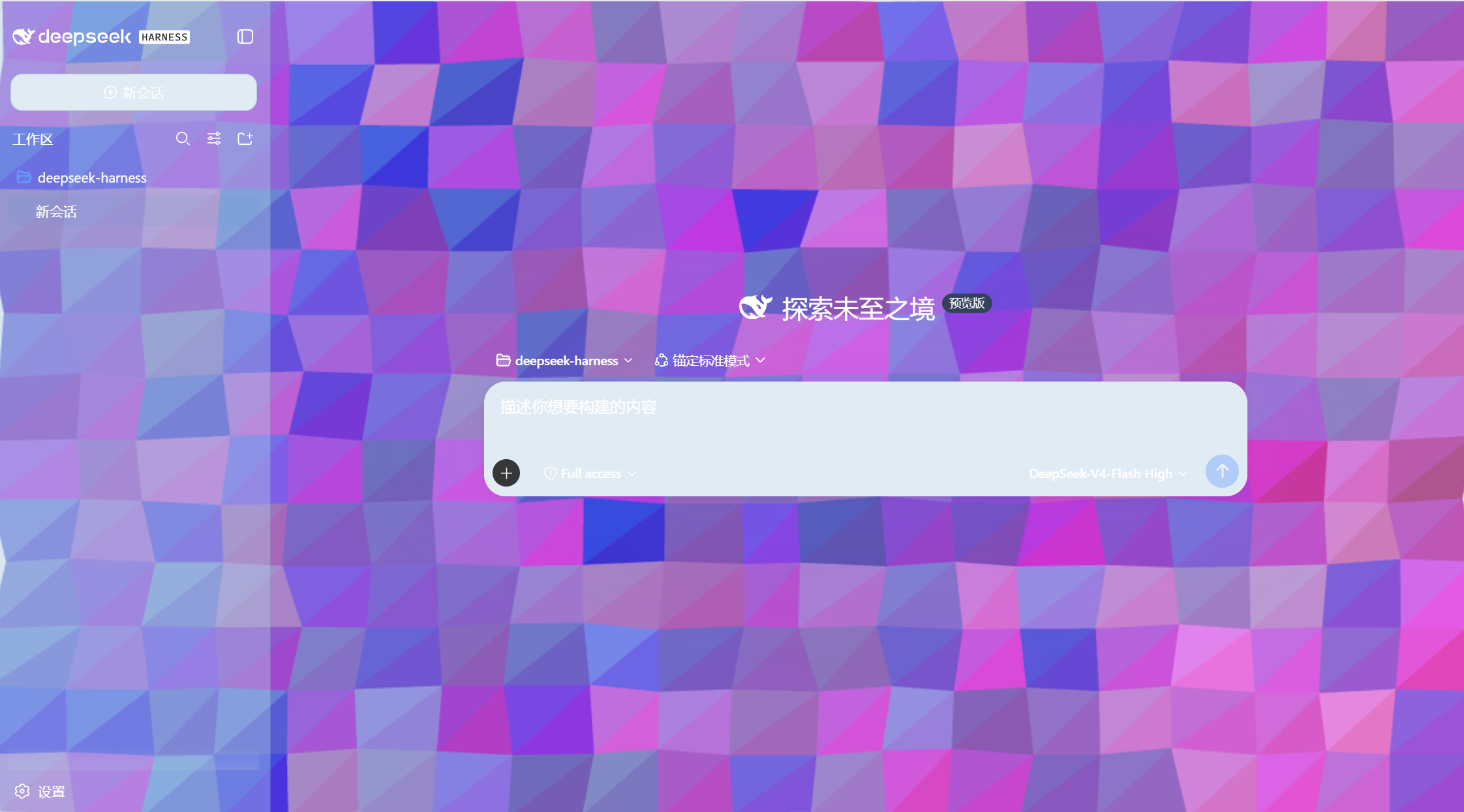
Generated dynamic background · geometric low-poly mode preview
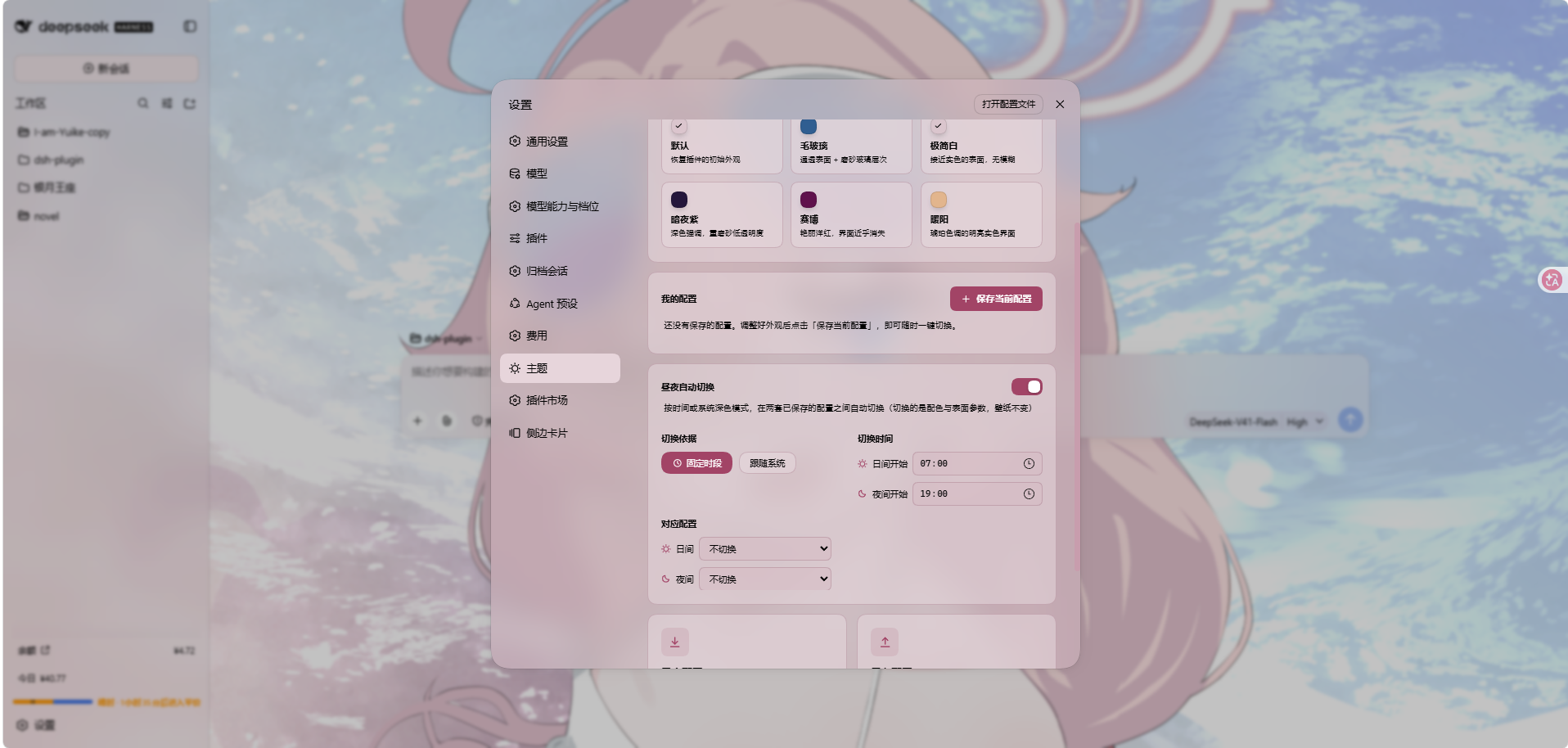
Export and import configs to share
Features
- PS-style Color Wheel — Pick hue on the ring, adjust saturation & lightness in the inscribed square. Generates 30+ CSS design tokens in real time.
- Precise HSL / RGB Input — Enter exact color values numerically with instant bidirectional sync to the wheel.
- Smart Color Extraction — One click derives a theme color from your wallpaper by sampling the visible region, quantizing, and filtering out gray / near-black / near-white pixels. Fully client-side.
- Eyedropper — Hover the wallpaper to preview a color and click to pick it as the theme color.
- Background Wallpaper — Upload any image as your wallpaper. Drag to pan and scroll to zoom inside a viewport-proportional editor (one finger to pan, two to pinch-zoom on touchscreens).
- Position Editor — Drag to pan, scroll or pinch to zoom, one-click reset. Image placements are stored per slot and never overwrite each other.
- Layout Modes — Fit / Fill / Stretch / Tile / Center; in Fit mode the editor-committed framing stays consistent across window resizes and cross-monitor moves.
- Dual-Lane Rotation — Paint two different pictures of the same rotation at once, one down each side of the viewport, clear of the centre column. The wallpaper sits behind the whole app while the host's conversation column sits on top of the middle, so a picture whose subject is dead centre has that subject exactly where it cannot be seen; two lanes hug the edges instead. Both lanes come from one step of one rotation — the right name steps forward from the left, so the pair can never collide — and the pair is persisted, so it survives a reload. Off by default.
- Generated Dynamic Backgrounds — Choose mesh gradient, Shader, or geometric patterns with adjustable spread, intensity, and seed locking.
- Per-surface Interface Opacity — Independent sliders for the main background, sidebar, cards & panels (including the dropdowns and menus around the dialog), the input & controls (composer box, Cordis panel), the settings panel, the conversation text frame, the trajectory view, the right sidebar (or bettersidebar), produced / highlighted content, and the header popovers (Agent Team panel, background-job list and the session-header dropdowns).
- Per-surface Interface Blur — Frosted-glass
backdrop-filterblur (0–60 px) per surface, including a real backdrop on the composer, the Cordis panel and popover surfaces via stable host selectors. - Produced / Highlights — Code blocks in conversation content (with their language banner), inline
codehighlight chips and produced chips share one opacity + blur slider. The opacity is the alpha of each surface's own background color (no second color stacked on top of the original), and the blur frosts that same layer so the wallpaper shows through the content. - Right sidebar / bettersidebar surface — One slider pair (
panelOpacity/blurs.panel), two identities: without dsh-better-sidebar it reads "右方侧边栏" (Right sidebar) and drives the official right Sidebar's surface tokens and frosted blur (works on 0.1.5-rc.2 through 0.1.7); with dsh-better-sidebar installed it reads "bettersidebar" and takes over that plugin's bottom workbench panel (the official sidebar keeps responding too). The row is always visible. - Header popovers — The session-header dropdowns get their own opacity + blur pair: the Agent Team panel, the background-job list, the open-in-app / session-log menus and the subagent lineage tree. On 0.1.7 the open-in-app picker moved to a portal and the session-row menu became a dynamic slot, so the plugin observes the stable
conversation.session.header*slot anchors and tags the open popover at runtime instead of relying on class shapes. - Sidebar "Theme" page (dual mode) — The same five pages (Color / Interface / Font / Background / Profiles) register into two surfaces: without dsh-better-sidebar, a "Theme" card is contributed to the official right Sidebar's guide page through its public extension points (
sidebarRightTabs+ thesidebar.right.pane.tabkeyed seat); with dsh-better-sidebar installed, the page registers in that plugin's sidebar instead and the official guide card withdraws itself, so the two never duplicate. Settings panel, official sidebar and better-sidebar all share one page implementation and one state store — a change in any of them shows up everywhere. The shell adapts to the panel width, and a narrow panel tightens padding and falls back to a single column. On a host without the right Sidebar the registration silently never happens. - Conversation View Cards — The message list is wrapped in a translucent card automatically, and the trajectory page gets whole-page opacity & blur controls, letting the wallpaper shine through the content.
- Theme Export / Import — One-click export to a self-contained
dsh-any-theme.json(config + wallpaper, embedded as data URLs) and import to restore it anywhere. - Appearance Presets & Profiles — Six one-click presets (Default / Frosted glass / Minimal / Midnight / Cyber / Warm daylight) plus named profiles: save the current look and re-apply it anytime. A two-step confirm guards deletion.
- Wallpaper Rotation — Add images to a rotation pool (thumbnail picker included), or point it at an image folder; the wallpaper then changes by shuffle or order on every refresh, every N minutes (1–1440), daily or weekly. Advancing copies the chosen image into the active wallpaper slot, so export/import and color extraction keep working unchanged. With Dual-Lane Rotation on, one advance paints two different pictures of that same rotation, left and right.
- Day/Night Auto Switch — Assign a day profile and a night profile; the plugin switches automatically at fixed clock times or by following the OS dark mode.
- Custom Font — Upload a ttf / otf / woff / woff2 file (up to 100 MB) and apply it to the whole interface through
@font-face; toggle it off or remove it at any time. Fonts stream as raw bytes and persist in the plugin data dir; code blocks keep their monospace stack. - Per-part Text Outline — The same surface groups as the interface page (now ten, including the header popovers), each with its own
-webkit-text-stroke: width 0–4 px (0 = off) and a color of auto-contrast / gray / black / white / accent / custom. Code blocks, inlinecode, icons and the host'sbackground-clip: textshimmer chrome (the "深度求索中" turn-status line and the turn-process rows) are exempted automatically, so multi-color syntax never smears and gradient text is never flattened into a stroke-coloured blob. - Forced Interface Scheme — Force light or dark token palettes regardless of the accent color's lightness; in
Autoboth the surface and font directions follow the accent's lightness (dark pick → light fonts, light pick → dark fonts), falling back to the wallpaper's perceived brightness when no color is picked. - File-based Persistence — All settings are stored on the filesystem under
~/.dsh/.dsh-any-background-data/, notlocalStorage. - Bilingual — Full Chinese / English UI with automatic locale detection.
- Theme Watchdog — Re-asserts the custom theme if the host resets it.
Changelog (latest three releases)
v0.4.2 (Dual-lane wallpaper: two pictures, left and right)
- The video feature is gone, as code: every video endpoint, route, upload handler, mime table, filename whitelist, folder scanner, per-element playback layer and its settings were deleted, not hidden —
BackgroundTypeno longer carries'video', the rotation no longer carriesmedia/videoFolder/videoName/videoVolume/videoAlign/ended, and the wholesrc/client/utils/video.tsmodule is removed. The wallpaper is an image, a mesh, a shader or a pattern again, which is what the previous three releases had grown around. A stored config that still names a video rotation falls back to images on normalize: the whitelist dropped the token, so the switch reads as "off" rather than persisting a mode that cannot draw. - Dual-lane rotation: a new
dualtoggle on the rotation panel paints two different pictures of the same rotation at once, one down each side of the viewport — left and right, clear of the centre column. The motivation is geometric, not decorative: the wallpaper is painted behind the whole app while the host's conversation column sits on top of the middle, so a picture whose subject is dead centre has that subject exactly where it cannot be seen. Two lanes hug the edges instead, and the picture that used to be half-hidden is now the one you actually look at. - One rotation advanced twice, not a second rotation: both lanes come from a single step of the single rotation —
pickRotationPair()draws the left index with the existingpickRotationIndex()(same shuffle/order semantics, same "never repeat the current picture") and then takes the right index fromnextLaneIndex(), which steps forward from the left one. Stepping rather than drawing again is deliberate: the shuffle RNG is unseeded, so two independent draws would occasionally collide and paint the same picture twice, which is precisely what dual mode exists to avoid. Inordermode the pair is simply adjacent pictures. The selection is persisted aslaneItems, the two names in the order the lanes were painted, so the pair survives a reload and cannot drift apart. - The two lanes are two independent disk slots: the right pane has its own file (
~/.dsh/.dsh-any-background-data/wallpaper-right.jpg) and its own serve route (/dsh-any-background/wallpaper-right) beside the existingwallpaper.jpg, rather than framing one picture twice. Each pane is drawn in its own box with its own arithmetic — in particular the containment maths for the right lane runs against half the viewport width, because it is a picture in its own half, not a half of a picture: containing against the full window and then clipping would eat the right-hand side of the subject, which is the very thing this feature is for. A single-candidate pool, ordualswitched off, reports no right URL at all, which is the signal the browser half uses to drop the second pane instead of leaving a stale picture up. - The split is the window's absolute centre, and the two lanes are equal by construction:
wpLeftElandwpRightElare peerposition:fixed; width:50%; z-index:-1elements, one pinned to each edge, and both are given the same pixel width —Math.floor(innerWidth * 0.5)— so an odd viewport width cannot leave one lane a pixel wider than the other. The full-viewport layer is kept but hidden while dual mode is on, and only because the effects pass still writes blur and opacity through it. The overhang that lets a picture reach the seam is applied only incentermode, where a picture wider than its lane genuinely needs to: infitthe picture is contained inside its lane by construction, so an overhang there would make the two lanes overlap at the seam and whichever painted second would win the strip — one picture visibly encroaching on the other, which is the asymmetry this mode exists to prevent. - Each pair of intrinsic sizes is measured separately: the lane geometry needs both pictures' real dimensions before either can be laid out, and a single-slot measurement cache cannot supply that — whichever lane ran second would claim the cache and push the first into the proportional fallback, painting one picture to its box and the other to its ratio. That is the exact "one picture bigger than the other" split dual mode exists to avoid, so the sizes are held in a small per-URL map with a synchronous lookup.
- Edge feathering applies to both lanes, identically: the slider is read as a share of each picture, the ramp is computed with the same px-stop recipe against the same box, and it is applied unconditionally (a lane is never skipped for being wider than its box). Both lanes are therefore feathered symmetrically and neither can end up faded while the other stays hard-edged.
- Both lanes are siblings; only the full-viewport layer steps aside:
wpLeftElandwpRightElare peers in the same stacking context, each pinned to its own edge, and the original full-viewport layer is setvisibility:hiddenwhile dual mode is on rather than being cut in two — that keeps the single-picture framing path, its edge feathering and its drag downsampling inta