tortoise014/dsh-tasks-panel ↗★ 1
dsh-tasks-panel
A sidebar Tasks panel for DeepSeek Harness: to-dos with clock times, Feishu reminders on your phone, and a calendar of what you finished each day.
安裝
npx -p @deepseek-ai/dsh dsh plugin --profile web add github:tortoise014/dsh-tasks-panel說明文件
閱讀完整 README ↗dsh-tasks-panel



中文 · English
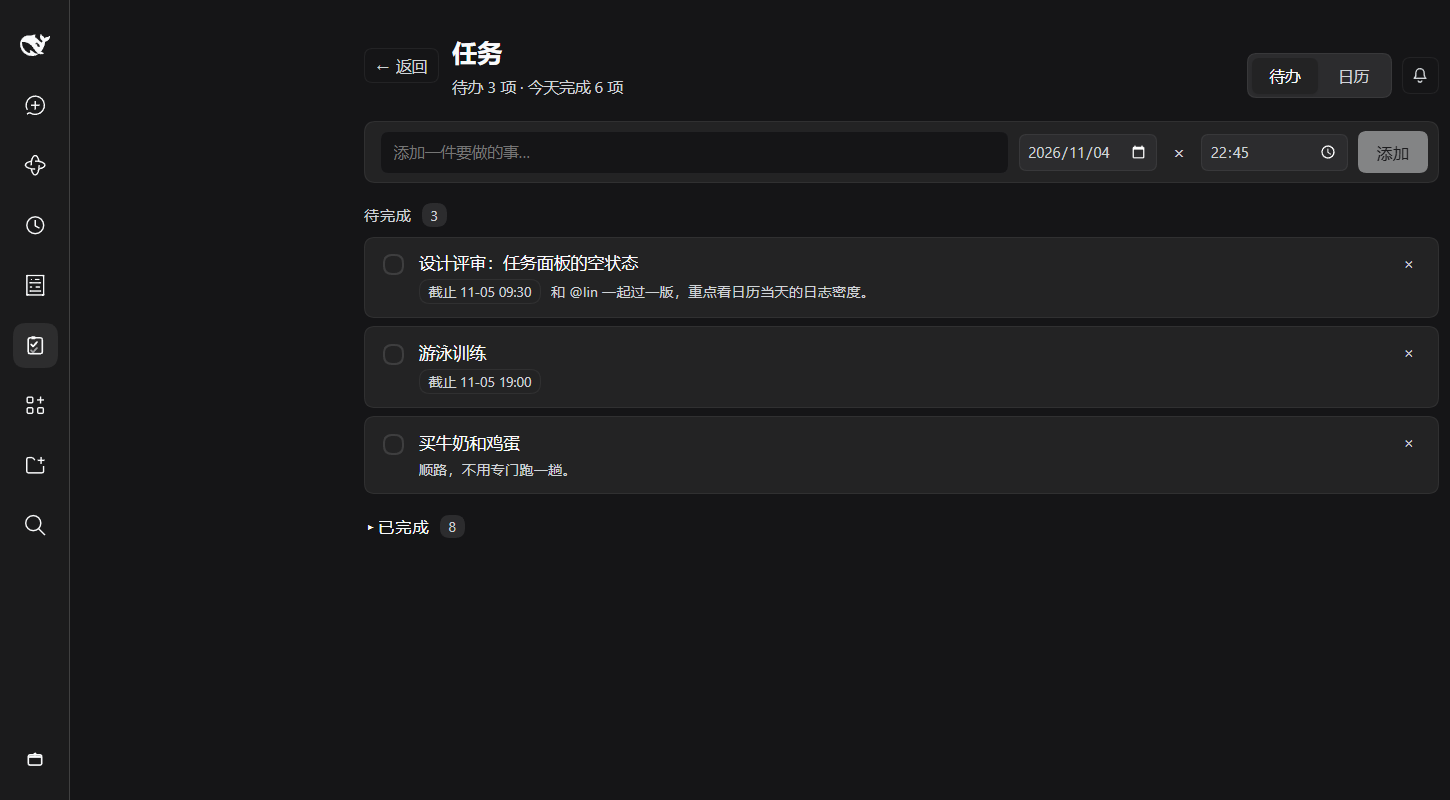
A to-do list, a calendar of what actually happened, and a push at the exact minute — inside DeepSeek Harness.
Most task lists ask you to live in them. This one lives where you already work: it is a sidebar panel of the DeepSeek Harness app, so the agent can add and close tasks through a tool, and you can check or edit them without leaving the session you were in — plus a Back button that puts you right back where you were.
What it does
| 🗂 Sidebar entry | One more icon in the rail. Click it for the panel, or use Back to return to the session, Plugins, Schedules — whatever you left. |
| ✅ To do | Add, complete, reopen, delete. The date defaults to today, the clock to the next five-minute mark, and × clears the date for undated notes. |
| 👀 Today at a glance | Hover the sidebar icon: a floating agenda lists today's tasks with their times, anything overdue, and how much is still open. No click, no context switch. |
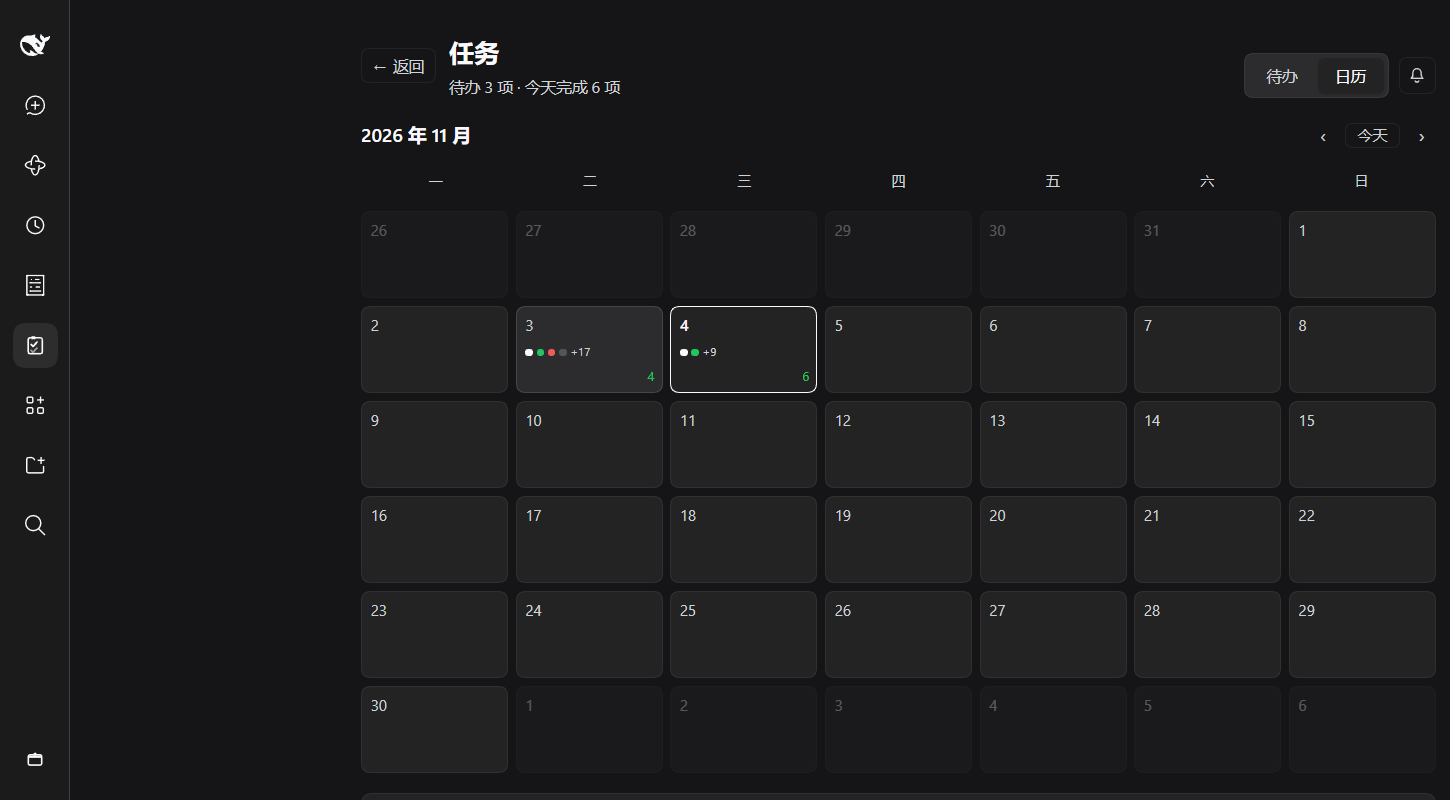
| 🗓 Calendar | Every event — added, finished, reopened, edited, deleted — is drawn on the month grid. Click a day to read its log. |
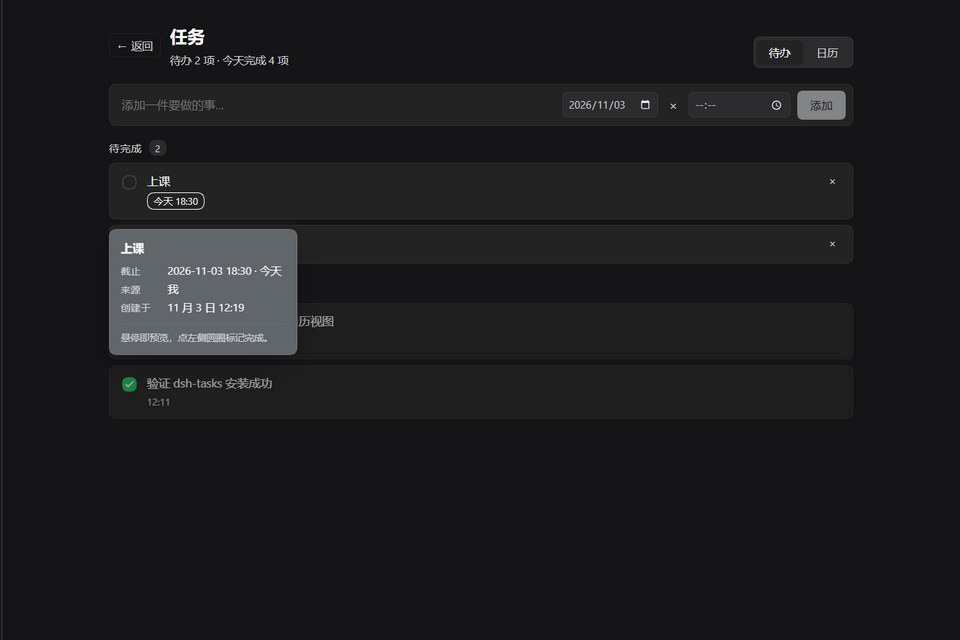
| 💬 Hover preview | Point at a task or a day for the full card: title, note, due date and time, source, session, timestamps. Cards dodge the sidebar instead of covering it. |
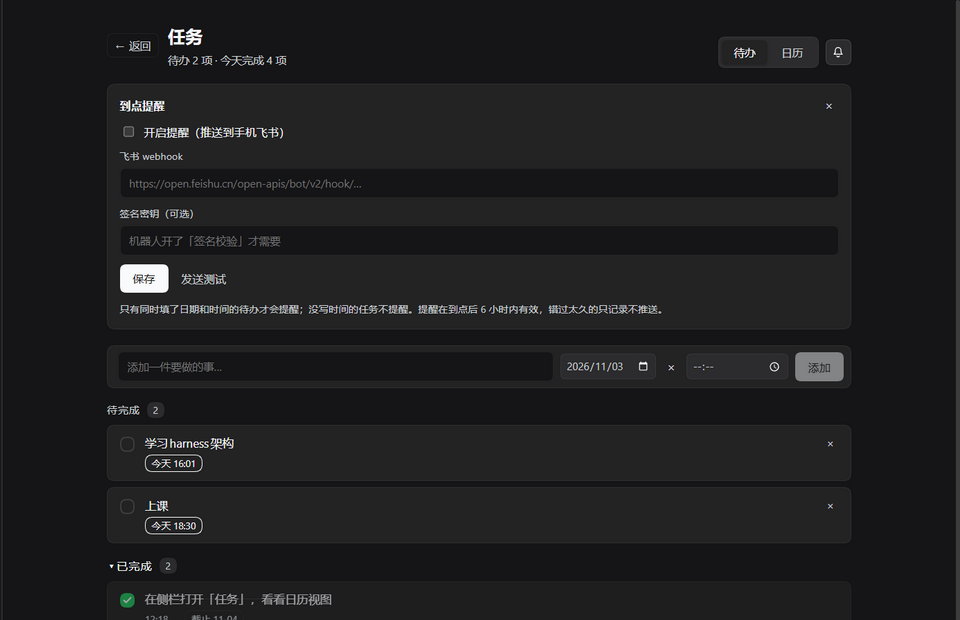
| ⏰ Feishu reminders | Paste a group-bot webhook once. At the due minute the host pushes ⏰ title / time / note to your phone — and closes the task, so an appointment you kept does not sit in the list waiting for a click. |
| 🤖 Agent tool | task_write lets the assistant add and close tasks — same operations as the UI, so the two never diverge. |
Screenshots
| Calendar | Hover preview |
|---|---|
|
| | Reminder settings | First-run guide | |
|
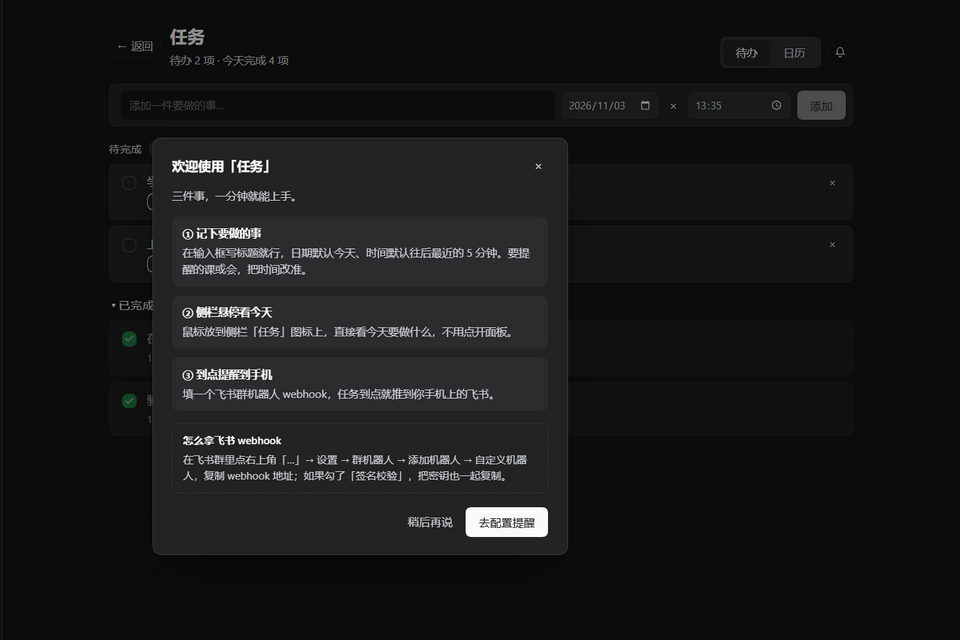
|
Install
plugin_manager install_bundle target:"dsh-tasks-panel"
Or point target:"". The first time the panel opens, a short
guide walks through the three things worth knowing — write a task, hover the sidebar for today,
paste a webhook for reminders. Both the UI and the guide are bilingual (中文 / English), following
the app's locale.
Reminders
Reminders follow one rule: a task is reminded only when it has both a date and a time. A date alone is a to-do for the day, not an appointment, so it stays quiet.
| Rule | Why |
|---|---|
| The host scans every 30 seconds | DSH must be running; a closed app cannot push. |
One push per date + time slot | notifiedFor remembers, so a re-start does not re-notify. |
| Moving a task to a new time re-arms it | An appointment that moved deserves a new reminder. |
| A slot more than 6 hours old is marked, not pushed | A laptop asleep overnight should not dump yesterday on you at 9 a.m. |
| The switch saves by itself, webhook included | Pressing the switch then forgetting Save is how "enabled: false" happens. |
| A delivered reminder closes the task | An appointment that has happened is done; coming back to tick it is busywork. Turn Close the task once it is pushed off to keep tasks open. |
| Only a real push closes it | Tasks skipped by the six-hour window stay open — silence is not completion. |
task_write has no reminder action | Turning on a push to your phone is your decision, not the agent's. |
The panel shows the last send time and the last delivery error, and Send a test proves the phone receives it before you trust it with anything real. Signature-checked Feishu bots are supported by pasting the secret too.
Data
Everything lives in the dsh_tasks storage domain: tasks and events tables plus a global
record for reminder settings. The browser half talks to the host over
POST /api/dsh-tasks-panel/op. Nothing leaves the machine except the Feishu push itself.
zod@3.25.76 is vendored under node_modules/zod because a bundle installed by link
("dsh-tasks-panel": "link:…") does not get its dependencies installed by pnpm. An npm install pulls
zod from the registry instead, so the published tarball deliberately does not ship node_modules.
Development
npm install     # zod for the host half, jsdom + react for the UI suite
npm test        # runs the three suites in order
| suite | what it covers |
|---|---|
node test/host.mjs (38 checks) | storage ops (add/complete/reopen/update/remove/clearCompleted), time normalisation, the HTTP-op surface, the task_write tool |
node test/reminders.mjs (32 checks) | Feishu scheduling: due detection, one push per slot, the six-hour grace window, auto-completion on delivery, signature signing, error reporting, the settings guard |
node test/ui.mjs (65 checks) | the client half rendered in jsdom: slot registration, to-do rows, all three hover cards, the compose form's defaults, the first-run guide, the settings card with both switches |
Everything runs against the real bundle — no mocks of our own code. The host suites import index.js
with a fake Cordis context and in-memory tables; the UI suite loads client.js through a stand-in
window.__ModuleLoader__ and renders the panel into jsdom. No network: Feishu calls go to a stub
fetch that records the payload it would have sent.
GitHub Actions runs the same suites on Node 20 and 22 for every push and pull request, and publishes
to npm from a tag through OIDC trusted publishing (.github/workflows/).