winniesi/dsh-hide-sidebar ↗★ 0
dsh-hide-sidebar
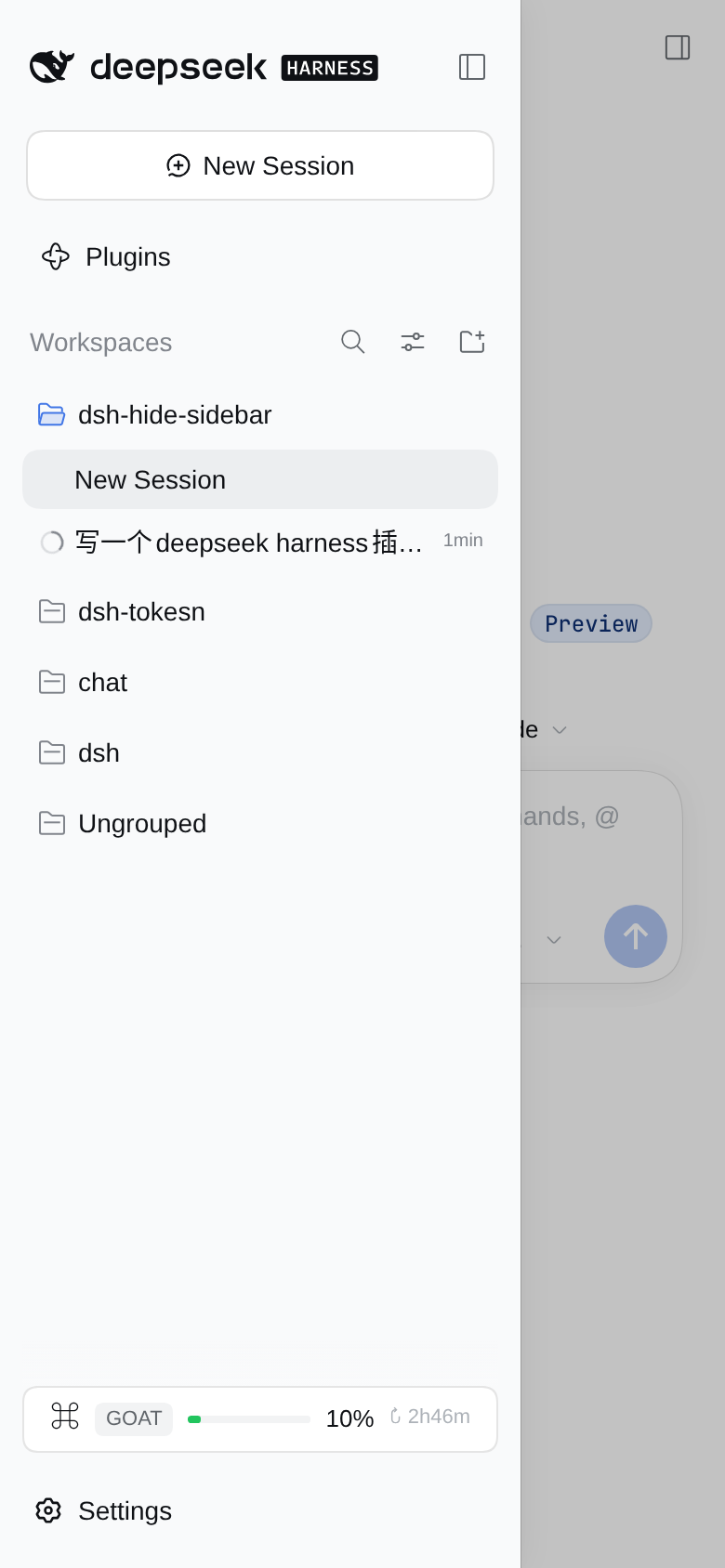
在窄屏下将侧边栏替换为顶部触发的抽屉式滑出菜单。 适合在移动端或窄窗口下使用Web界面的用户,释放屏幕空间,提升阅读体验。
安裝
npx -p @deepseek-ai/dsh dsh plugin --profile web add github:winniesi/dsh-hide-sidebar說明文件
閱讀完整 README ↗dsh-hide-sidebar
A mobile left sidebar for the DeepSeek Harness (dsh) Web GUI.
On a narrow viewport the 56px collapsed icon rail stops being a permanent fixture. Instead there is one button at the top of the frame: tap it, and the sidebar slides in over the content. Pick a session — or tap the scrim — and it slides away.
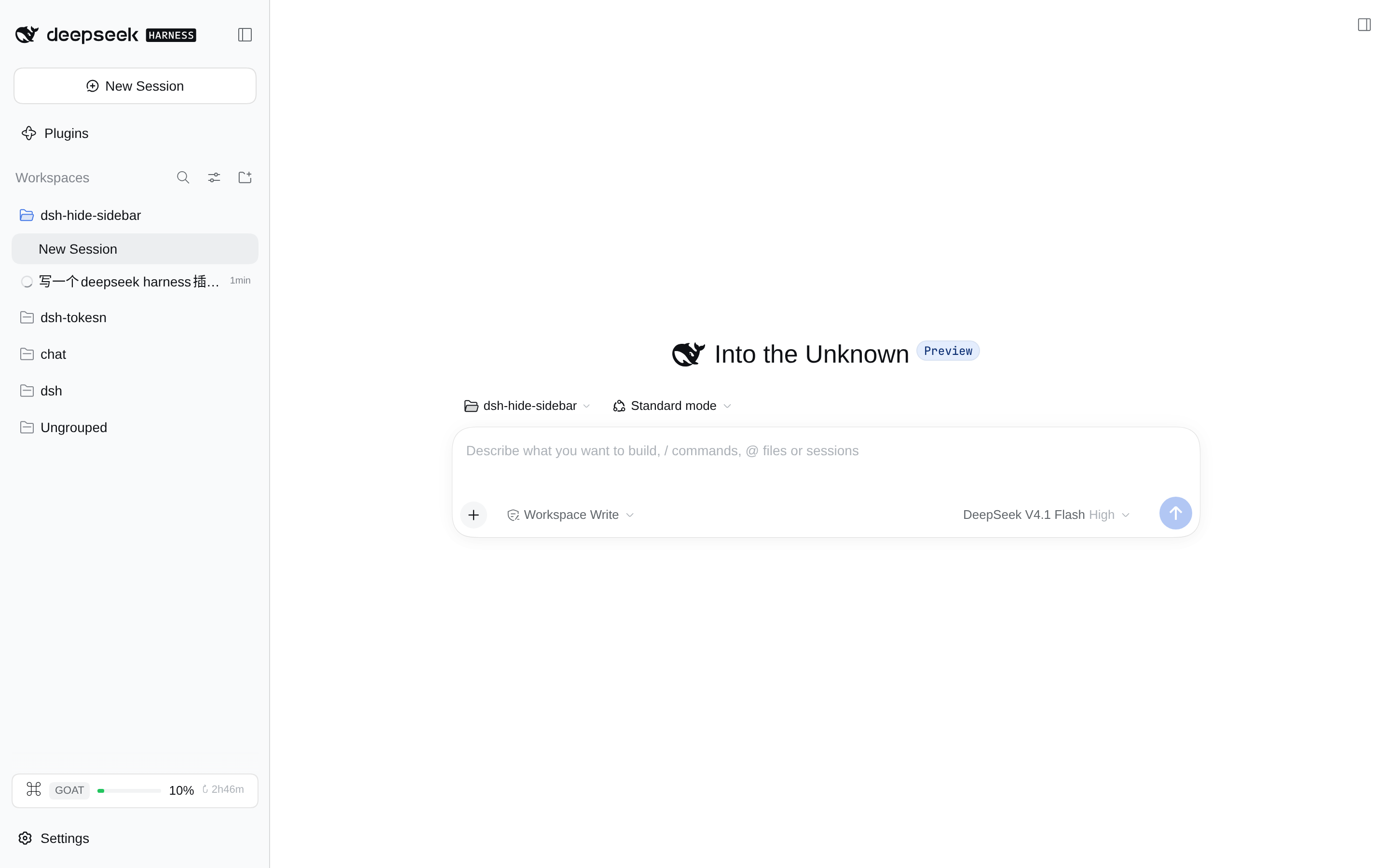
Wide viewports are untouched: the sidebar docks, resizes and collapses exactly as it shipped.
English | 中文


What it does
"Narrow" means the frame measures less than 1024px — the same breakpoint ui-layout uses for its own auto-collapse.
| Before | After | |
|---|---|---|
| Collapsed | A 56px icon rail permanently eats a seventh of the screen, on every page | The rail is gone; content gets the full width |
| Expanded | The sidebar takes a column and squeezes the content down to ~110px | The sidebar is a 280px drawer over the content; the content keeps its width |
| Opening | The little arrow on the rail | The button at the top left — inside the header on the Conversation, floating in the top-left corner on every other panel |
| Closing | The arrow again | The scrim, the sidebar's own collapse control, or just picking a session or a panel |
That last one is deliberate: a drawer that stays open hides the thing you just asked for. Closing is decided from stable hooks (data-row-key, data-slot) plus aria-expanded / aria-haspopup — never a generated class name or a translated label. So:
- a session row, a global panel row (Plugins), Settings, a footer action → the drawer closes;
- a session's action menu, the session search, the view options, a Workspace group row → it stays open, because what they disclose lives inside the drawer.
On wide viewports the plugin is inert: no button is rendered, and every layout rule is gated on html[data-dsh-hide-sidebar] — an attribute written only while the frame's measured width is below the breakpoint.
Install
Requires `dsh >= 0.2.0-rc.1 div ← the frame, a three-track grid ├─ div (sidebar column) position:relative, 0 wide │ └─ [data-slot="sidebar"] > * ← the drawer, absolute + translateX(-101%) ├─ centerCol └─ rightbarCol
- Closed is `translateX(-101%)`, clipped by the frame's own `overflow:hidden`; open is `translateX(0)` on a single 0.26s easing curve.
- The drawer width is **not hard-coded to 280px**: the bridge parses the first track out of the frame's inline style (that is the dragged width) and republishes the third track too, as CSS variables — so overriding the track list never forces the right panel over the content.
- The sidebar's component tree, scroll positions and portals are never unmounted: no second copy of the session list, no lost state.
### The scrim and the two buttons
- The scrim lives in the frame's `shell.overlay` slot and uses the app's own modal mask tokens (`--dsw-alias-bg-mask-1` plus `--dsw-mask-blur`), so light and dark follow along. Layering puts the drawer (z-index 30) above the overlay layer (20): the scrim dims the content, never the drawer.
- There are two button seats because the top of the frame differs by page:
- the Conversation has a real header seat, `conversation.header.leading`, so its button sits in the title row and **costs no space**;
- entry panels (Plugins, Schedules) have no leading seat, so the button floats in the frame's top-left corner and the panel root reserves a 40px transparent left border for it — a transparent border *adds* to whatever padding the panel already declares instead of replacing it.
- While the right panel is open (fullscreen on a phone) the floating button hides: that panel has its own collapse control, and opening it already collapses the narrow sidebar.
- The glyph is the shipped one, not a look-alike: `IconPanelLeftOutlineRegular`, copied verbatim out of `@deepseek-ai/dsh-client-ui-primitives` — same 16px box, 1px stroke, rounded frame and colour token. The top-right "open right sidebar" control draws that very artwork mirrored (`scaleX(-1)`), so taking it unmirrored here is that icon turned 180°: the two corners read as one family. It is copied instead of imported because a profile-installed plugin must not depend on dsh's own packages, and a failed `require` would take the whole Web boot down with it. The copy is a snapshot this plugin owns: if a later dsh release redraws its icon, this one deliberately stays as it is.

### Only public seams
`shell.overlay`, `conversation.header.leading`, `ctx.layout.toggleSidebar()`, `ctx.slots`, `ctx.locale`, plus ui-layout's own `data-sidebar-collapsed` attribute. No `@deepseek-ai/*` runtime import — a profile-installed plugin cannot resolve dsh's own `node_modules` — so the only dependency is React, alongside the browser's `ResizeObserver`, `MutationObserver` and `:has()`.
## Checks
```sh
npm test # = node test/smoke.mjs — offline, no browser needed
test/smoke.mjs loads client.js the way the module loader really does (through window.__ModuleLoader__.load), drives apply() with a stub context, then renders both seats with react-dom/server. It runs 45 assertions here (43 when dsh is not installed for the token comparison below), covering the registration shape (two slots, the list-slot id, locale, the injected face, exports.inject), splitTracks edge cases (nested parentheses, empty, single track), the frame-state observer (notifies only on a real change), the rendered markup (no undefined, no NaN, aria-label/aria-expanded present) and the stylesheet's discipline: every layout rule gated on the root attribute, no literal colours, and every --dsw-* token it uses verified against the token list of the theme actually installed on this machine.
That last group exists because a component that throws inside a slot silently empties the whole slot in the browser, so awkward inputs are worth rendering. That comparison reads a file dsh itself installed, and is skipped with a note when dsh is absent: the plugin has no runtime dependency on that package, so its internals being reorganised is not this plugin's failure.
There is also a live check against a running GUI:
DSH_URL="http://127.0.0.1:3080/?token=…" node test/live-browser.mjs
It opens a 390×844 phone viewport and a 1440×900 wide viewport and asserts: the rail is off canvas while the inline style still asks for 56px, exactly one toggle seat is reachable at a time, the drawer opens flush to the left edge, the sidebar's own collapse control closes it, picking a session row dismisses it, a panel page gets the floating button and its 40px gutter, the wide layout is untouched, and the console stays clean. Screenshots land in test/artifacts/.
Limits and compatibility
- Breakpoint: 1024px, matching ui-layout's
SIDEBAR_AUTO_COLLAPSE; deliberately not configurable. :has(): used to select the sidebar column and to detect the Conversation — Chrome 105+, Safari 15.4+, Firefox 121+, i.e. every current phone browser.- Right panel: on a phone it is fullscreen, so the floating button hides while it is up. On tablet widths (768–1023px) the right panel keeps a real docked track: the plugin overrides the first track only and republishes the third untouched.
- Dragging: the sidebar's resize handle is hidden in narrow mode. An 8px
touch-action:nonestrip along the drawer's edge would only swallow scroll gestures. - This plugin is written against
dsh0.2.x's public client seams, which are still moving fast. If a slot or attribute is renamed inside 0.2.x, the constants at the top ofclient.jsare the only place that has to follow.
License
MIT