dsh-git-proxy
DSH 按需 GitHub 代理:在 Web 设置区提供一键开关 git/SSH 代理及连通性测试功能。
AI 分析
核心用途是解决国内克隆或下载 GitHub 资源慢的问题。适合需要频繁安装 GitHub 插件,想一键开启/关闭全局 git 和 SSH 代理的用户。
安裝
$
npx -p @deepseek-ai/dsh dsh plugin --profile web add github:wjt0321/dsh-git-proxy說明文件
閱讀完整 README ↗使用
- 输入代理地址(如
127.0.0.1:10808)并点击保存。 - 点击开启代理——它会配置:
- git(https):
git config --global http.https://github.com.proxy http:// - SSH(
git@github.com:):在~/.ssh/config的Host github.com块写入插件拥有的ProxyCommand(使用 Git for Windows 自带的connect工具)
- git(https):
- 用测试连通性验证代理端口与
github.com:443/github.com:22隧道。 - 下载完成后点击关闭代理——两项配置立即移除。
截图
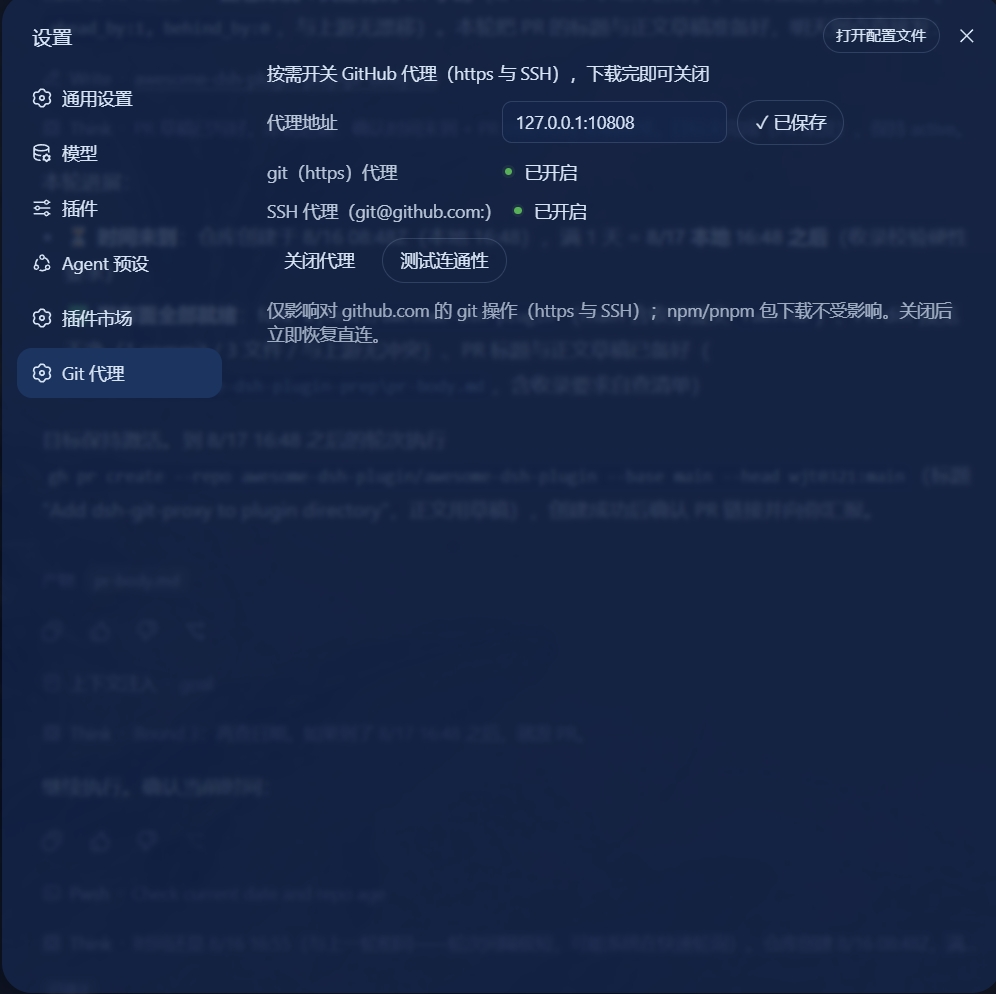
开启状态——git 与 SSH 代理均已打开。
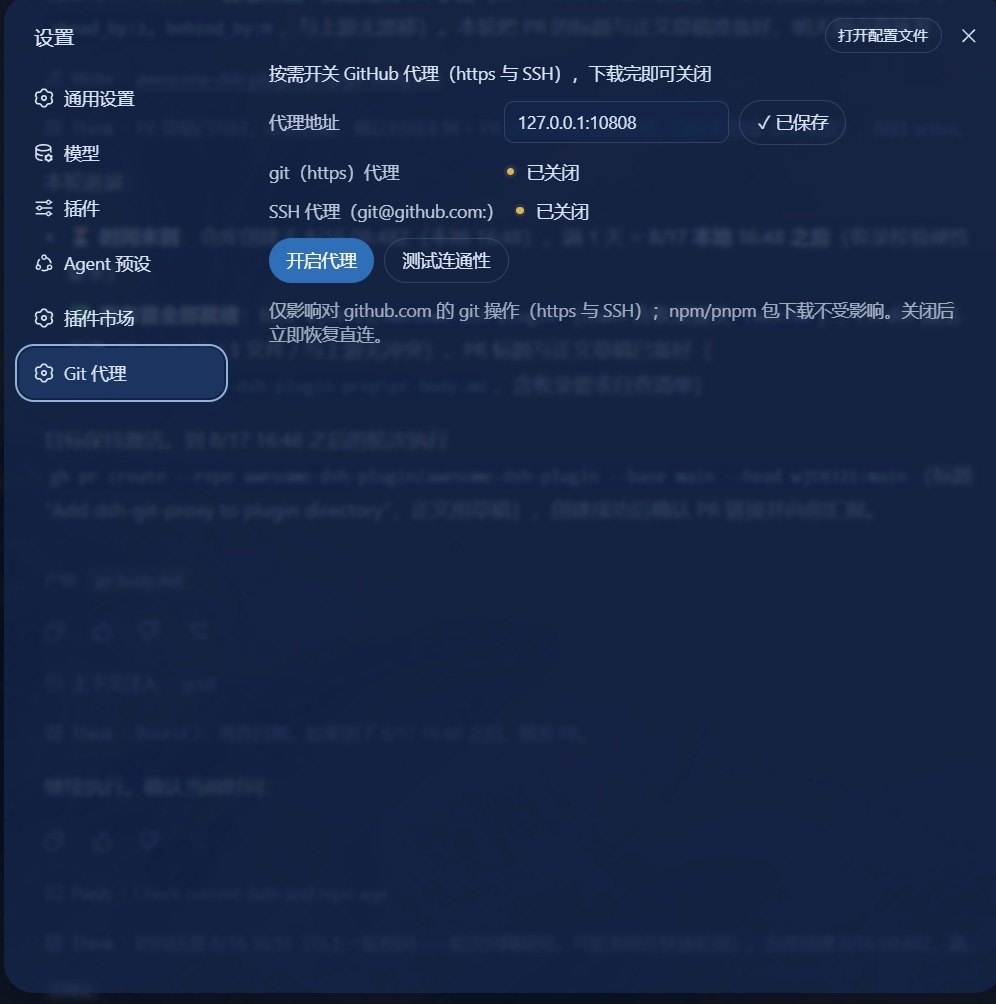
关闭状态——点击关闭代理后两项均关闭,恢复直连。