zhuoxiaoshuai/dsh-database ↗★ 0
dsh-database
MySQL, Oracle, Redis and Kafka inside DeepSeek Harness. Written entirely with AI.
安裝
npx -p @deepseek-ai/dsh dsh plugin --profile web add github:zhuoxiaoshuai/dsh-database說明文件
閱讀完整 README ↗DSH Database




A DeepSeek Harness plugin, not part of dsh web itself. After you add it to the web profile and restart, a Database tab appears in the conversation’s right sidebar. It talks to MySQL, Oracle, Redis, and Kafka. Remove the plugin and dsh web is unchanged.
This repository was written entirely with AI.
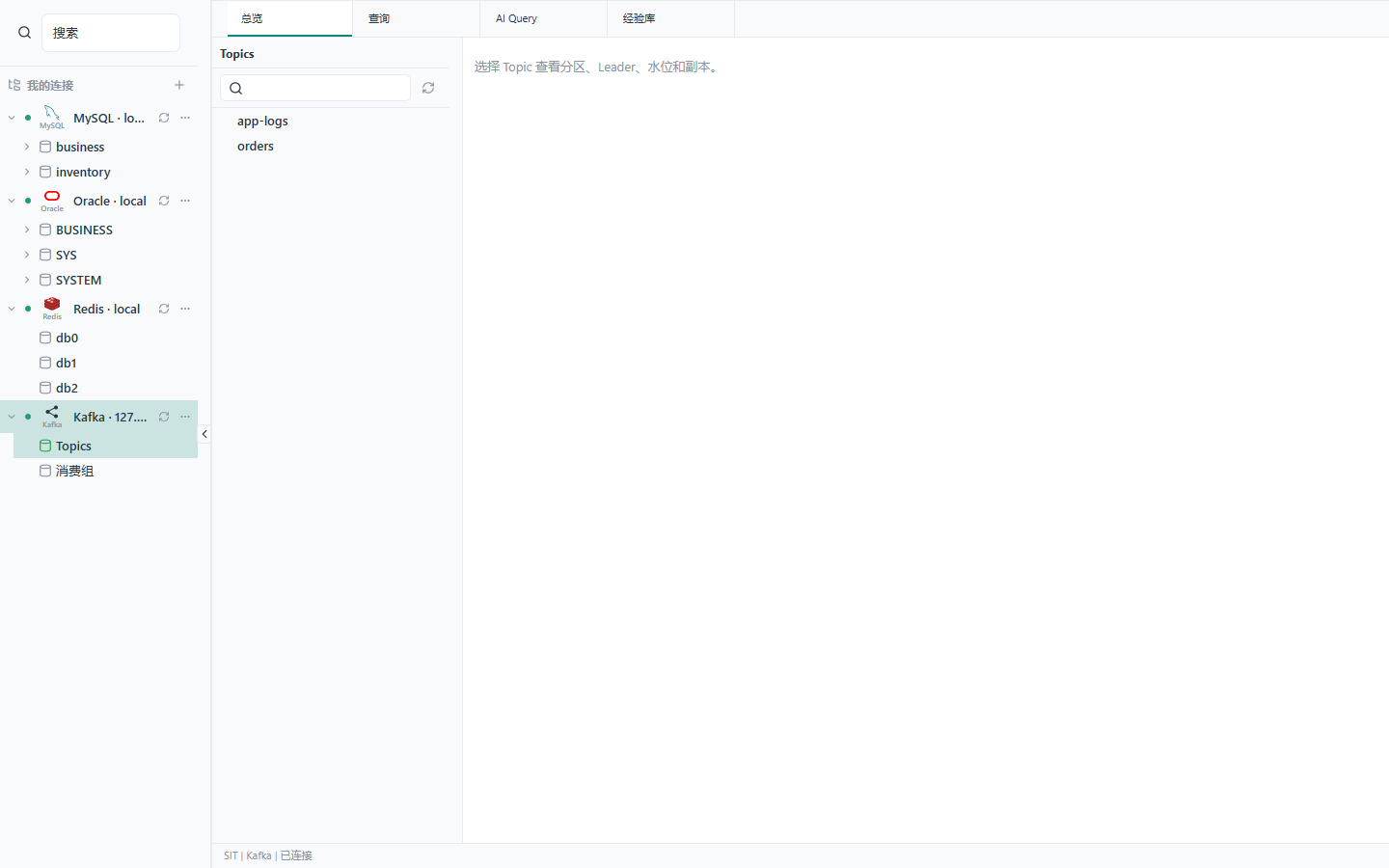
Names in the screenshots are test data.
Install
dsh plugin --profile web add https://github.com/zhuoxiaoshuai/dsh-database/releases/download/v0.1.0-alpha.12.15/dsh-database.tgz
Restart dsh web afterwards. Node.js 24 or newer is required. The git repository does not ship lib/, so do not install from github:.
From a clone you can also pack it locally:
npm pack
dsh plugin --profile web add ./dsh-database-0.1.0-alpha.12.15.tgz
To uninstall:
dsh plugin --profile web remove dsh-database
Do not copy cordis.patch.yml into the profile by hand.
On Desktop, dsh is not on PATH. Open DSH Terminal from the tray and run:
dsh plugin --profile desktop add https://github.com/zhuoxiaoshuai/dsh-database/releases/download/v0.1.0-alpha.12.15/dsh-database.tgz
It is the same plugin on a different profile. --profile web does not install into the desktop app.
Environments
When you save a connection, pick SIT, UAT, or PVT. dev and test become SIT, staging becomes UAT, and prod becomes PVT. Any other value is treated as UAT.
On SIT, query cells are sent to the model as returned. Grid DML/DDL and redis_execute are allowed; the database or Redis account still has the last word.
On UAT and PVT, the model cannot write and the grid cannot edit. The SQL editor still auto-commits (lane: manual). If writes are not acceptable, use a read-only database user.
Passwords stay in the Host process. “Remember password” exists only on Windows (DPAPI, current user, secret on stdin) and is off by default.
See SECURITY.md.
MySQL
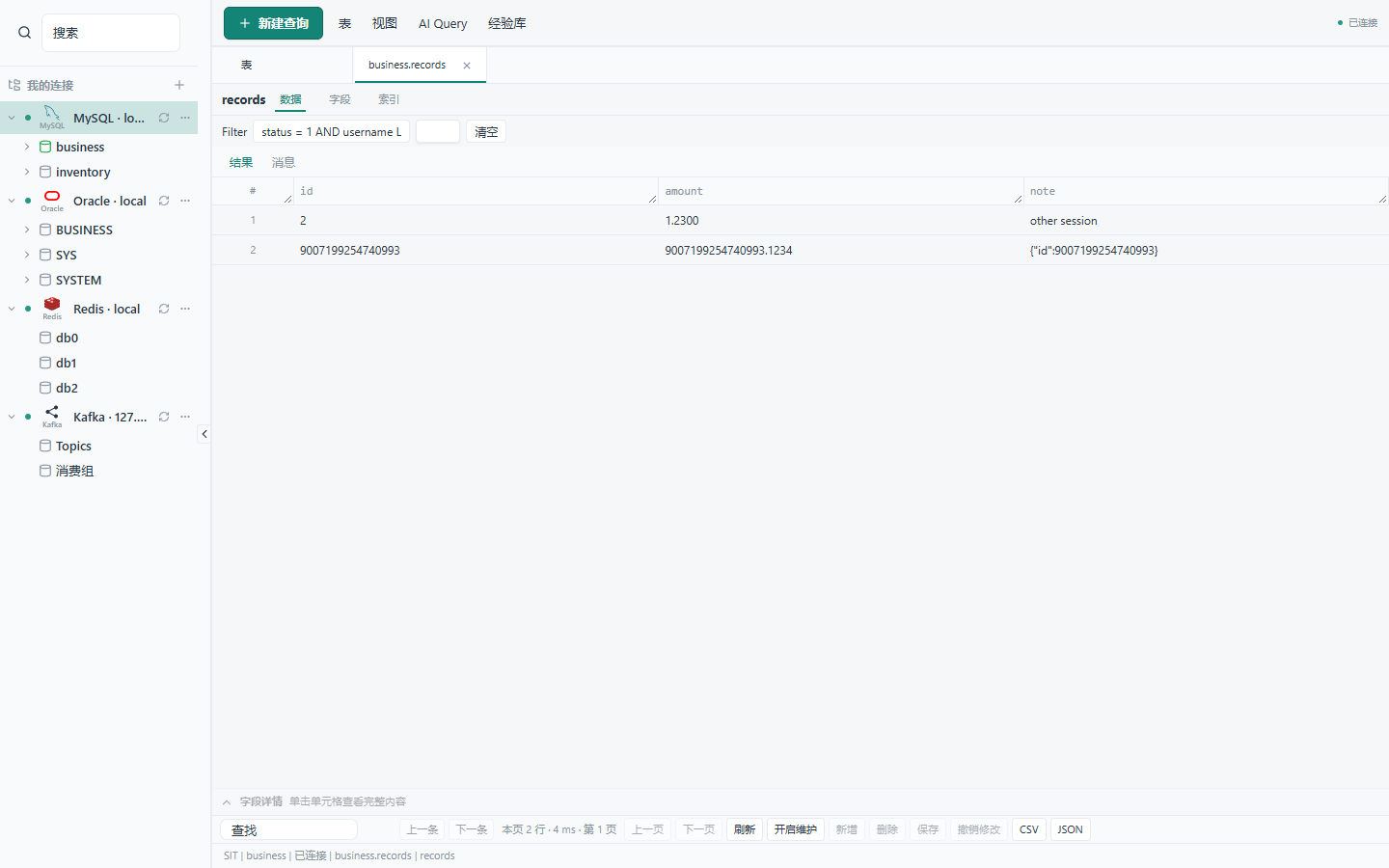
The driver is mysql2, default port 3306. The tree is database → table → column. Identifiers use backticks; paging uses LIMIT / OFFSET. mysql, information_schema, performance_schema, and sys stay in the tree.
SELECT 9007199254740993 AS id;
When the account can read them, the catalog shows columns, indexes, constraints, and SHOW CREATE. Otherwise it explains why, instead of failing silently.
Filter, sort, and paging run on the server. The default is 100 rows; the cap is 500 rows or 1 MiB; the timeout is 30 seconds. Cancelling a query does not drop the login.
Grid edits use parameterized statements: preview, confirm once, and match the original primary-key row. A conflict rolls back and keeps the draft.
DDL allows at most 20 steps. Approval lasts 5 minutes. Destructive steps ask you to type the table name. The run stops on the first error; there is no all-or-nothing DDL rollback.
On SIT, database_execute_sql runs up to 8 statements, 100 rows each, including DML. The first error stops the rest.
BIGINT is returned as a string. BLOB cells show as [BLOB n bytes].
Oracle
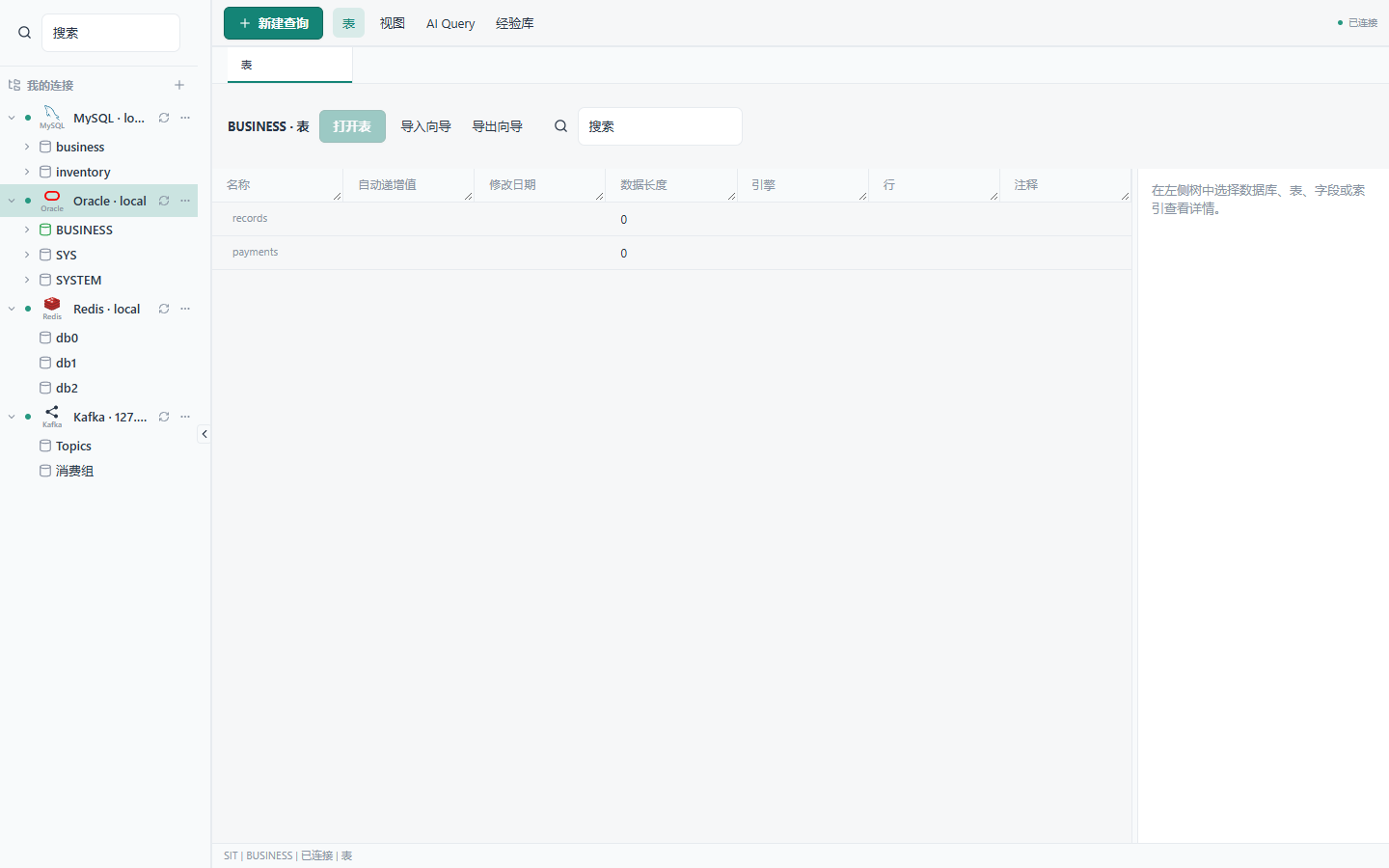
The SQL page is the same as MySQL. Objects are schemas; names are case-insensitive. If a schema named after the username exists, that is the default. Identifiers are quoted; paging uses OFFSET … ROWS FETCH FIRST … ROWS ONLY; plans use EXPLAIN PLAN FOR. q-quote works; # comments do not.
The driver is oracledb Thin, default port 1521, Service Name. NUMBER and timestamps are fetched as STRING. Views and synonyms expose metadata only. A query that includes a LOB column fails.
Redis
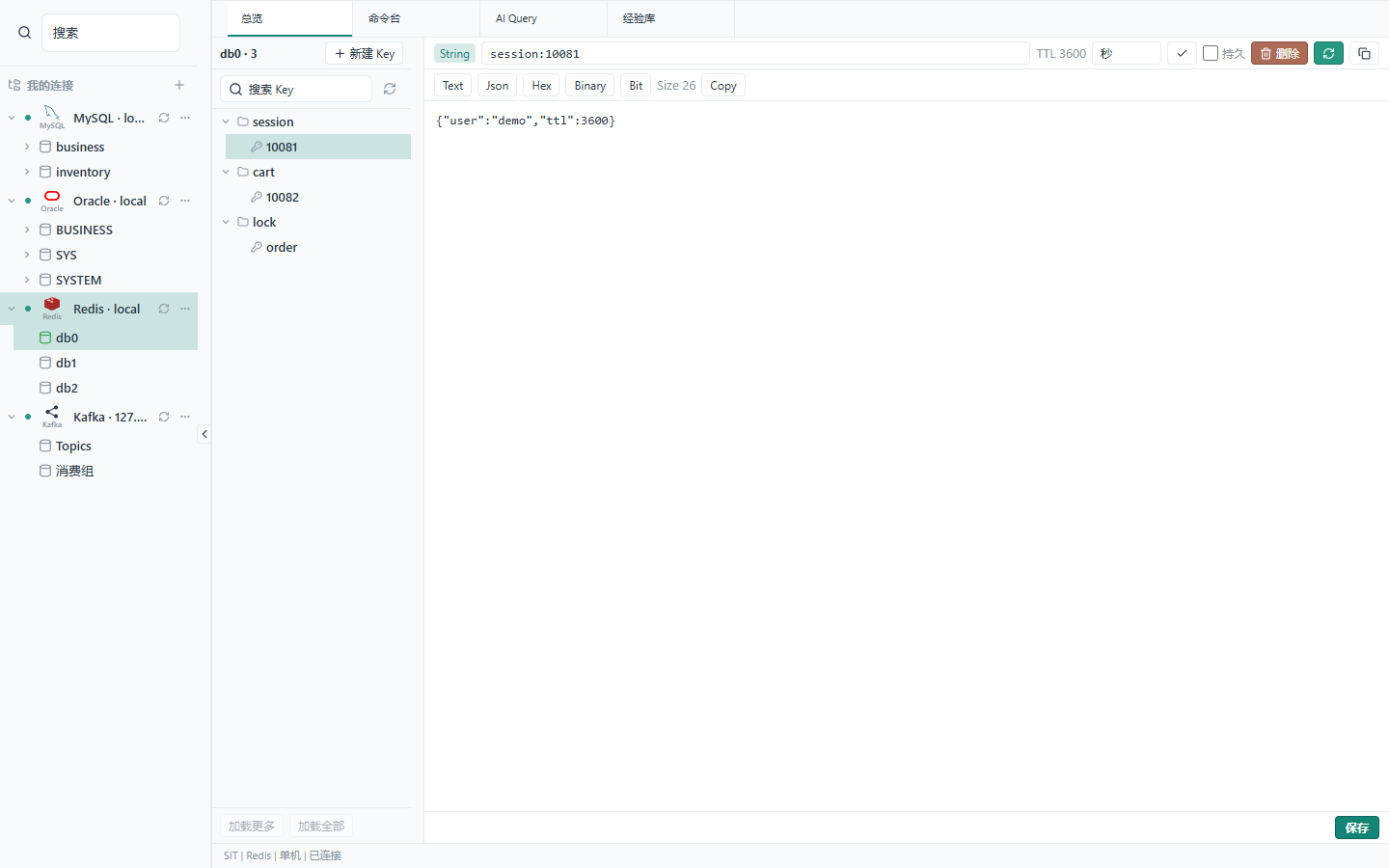
Redis 7.2 or newer is required. The tree is DB → keys. SCAN paging can return empty pages or duplicates; the UI says when the cursor is unfinished.
PING
Standalone, one sentinel, or one cluster seed are supported. ACL, TLS, and a custom CA are optional. Sentinel takes a single address; the same user and password are used for sentinel and Redis. In cluster mode the host is a seed and DB must be 0.
The key browser and the command console use different connections. The console runs one CLI-quoted command and then closes. SELECT or MULTI in the console does not change the tree.
redis_execute is available on SIT only. DSH_REDIS_COMMAND_BLACKLIST is empty unless you set it; Redis ACL still applies.
Kafka
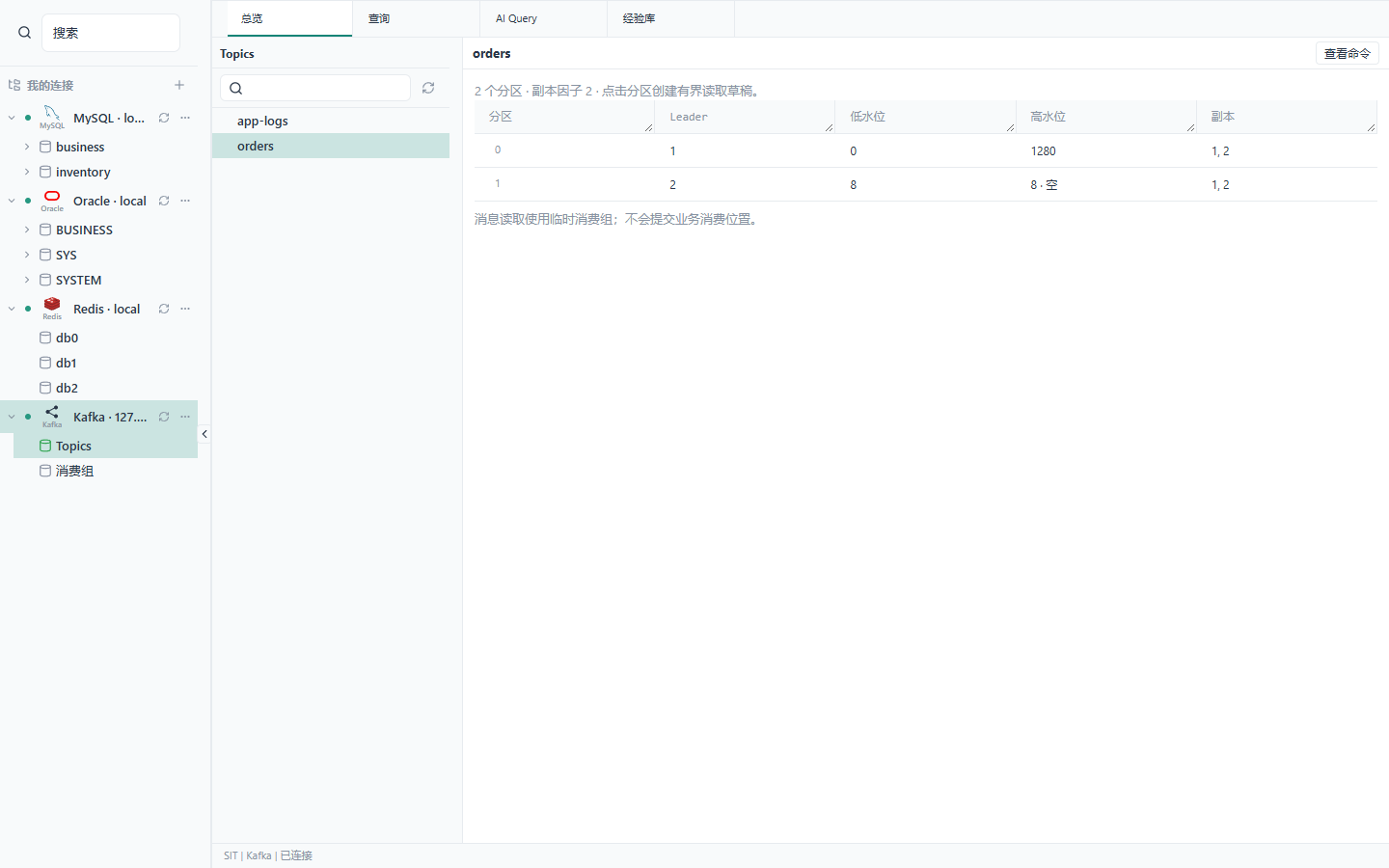
Kafka is read-only: list topics, describe partitions, and peek one partition.
PEEK "orders" PARTITION 0 FROM LATEST LIMIT 20
Replace "orders" with a topic you actually have.
Authentication: none, TLS+CA, PLAIN, or SCRAM-SHA-256/512. PLAIN and SCRAM can skip TLS. When TLS is on, certificates are always verified. Kerberos, OAuth, and client certificates are not supported. There is no produce, topic admin, or offset move.
Peek uses a temporary group dsh-peek-{uuid} with autoCommit: false. Those groups stay hidden in GROUPS. If stop or disconnect times out, the worker is dropped and a new one is started.
Tools
Tool guides load only when you pass a topic to database_status.
| Tool | Notes |
|---|---|
database_status | Live SQL/Redis connections and generation |
database_catalog | schemas / tables / table. Do not query information_schema |
database_execute_sql | action=read returns the current AI Query text. With sql, it runs on SIT only |
database_templates | Save and search text. Does not execute |
database_read_collab | Open query tabs |
database_import_connections | Register hosts. No password |
redis_status redis_keys redis_value | SCAN, type, TTL, value |
redis_execute | SIT only, one command |
kafka_status kafka_topics kafka_describe | Topics, partitions, watermarks |
kafka_peek | Peek one partition. Refused if you already took over the editor |
How it runs
The tab lives in DSH’s right sidebar. Drivers (mysql2, oracledb, redis, kafkajs) run in the Host process. The browser calls /plugins/database/... with a session cookie; without a cookie the response is 401.
Connections are stored in the workspace file. Editors are per conversation. Reconnect cancels in-flight work.
Typing in AI Query takes over that editor until you give it back.
A timed-out write is reported as unknown: the row may already be in the database. Peek and query timeout is 30 seconds.
Troubleshooting
| Problem | What to do |
|---|---|
/plugins/database/connections clash | An old remote-exec still ships this UI. Current dsh-remote-exec can be installed together |
dsh missing on Desktop | Open DSH Terminal from the tray |
| Plugin installed but not visible | Restart the profile, refresh, and avoid duplicate patch rows |
| Oracle query hits a LOB column | Not supported |
Console SELECT does not change the tree | Pick the DB in the tree |
| Does peek join a business consumer group | No |
Development
npm ci --legacy-peer-deps
npm run check
npm run test:mysql
npm run test:oracle
DSH_TEST_REDIS=1 npm run test:host
DSH_TEST_DATABASES=1 npm run test:host
npm run test:redis starts Docker containers and deletes them afterwards. Set DSH_OPENSSL if OpenSSL is not on PATH. For an isolated host: DSH_DESKTOP_APP=... npm run test:host.
Issues: github.com/zhuoxiaoshuai/dsh-database/issues. Security: SECURITY.md.
Tried on
Harness 0.1.2-rc.1, 0.1.7-rc.2, and 0.2.0-rc.2.
Drivers: mysql2 3.24.4, oracledb 7.0.1, redis 6.2.1, kafkajs 2.2.4. MySQL 8.4 and 8.0.32. Oracle Database Free 23 (Thin). Redis 8.10.2.