dsh-agy
Google Antigravity (agy) OAuth auth + model access plugin for DeepSeek Harness: multi-account pool, 429 rotation, device fingerprinting, CLI and web login.
安装
$
npx -p @deepseek-ai/dsh dsh plugin --profile web add github:chaos-03x/dsh-agy说明文档
阅读完整 README ↗dsh-agy


Google Antigravity (agy) access for DeepSeek Harness: OAuth authentication, a multi-account pool with automatic 429 rotation, device fingerprinting, and both CLI and web management.
中文文档:docs/README_zh.md
Features
- OAuth login: one-click sign-in via browser OAuth callback, with headless paste-URL mode and a remote paste-credential blob channel.
- Two management surfaces: web and CLI, either one works, core features are the same.
- Multi-account pool: encrypted account store, automatic rotation on rate limits, per-account cooldown with tiered backoff, per-account device fingerprints.
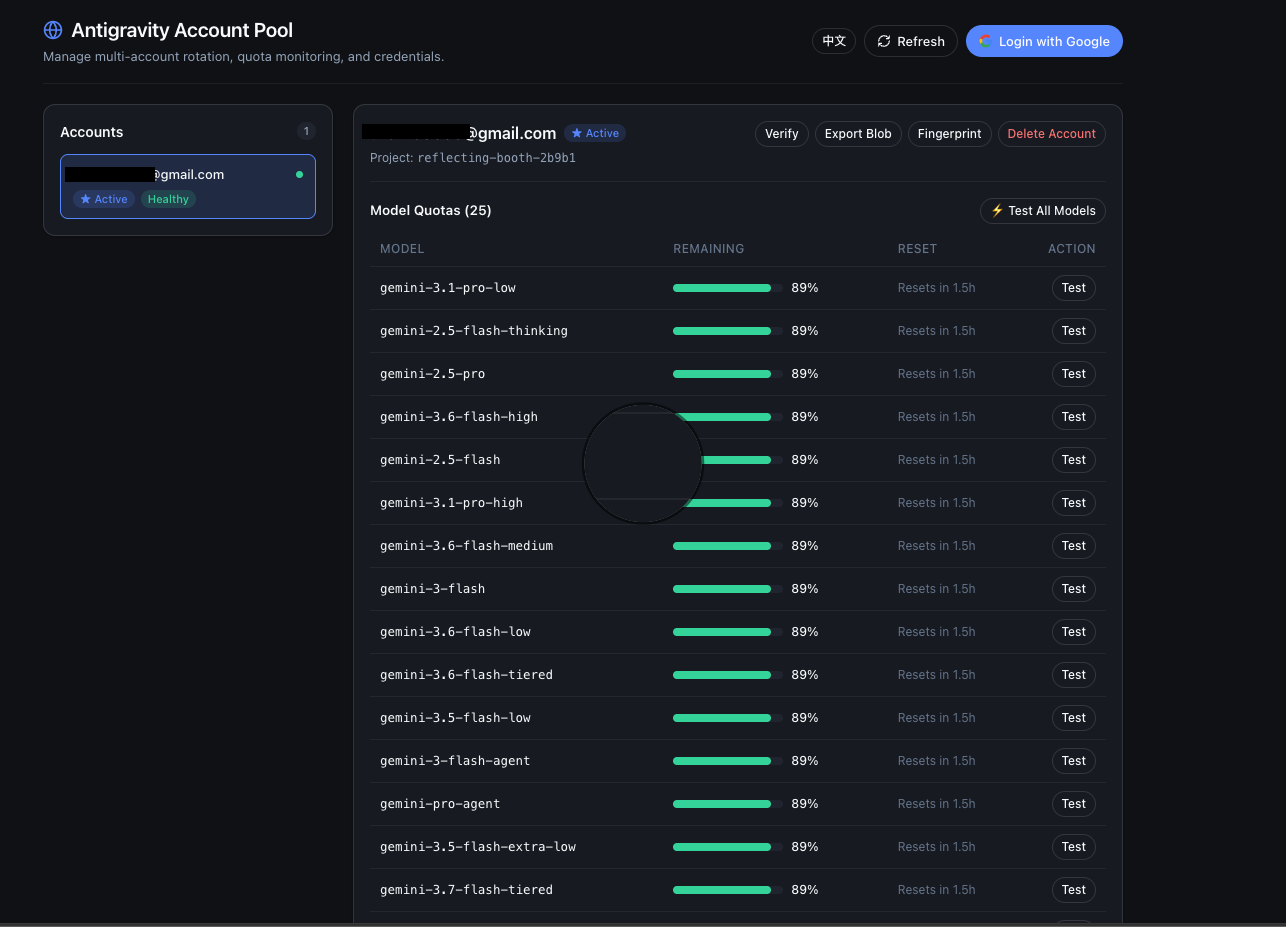
- Quota dashboard: only active when DSH Web is running; append
/agyto your dsh web address: login, account management, per-model quota bars, model testing, credential export/import, fingerprint management. - CLI:
dsh-agy login|status|import|verify|logoutworks standalone, with or without a harness.
Screenshots
The /agy dashboard inside DSH Web — account cards, per-model quota bars, and
one-shot model tests:
Quickstart
Path A: DSH Web GUI Users (Recommended — 100% Web UI, zero CLI commands)
For users using DeepSeek Harness browser workspace / Web GUI:
# 1. Install plugin into DSH web profile (via dsh CLI, or pnpx/npx if dsh is not in PATH)
dsh plugin --profile web add dsh-agy
# or: npx @deepseek-ai/dsh plugin --profile web add dsh-agy

# 2. Launch DSH Web
dsh web

# 3. Open dashboard at http://127.0.0.1:3080/agy
# Click "Login with Google", complete OAuth authorization, and start using the agy provider
Path B: Headless / Terminal Only (Standalone CLI)
For Linux VPS, SSH remote servers, or headless CI environments:
# Run directly without global install (npx / pnpx)
npx dsh-agy login
npx dsh-agy status

# Or install globally
npm install -g dsh-agy
dsh-agy login          # interactive OAuth (browser, --headless paste, or --blob)
dsh-agy status         # list accounts + quota summary
dsh-agy verify         # refresh + health check
dsh-agy import   # import agy auth.json or credential blob (--blob)
dsh-agy logout         # remove account