cyanseek/dsh-native-playbook ↗★ 0
dsh-native-playbook
DSH plugin, Agent Skill, and CLI for choosing native DeepSeek Harness capabilities.
安装
$
npx -p @deepseek-ai/dsh dsh plugin --profile web add github:cyanseek/dsh-native-playbook说明文档
阅读完整 README ↗dsh-native-playbook
先用好 DeepSeek Harness 已经提供的能力,再考虑重复开发。


dsh-native-playbook 把日常任务映射到
DeepSeek Harness 原生能力,并检查这些能力
在当前 DSH profile 中是否可用。
任务 → 原生能力 → 可用状态 → 推荐操作
为什么需要它
DSH 已经包含文件、Shell、后台任务、代码搜索、Subagent、Workflow、Goal、Web、Session 等大量能力。真正困难的是判断当前任务该用哪个能力,以及当前 profile 是否已经具备完整条件。
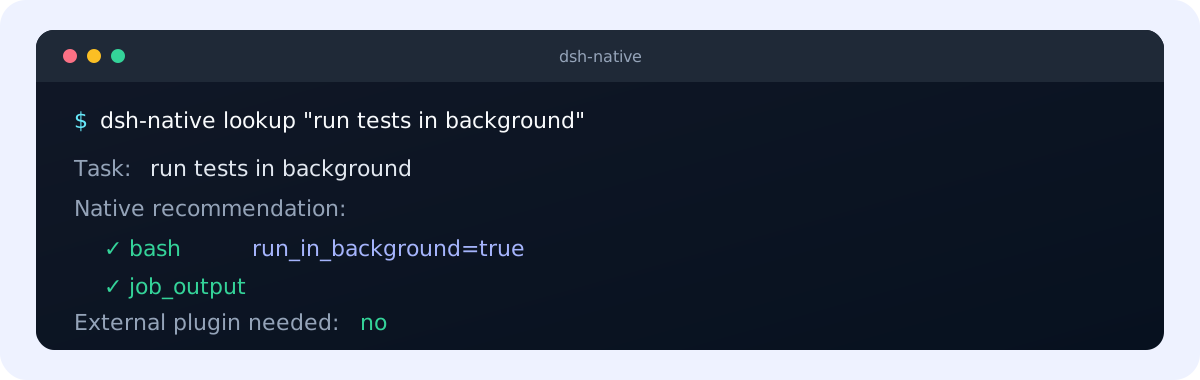
后台运行测试
→ bash(run_in_background=true) → job_output

查找符号的全部引用
→ lsp → LSP provider 未就绪时回退 grep

让另一个 Agent 调查,我继续工作
→ subagent → list_agents / send_message
亮点
- 原生优先:安装新插件或编写 workaround 前,先检查 DSH 已有能力。
- 真实 profile 状态:区分 ready、opt-in、disabled 和 provider 依赖。
- DSH runtime plugin:在 DSH profile 内提供
native_capability工具。 - Agent Skill:为 Codex 和兼容 Agent 提供聚焦的任务配方。
- CLI 与 Node API:可在终端、脚本和集成中使用相同结果。
- 默认离线:静态查询没有遥测,也不会在安装时主动访问外部服务。
安装
DSH 插件
从 GitHub 直接安装到 DSH profile:
dsh plugin --profile web add github:cyanseek/dsh-native-playbook
确认插件已经进入 profile:
dsh --profile web --dump-config
卸载命令:
dsh plugin --profile web remove dsh-native-playbook
Git 安装会从源码构建 package。如果 pnpm 提示需要批准构建,请按它显示的命令处理后重新安装。
Agent Skill
为 Codex 安装 Skill:
npx skills@latest add cyanseek/dsh-native-playbook \
  --skill dsh-native-playbook \
  --agent codex \
  --yes
如果要在项目或 DSH 用户目录共享 Skill,也可以使用 CLI:
pnpm dsh-native install --target project
pnpm dsh-native install --target dsh