@nono-neko/dsh-browser
适用于 DSH Web 和桌面端的嵌入式浏览器插件,支持多标签页、文件查看、智能体工具及设置卡片。
AI 分析
核心用途是在 DSH 界面内嵌入多标签浏览器并为 Agent 提供网页阅读工具。适合需要让 AI 智能体直接打开、阅读网页,或在工作区内浏览文件的任务。
安裝
npx -p @deepseek-ai/dsh dsh plugin --profile web add github:Nono-neko/dsh-browser說明文件
閱讀完整 README ↗Configuration
The plugin reads its settings from a layered source: schema defaults, then the
plugin's cordis.yml entry (composition base), then the user settings
document. All fields are optional.
| Field | Type | Default | Description |
|---|---|---|---|
enabled | boolean | true | Mount the sidebar entry, tools, and proxy routes. |
announceToAgent | boolean | true | Inject a system-prompt section telling agents about browser_open / browser_read. |
defaultHome | string | https://www.bing.com | URL loaded by the new-tab / home button. |
maxTabs | number | 10 | Per-workspace tab cap; oldest inactive tab is trimmed. |
allowPrivateAccess | boolean | false | Let browser_read fetch private / loopback addresses. |
browserExecutable | string | auto-detect | Absolute path to a Chromium-based browser (Chrome / Edge / Chromium). |
proxyServer | string | empty | Route Puppeteer traffic through a proxy, e.g. http://127.0.0.1:7890. |
Option A — Settings card in the DSH GUI
The plugin provides an interactive settings form:
- Web: Settings → Plugins → Embedded browser — requires the DSH whitelist patch (see below)
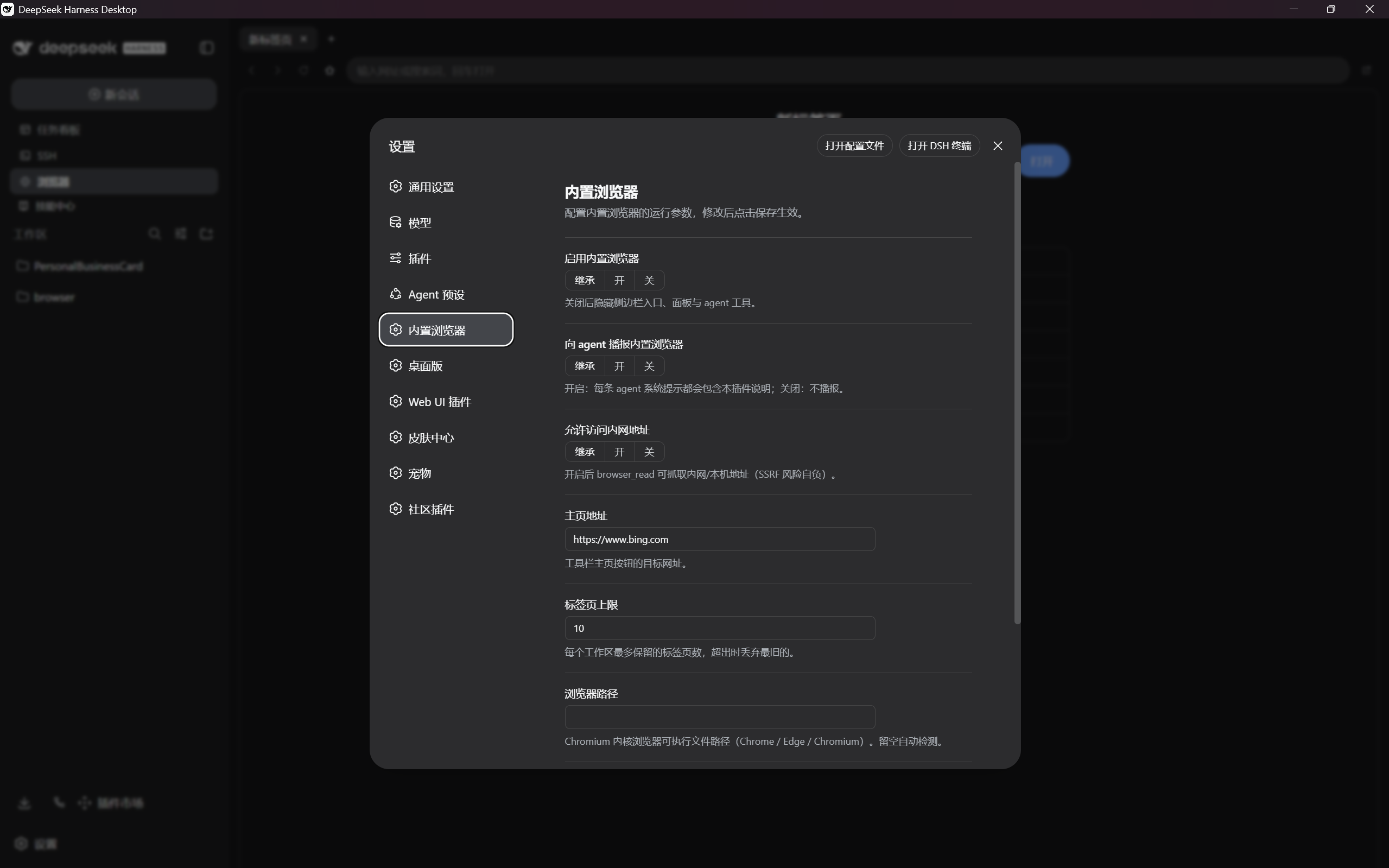
- Desktop: standalone Embedded browser entry in the left nav — works out of the box, no source changes needed
| Web settings card | Desktop settings page |
|---|---|
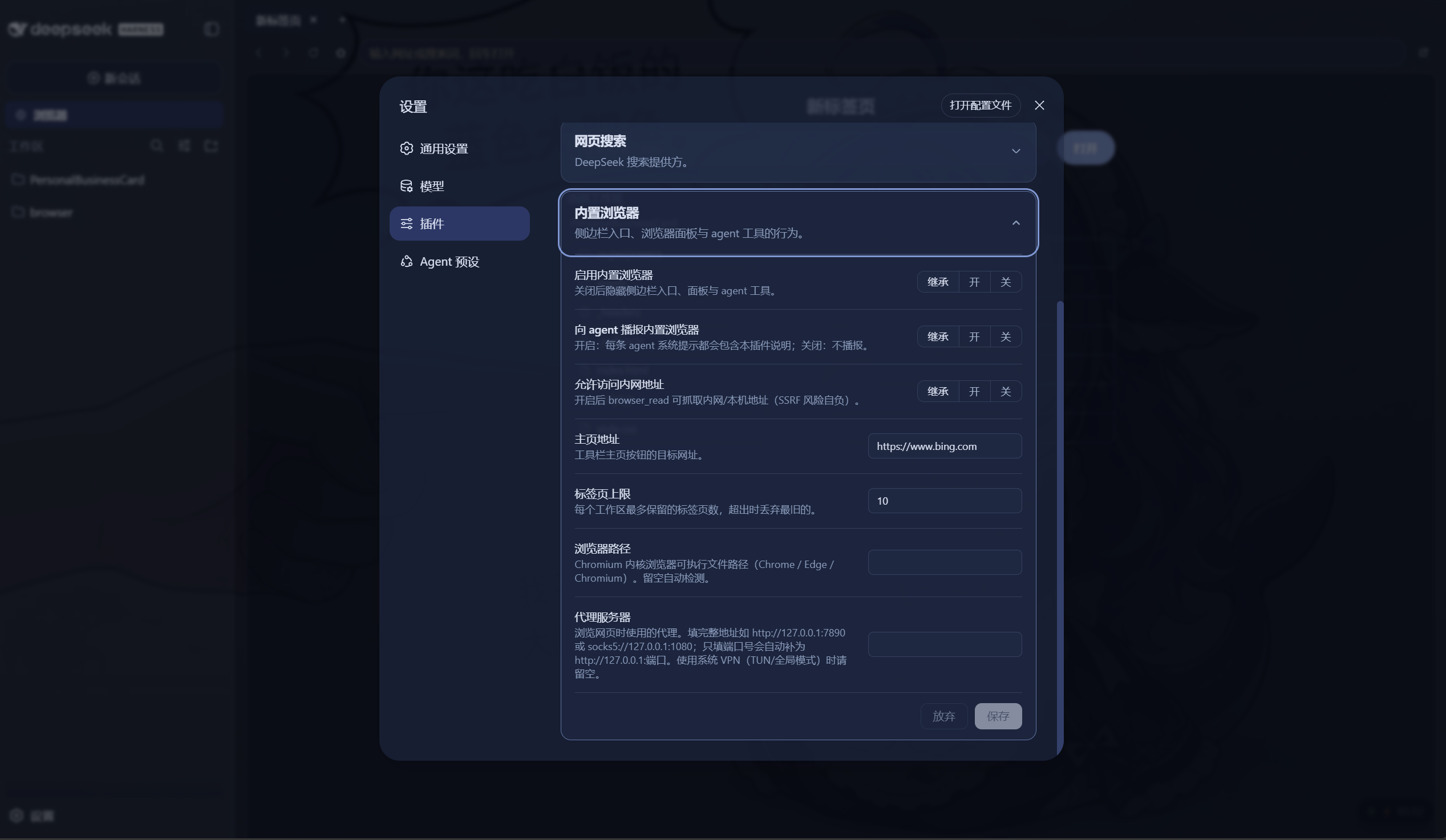 |  |
Web requires a DSH whitelist patch. As of DSH rc.6, the settings API only exposes namespaces in a hard-coded allowlist inside
packages/host/apiproxy/src/api-proxy.ts(WEB_SETTINGS_NAMESPACES). An external plugin's namespace is filtered out even after it registers correctly, so the card renders "not exposed" until you add'dsh-browser'to that array and restartdsh web. The DSH team has noted that moving this declaration tosettings.register()so plugins can self-expose is deferred work.
Edit packages/host/apiproxy/src/api-proxy.ts in your DSH checkout:
const WEB_SETTINGS_NAMESPACES = [
  'agent-loop', 'shell', 'locale', 'permission', 'ui-conversation',
  'ui-theme', 'web-search-deepseek', 'dsh-browser',  // <-- add this
] as const
DSH runs through tsx, so no rebuild is needed — restart dsh web and the
card becomes editable.
Option B — Config file only (no DSH source changes)
If you do not want to patch DSH, set the same fields directly. Two layers are available:
Plugin entry config (cordis.yml or your profile's plugin config) — the
composition base, applies to every user of that profile:
plugins:
  dsh-browser:
    defaultHome: https://www.google.com
    maxTabs: 20
    proxyServer: http://127.0.0.1:7890
User settings document (~/.dsh/settings.yaml) — per-user overrides that
layer on top of the entry config:
dsh-browser:
  browserExecutable: C:\Program Files\Google\Chrome\Application\chrome.exe
  allowPrivateAccess: true
The settings card stays read-only ("not exposed") in this mode, but every field is honored from the files above.